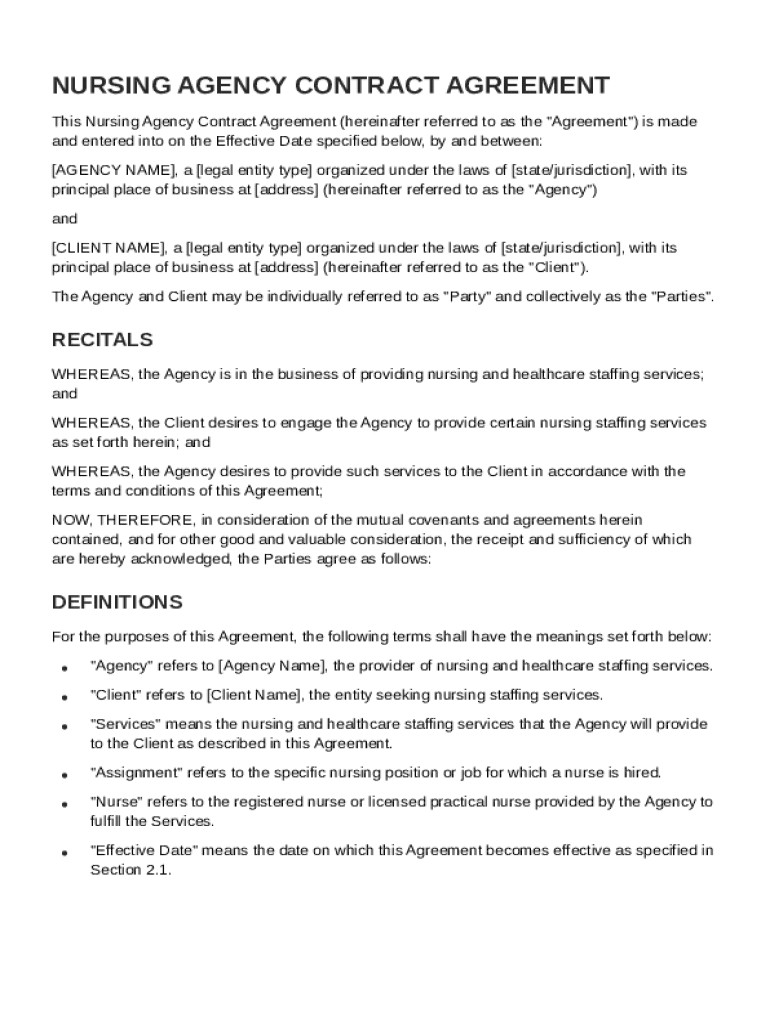
Nurs Agency Contract Form
Use a Nurs Agency Contract Template template to make your document workflow more streamlined.
What the agency contract form does
The Nurs Agency Contract Form records the working arrangement between a nursing agency and the parties receiving or providing staffing services. It can define responsibilities, compensation, scheduling, confidentiality, compliance duties, and signatures, depending on the version used. In signNow, upload the document, let the platform detect fillable areas, review or add fields, assign each signer, and send the contract for completion. Each signer reviews the terms and applies an electronic signature. The completed document and audit trail can then be downloaded or retained with the agency’s contract records.
Teams that manage agency contracts
Agency administrators can maintain approved contract templates, assign roles, and control access while recruiters or staffing coordinators send agreements to nurses and client facilities. Delegated sending keeps routine contract work moving without giving every user unrestricted administrative privileges. Healthcare staffing teams can route contracts through shared workflows, preserve signer order, and review audit trails after completion. signNow supports templates and mobile apps, while HIPAA-related deployments require the organization to confirm the BAA and applicable access controls.
Features that support agency contracts
Nurs Agency Contract Form workflows become easier to manage when field placement, signer routing, audit evidence, mobile access, and record handling work together.
Field placement
Upload the Nurs Agency Contract Form and place signature, initials, date, and text fields where each party must complete the agreement.
Signer routing
Route agency owners, nurses, contractors, or clients in a defined order so every required party reviews the same contract version.
Reusable templates
Use reusable templates for recurring nurse placement or staffing agreements while preserving the contract’s required terms and field structure.
Audit trail
Capture signer actions, timestamps, and document history alongside the completed contract for later review of the signing event.
Mobile signing
Let signers review and complete the agreement from a desktop or supported mobile app without coordinating an in-person meeting.
Record handling
Connect completed contracts to approved storage or business systems, reducing manual downloads and keeping executed records organized.
How Nurs agency contract signing works
The signNow workflow moves the agency contract from document preparation through assigned signing and documented completion.
Upload contract: Upload the approved Nurs Agency Contract Form. Prepare fields: Review detected fields and add missing assignments. Route for signing: Send the contract to designated parties. Archive evidence: Store the signed contract with its audit trail.
How the agency contract audit trail works
The audit trail records technical evidence around each Nurs Agency Contract Form signing event, separate from the contract’s business terms.
Authenticate signer:
Capture timestamp:
Link document history:
Seal completed record:
Log signing activity:
Export evidence:
 Best ROI. Our customers achieve an average 7x ROI within the first six months.
 Scales with your use cases. From SMBs to mid-market, airSlate SignNow delivers results for businesses of all sizes.
 Intuitive UI and API. Sign and send documents from your apps in minutes.
Recommended agency contract workflow setup
Configure signer identity, electronic execution, audit evidence, retention, encryption, and user access before sending the agency contract.
| Setting | Recommendation |
|---|---|
| Authentication method | Email verification with SMS authentication |
| Signature type | Electronic signature under ESIGN and UETA |
| Audit trail and encryption | Enabled with TLS and AES-256 |
| Document retention | Retain under applicable state and federal rules |
| User provisioning | Role-based administrator-controlled access |
Security for agency contract records
Data encryption:
Security certification:
Security management:
Healthcare protection:
Electronic signing:
Transport and storage:
Mobile options for agency contracts
Use the signNow iOS and Android apps to review, complete, and sign the Nurs Agency Contract Form. Mobile workflows also support offline signing and camera-based document capture for paper records that need to enter the contract process.
Mobile apps iOS and Android apps Offline signing Offline signing available Document capture Camera document capture
For regulated staffing workflows, administrators should manage mobile access through organizational policies, confirm signer identity requirements, and preserve completed contracts with their audit trails. Where contracts contain protected health information, confirm that the workflow, account configuration, and business associate documentation meet HIPAA obligations.



Complete Nurs agency contract processing
Move from contract preparation to signer delivery, review, completion, and secure archival in one documented workflow.
Prepare the contract
Send to signers
Complete signer review
Archive the agreement
Best practices for agency contracts
Use a controlled document version, accurate signer assignments, complete execution evidence, and access restrictions before and after signing.
Use the approved contract version
Map every signer and field
Preserve execution evidence
Control sensitive information
Challenges when managing agency contracts
Agency staff may send an outdated contract version, causing signers to approve terms that no longer match current staffing or compensation requirements. Incorrect field assignments can leave a nurse, facility, or agency representative unable to complete the signature sequence without restarting the request. Contracts containing confidential staffing, compensation, or health-related information require controlled access and careful recipient verification before delivery. Downloaded contracts without their audit trails may provide weaker evidence about signer identity, timing, and the exact document completed.
Risks from incomplete agency contracts
Authority dispute
Incomplete execution
Version dispute
Weak proof
Confidentiality breach
Legal standing of agency contracts
A Nurs Agency Contract Form can provide evidence of agreement when parties show intent to sign, consent to electronic records, signer attribution, and reliable record retention. ESIGN, 15 U.S.C. ch. 96, and applicable state law such as UETA support electronic contracts, but wills, certain court orders, and family-law decrees remain excluded.

Troubleshooting agency contract signing
Resolve field, signer, plan, privacy, legal, and document-version issues before treating an agency contract as fully executed.
Upload the original Nurs Agency Contract Form as a supported document, then inspect the detected fields before sending. signNow’s field placement tools allow the sender to add or correct signature, initials, date, and text fields when automatic detection does not match the contract.
Use signNow’s signer routing to assign each contract field to the correct agency, nurse, facility, or client signer. A signer should not complete another party’s fields unless the contract and organizational policy expressly authorize that action.
The signNow Business plan includes legally binding eSignatures, templates, audit trails, mobile apps, ISO 27001, SOC 2, and GDPR support. A 7-day free trial is available without a credit card, subject to current plan terms.
For a contract containing protected health information, signNow states that HIPAA compliance requires a business associate agreement. Confirm the parties, data flow, account configuration, and BAA requirements before sending the document.
Electronic signing is supported under ESIGN and UETA when intent, consent, attribution, and record retention requirements are satisfied. Check applicable state law and any contract-specific notarization or witness requirement before relying on an electronic signature.
If the final PDF differs from the approved contract, cancel the request, correct the source document or template, and send a new transaction. Preserve the completed audit trail for the version that each party actually reviewed and signed.
Key performance indicators that demonstrate SignNow's proven track record.
BE READY TO GET MORE
Get this form now!

If you believe that this page should be taken down, please follow our DMCA take-down process.