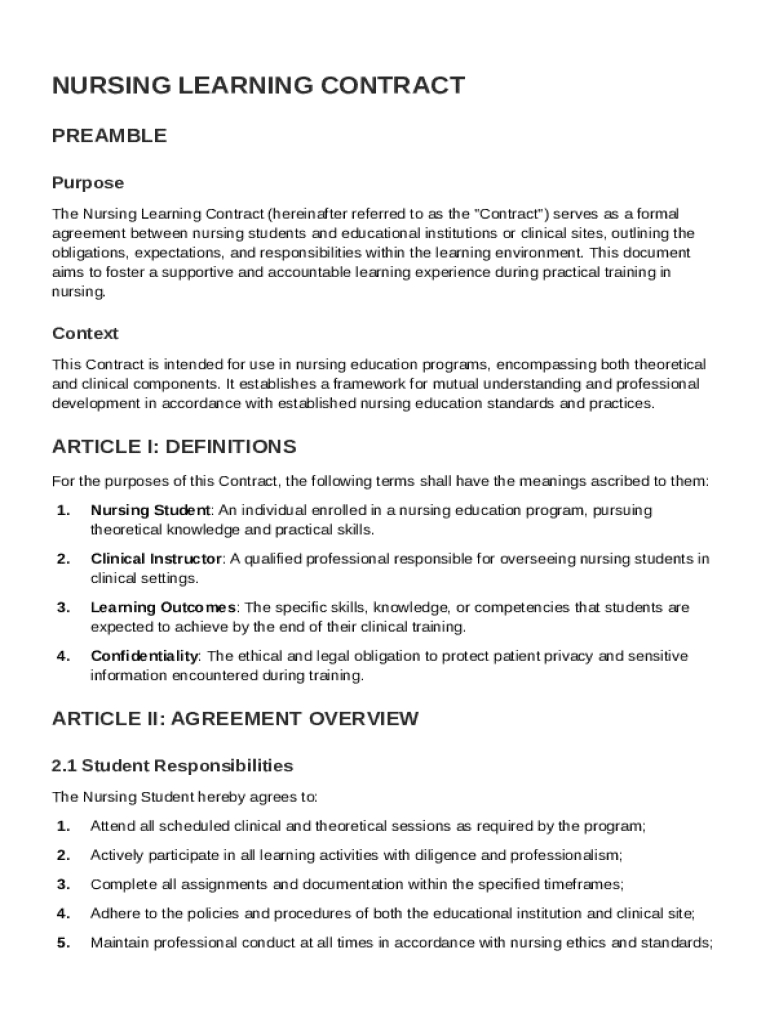
Nurs Learn Contract Form
Use a Nurs Learn Contract Template template to make your document workflow more streamlined.
What is the Nurs Learn Contract Form?
The Nurs Learn Contract Form is a document used to record an agreement among nursing learners, supervisors, educators, or related administrators. Its exact legal and administrative effect depends on the language, participants, and governing organizational or state requirements. With signNow, a sender uploads the form, reviews automatically detected fillable fields, assigns signatures and dates, sends it to identified participants, and retains the completed document with an audit trail. Electronic signatures may be recognized under ESIGN and UETA when intent, consent, attribution, and record retention requirements are satisfied.
Business types using the form
The Nurs Learn Contract Form fits organizations that coordinate learner agreements, supervisory approvals, and completed records across locations or participants.
Solo nursing educators can upload one approved contract, assign learner and supervisor fields, and preserve each completed record without building a separate paper-routing process. Healthcare training departments can reuse a controlled template for cohorts, delegate sending, and review audit trails when several learners complete related contracts. Enterprise clinical organizations can connect signNow with systems such as Microsoft 365, NetSuite, or cloud storage while controlling access through administrator-managed workflows.
These tasks are executed by both individual contributors and centralized administrators depending on organizational policy and required controls.
Who uses this contract form?
Healthcare training
Nurses, learners, and clinical supervisors can complete assigned sections, sign required acknowledgments, and return the Nurs Learn Contract Form without exchanging paper copies.
Administrative teams
Education, staffing, and operations teams can route the form through approved templates, assign responsibilities, and preserve the completed contract with its audit trail.
Complete the Nurs Learn Contract Form
Complete the Nurs Learn Contract Form by uploading it, checking fields, assigning signers, sending it, and preserving the signed record.
Upload form:
Upload the current Nurs Learn Contract Form document to signNow. Check fields:
Review detected fields and add missing signature, date, or initials fields. Assign signers:
Assign each field to the correct nurse, learner, supervisor, or administrator. Send form:
Send the completed form for electronic signatures through signNow. Store record:
Download the signed document and preserve its audit trail.
 Best ROI. Our customers achieve an average 7x ROI within the first six months.
 Scales with your use cases. From SMBs to mid-market, airSlate SignNow delivers results for businesses of all sizes.
 Intuitive UI and API. Sign and send documents from your apps in minutes.
Features for this contract form
signNow combines field preparation, signer routing, audit evidence, mobile access, and storage options for the Nurs Learn Contract Form workflow.
Field detection
Upload the Nurs Learn Contract Form and review automatically detected fields before assigning participants, reducing manual preparation errors.
Reusable template
Reusable templates preserve the approved form layout and required signer fields for repeated nurse, learner, or supervisor workflows.
Role assignment
Assign signatures, initials, dates, and text fields to named participants before sending the document for completion.
Audit trail
Audit trails record signing activity and document history, supporting later review of who completed each required action.
Mobile signing
Mobile apps allow participants to review and sign the Nurs Learn Contract Form from supported mobile devices when appropriate.
Connected records
Connected storage and business integrations help route completed forms into existing records without repeated manual downloads.
Recommended workflow configuration
Configure the Nurs Learn Contract Form around signer identity, field ownership, audit evidence, encryption, and an organization-approved retention policy.
| Setting | Recommendation |
|---|---|
| Authentication method | Email invitation with SMS OTP when required |
| Signature type | Electronic signature with recorded signer intent |
| Audit trail | Enable audit trail and export with completion record |
| Document retention | Follow the organization’s documented retention policy |
| Encryption | TLS 1.2 or 1.3 and AES-256 protection |
Review the signNow audit trail
The Nurs Learn Contract Form audit trail documents signing evidence separately from the preparation steps, helping reviewers inspect authenticity and document history.
Signer authentication:
Timestamp capture:
Document integrity:
Sealed history:
Action mapping:
Audit export:



Access requirements for the form
Prepare and review the Nurs Learn Contract Form in Chrome, Firefox, Safari, or Edge on Windows or macOS. signNow also provides iOS and Android apps for mobile document access and signing. Use a current supported browser or app, a stable connection, and a device that can display the complete form.
Supported browsers Chrome, Firefox, Safari, and Edge Desktop systems Windows and macOS computers Mobile apps iOS and Android mobile apps
Organizations should test the Nurs Learn Contract Form on managed Windows, macOS, iOS, or Android devices before deployment. Confirm that signers can receive email or link invitations, complete assigned fields, and access the final document. Regulated teams should also configure their own identity, retention, storage, and access-control policies around signNow’s available controls.
Protect Nurs Learn Contract Form data
Transport encryption:
Storage encryption:
Control assurance:
Security management:
Health data controls:
Electronic transactions:
Retain the completed form responsibly
Retention depends on the Nurs Learn Contract Form’s contents and use; preserve the signed document, audit evidence, and access history under a documented policy.
Set a form-specific retention policy
Export the audit trail with the form
Limit access to approved team members
Preserve readable, secure copies
Troubleshoot Nurs Learn Contract Form issues
These answers address field assignment, consent, audit evidence, plan selection, and electronic-signature requirements for the Nurs Learn Contract Form.
Upload the original Nurs Learn Contract Form as a clear PDF or supported document. In signNow, confirm that auto-detected fields match the intended nurse, learner, supervisor, or administrator before sending.
Use signNow’s field assignment controls to give every signature, initials, date, and text field to the correct participant. A Business plan includes templates and audit trails; manually review assignments before delivery.
For a consumer-facing workflow, provide the electronic-record disclosure required by ESIGN, 15 U.S.C. §7001(c), including paper access and consent-withdrawal procedures. signNow can capture the resulting signing activity in its audit trail.
The Business plan provides legally binding eSignatures, templates, mobile apps, and audit trails at $8 per user per month when billed annually. Business Premium adds bulk send at $15 per user per month.
Use signNow’s audit trail to review signer identity details, timestamps, actions, and document history. Export the completed form and audit record together so the Nurs Learn Contract Form remains reproducible.
ESIGN, 15 U.S.C. chapter 96, and UETA generally recognize electronic signatures when intent, consent, attribution, and record retention are established. Confirm that the underlying Nurs Learn Contract Form is not subject to a separate state requirement.
Key performance indicators that demonstrate SignNow's proven track record.
BE READY TO GET MORE
Get this form now!

If you believe that this page should be taken down, please follow our DMCA take-down process.