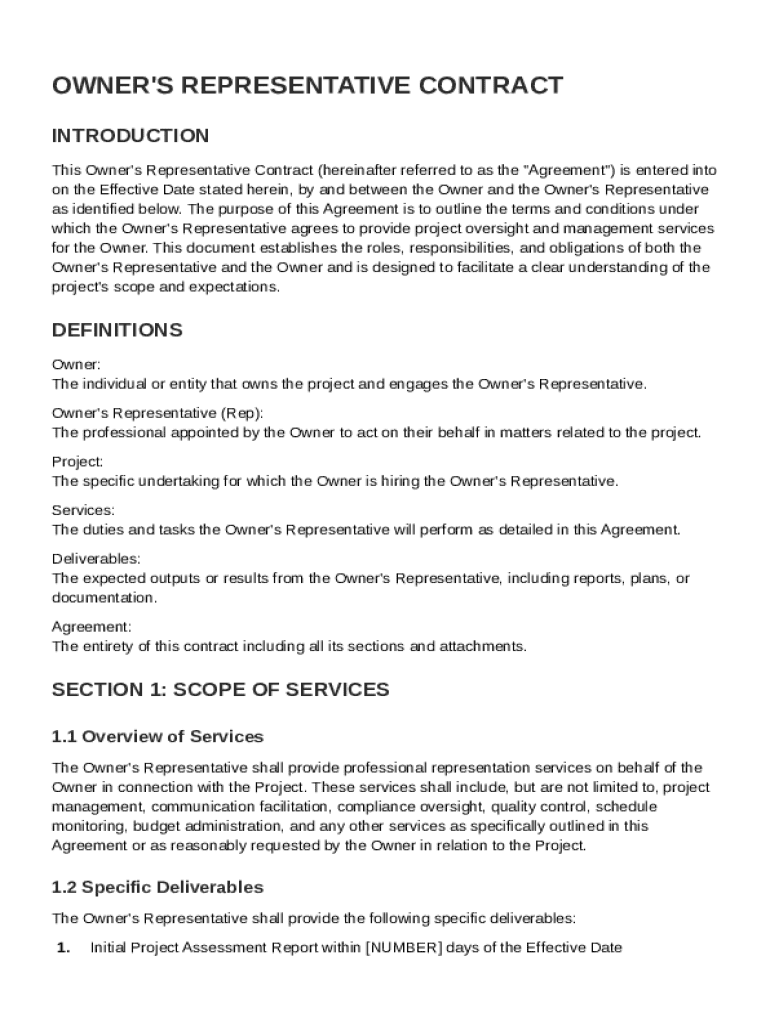
Owner's Representative Contract Form
Use a Owner'S Representative Contract Template template to make your document workflow more streamlined.
What an owner's representative contract form does
An Owner's Representative Contract Form records an owner's appointment of a person or company to coordinate defined project responsibilities on the owner's behalf. It identifies the parties, describes the authorized services and decision limits, and documents compensation, term, notice requirements, and signatures when those provisions are included. The representative may use the completed agreement to clarify authority with contractors, consultants, vendors, and other project participants. Before signing, compare every field with the underlying project agreement and obtain legal review for state-specific requirements, property transfers, notarization, or authority exceeding ordinary contract administration.
Who benefits from this contract form
The form is most useful when an owner needs a written record of another party’s project-administration authority.
Real estate owners use the form to appoint project representatives who coordinate contractors, consultants, approvals, and project communications without transferring ownership of the property. Construction companies and developers use signed appointment records to clarify who may review bids, coordinate schedules, communicate decisions, and administer project documents for a defined engagement. Small business owners use the form when engaging an outside project manager, documenting the person’s authority, term, responsibilities, and limits before vendors or consultants rely on instructions.
These tasks are executed by both individual contributors and centralized administrators depending on organizational policy and required controls.
Features that clarify representative authority
The Owner's Representative Contract Form brings appointment terms, signing responsibilities, and supporting evidence into a controlled electronic workflow.
Defined authority
Captures the owner's appointment, representative identity, authorized responsibilities, and project context in one signed record.
Clear scope
Keeps negotiated limits and responsibilities visible to contractors, consultants, and project participants.
Remote signing
Routes the agreement to the correct parties without requiring a shared office or paper exchange.
Audit evidence
Preserves signer actions, timestamps, and document history with the completed contract.
Reusable template
Supports reusable copies for repeated owner-representative engagements after legal approval.
Secure storage
Creates a retrievable electronic record for contract administration and later review.
Complete the form in signNow
Use this sequence to prepare, route, sign, and retain the Owner's Representative Contract Form.
Upload the form:
Upload the Owner's Representative Contract Form PDF to signNow. Check fields:
Review detected fields and add missing project or authority fields. Assign signers:
Assign each required field to the owner or representative. Send for signature:
Send the agreement for review and electronic signature. Store records:
Download the signed form and certificate of completion.
 Best ROI. Our customers achieve an average 7x ROI within the first six months.
 Scales with your use cases. From SMBs to mid-market, airSlate SignNow delivers results for businesses of all sizes.
 Intuitive UI and API. Sign and send documents from your apps in minutes.
Recommended signing workflow settings
Use controlled authentication, assigned roles, encryption, and retained completion evidence for the Owner's Representative Contract Form.
| Setting | Recommendation |
|---|---|
| Authentication method | Email verification with SMS OTP |
| Signature type | Electronic signature with signer intent |
| Audit trail and retention | Export certificate and signed PDF together |
| Encryption | AES-256 at rest and TLS 1.2/1.3 |
| User provisioning | Admin-managed roles and shared templates |
What the audit trail records
The signNow audit trail connects the Owner's Representative Contract Form to signer identity, timing, document integrity, and retrievable completion evidence.
Signer authentication:
Timestamp capture:
Document hashing:
Tamper-evident sealing:
Audit history:
Trail export:



Best practices for this contract form
Careful preparation preserves the owner's intended authority and makes the signed record easier to administer, review, and enforce.
Verify parties and authority
Define the authority scope
Route and retain evidence
Check governing requirements
Security for signed agreements
Transport encryption:
Stored encryption:
Security certification:
Information security:
Signature compliance:
Audit protection:
State rules and document exclusions
Notarization rules
Wills excluded
Family law
Real-estate deeds
Legal standing for business transactions
For U.S. business transactions, the form can support admissible records when the parties show intent, consent, signer attribution, and reliable retention and reproduction. ESIGN, 15 U.S.C. chapter 96, and applicable state law such as UETA generally recognize qualifying electronic signatures. Wills, codicils, testamentary trusts, and certain court orders remain excluded.

Contract signing tools compared
signNow provides a documented workflow for preparing, signing, and retaining the Owner's Representative Contract Form; competitor details are not verified here.
| signNow | DocuSign | Adobe Acrobat Sign | Feature |
|---|---|---|---|
| Electronic signatures | Yes | Not verified | Not verified |
| Audit trail | Yes | Not verified | Not verified |
| Reusable templates | Yes | Not verified | Not verified |
| Mobile signing | Yes | Not verified | Not verified |
Questions about completing the form
These answers address field detection, signing authority, plan limits, electronic consent, legal exclusions, and record retention for this contract form.
Upload the original PDF again and confirm it is not password-protected or corrupted. signNow can detect fillable fields, but fields that are flattened or visually embedded may require manual placement before routing this contract.
The Business plan costs $8 per user monthly when billed annually and includes legally binding eSignatures, audit trails, templates, and mobile apps. Business Premium costs $15 per user monthly annually and adds bulk send.
Business, Business Premium, and Enterprise subscription plans include 100 signature invites per user annually, with overage fees. The Site License costs $1.50 per signature invite and uses unlimited users for qualifying high-volume use.
For a consumer-facing transaction, provide the ESIGN consumer disclosure, explain the right to receive paper records, confirm electronic access, and explain consent withdrawal procedures under 15 U.S.C. §7001(c).
signNow supports ESIGN and UETA-compliant electronic signatures, but the form does not override exclusions for wills, codicils, testamentary trusts, or certain court filings. Confirm state-specific rules before using electronic execution.
Use the completed PDF, certificate of completion, and audit trail as one record. signNow's document history preserves signing actions and timestamps; apply the retention period required by the governing contract or applicable state law.
Key performance indicators that demonstrate SignNow's proven track record.
BE READY TO GET MORE
Get this form now!

If you believe that this page should be taken down, please follow our DMCA take-down process.