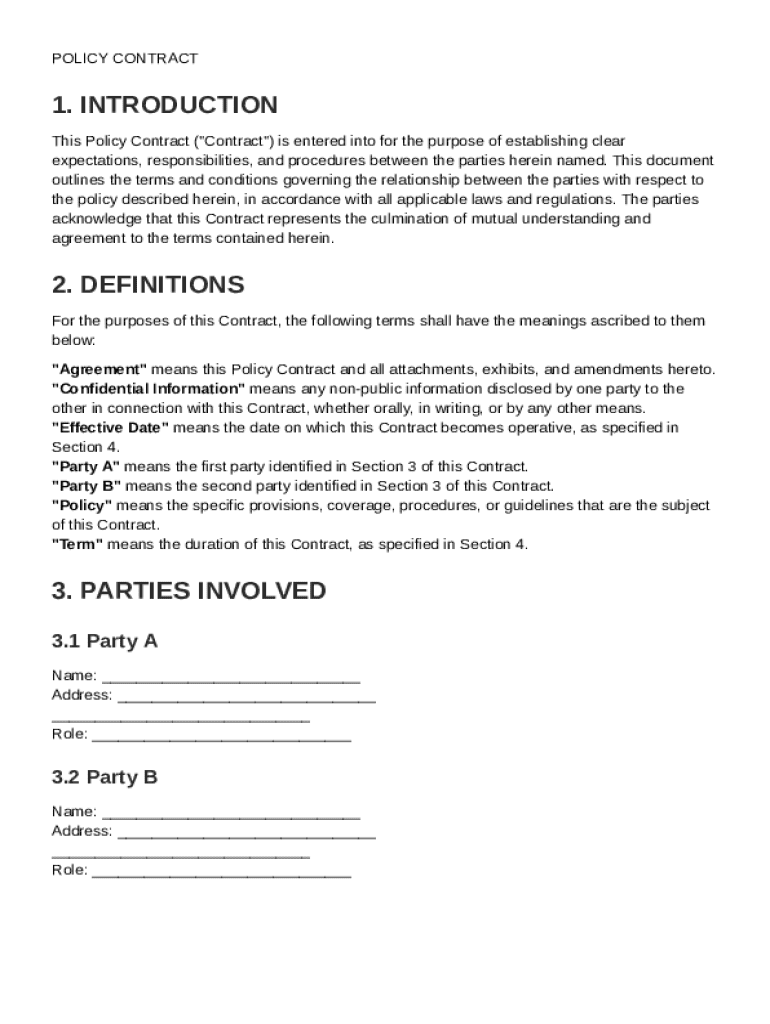
Policy Contract Form
Use a Policy Contract Template template to make your document workflow more streamlined.
What Policy Contract Form does
Policy Contract Form is a business document used to state policy terms, responsibilities, approvals, or contractual commitments between identified parties. Its exact legal effect depends on the language, signer authority, governing law, and any required witness or notarization process. With signNow, a sender uploads the document, reviews or adds fillable fields, assigns signers, and sends it electronically. Signers review the terms, provide required information, and sign. signNow then returns the completed document with an audit trail recording signing events, timestamps, and document history.
Who uses Policy Contract Form
Legal and compliance
Legal and compliance teams use Policy Contract Form for policy acknowledgments, contractual commitments, and approval records. They can assign signers in sequence, require authentication, and preserve the completed document with an audit trail for later review.
Business operations
Operations, finance, human resources, and healthcare teams use Policy Contract Form for internal policies, vendor agreements, employee acknowledgments, invoices, or consent records when the underlying transaction permits electronic signatures.
Key Policy Contract Form features
signNow connects document preparation, signer assignment, electronic completion, and audit evidence in one workflow for Policy Contract Form.
Field detection
Upload the existing Policy Contract Form and review automatically detected fields before adding missing signature, date, initials, or text fields.
Signer assignment
Assign every required field to a named signer so policy acknowledgments and contractual approvals reach the correct person.
Flexible delivery
Send the form by email or a controlled signing link while keeping recipient roles and document versions organized.
Audit trail
Capture timestamps, signer activity, and document history alongside the completed Policy Contract Form for later review.
Mobile signing
Use mobile apps when authorized signers need to review or complete the form away from a desk.
Record preservation
Store the signed form and completion evidence together so authorized teams can reproduce the record when needed.
Signer authentication and digital certificates
PKI support:
X.509 certificates:
Two-factor authentication:
SMS OTP:
ID verification:
Signing evidence:
 Best ROI. Our customers achieve an average 7x ROI within the first six months.
 Scales with your use cases. From SMBs to mid-market, airSlate SignNow delivers results for businesses of all sizes.
 Intuitive UI and API. Sign and send documents from your apps in minutes.
Platform requirements for Policy Contract Form
Policy Contract Form can be prepared and signed through signNow using Chrome, Firefox, Safari, or Edge on Windows and macOS, with mobile access through iOS and Android apps.
Desktop browsers Chrome, Firefox, Safari, and Edge on Windows or macOS Mobile access Safari on iOS and Chrome on Android devices Connection security TLS 1.2 or newer for secure connections
Organizations using managed Windows, macOS, iOS, or Android devices should confirm browser updates, camera permissions, and network access before sending Policy Contract Form. Enterprise deployments may also require API access, SSO provisioning, and certificate or long-term validation settings for regulated records.
How to complete Policy Contract Form
Prepare the document, assign its signers, and preserve the completed record through signNow.
Upload document:
Upload the Policy Contract Form PDF. Check fields:
Review detected fields and add missing signature, date, or text fields. Assign signers:
Assign each field to the correct signer. Send document:
Send the form through signNow. Store record:
Review the signed copy and audit trail.
Inside the Policy Contract Form audit trail
The audit trail documents who interacted with Policy Contract Form, when actions occurred, and how the completed record can be retrieved.
Authenticate signer:
Timestamp actions:
Track document:
Seal record:
Create certificate:
Export audit trail:
Record-keeping practices for Policy Contract Form
Preserve the signed Policy Contract Form with its audit evidence, access controls, and retention decision.
Match retention to governing requirements
Export the audit trail
Secure sensitive records
Test retrieval and preservation
Documents needing additional formalities
Notarized documents
Wills
Court orders
Real-estate deeds
Legal standing of Policy Contract Form
A Policy Contract Form may be admissible when the parties show intent, consent to electronic records, signer attribution, and reliable retention and reproduction. ESIGN, 15 U.S.C. ch. 96, and applicable state law such as UETA support electronic records, but wills, codicils, testamentary trusts, certain court orders, and family-law decrees remain excluded from ESIGN coverage.

Teams that use Policy Contract Form
Legal operations teams use Policy Contract Form for policy acknowledgments, contract approvals, and role-based signing sequences. They can assign signers in order, preserve an audit trail, and maintain a searchable record without requiring every recipient to manage document formatting themselves. Healthcare administrators use the form for policy or consent workflows involving protected health information. Their process must pair signNow’s signing controls with a signed business associate agreement where applicable, access restrictions, and HIPAA’s six-year documentation rule under 45 CFR §164.530(j).
Privacy and disclosure pitfalls
Personal identifiers or confidential policy terms may remain visible to every recipient unless fields, document pages, and sharing permissions are deliberately limited. A signer may complete Policy Contract Form without a documented electronic-record consent process where consumer-facing disclosures are required under 15 U.S.C. §7001(c). Unrestricted team access can expose signed policy terms, audit trails, or attachments to users who lack a business need. Missing signer authentication, timestamps, or completion records can make later attribution harder during a contract dispute or compliance review.
Key performance indicators that demonstrate SignNow's proven track record.
Policy Contract Form troubleshooting
Resolve signing, authentication, compliance, and plan questions before distributing Policy Contract Form.
The signNow Business plan includes legally binding eSignatures, templates, audit trails, and mobile apps at $8 per user per month when billed annually. A Policy Contract Form can be uploaded as a reusable template, subject to the plan's included 100 signature invites per user per year and applicable overage fees.
Business Premium adds bulk send at $15 per user per month when billed annually. Use it when the same Policy Contract Form must be sent separately to many recipients. Confirm recipient data, signer roles, and field assignments before launching the batch.
A Policy Contract Form involving protected health information requires a HIPAA-compliant workflow and a business associate agreement where applicable. signNow identifies HIPAA compliance as requiring a BAA; confirm that your account configuration and organization’s procedures meet 45 CFR requirements.
If a signer cannot complete a Policy Contract Form, verify the email address, signing link, assigned fields, and device browser. signNow supports mobile apps, while SMS OTP or stronger authentication can be configured when the transaction requires additional identity assurance.
Electronic signing does not replace a notarization, witness requirement, court filing, or recording-office requirement. ESIGN and UETA support many business transactions, but excluded documents such as wills and certain family-law decrees need the legally required process.
For records under 21 CFR Part 11, confirm that the organization’s required controls are enabled and documented. signNow states that 21 CFR Part 11 compliance includes two-factor authentication, session timeouts, timestamps, and document history retention.
BE READY TO GET MORE
Get this form now!

If you believe that this page should be taken down, please follow our DMCA take-down process.