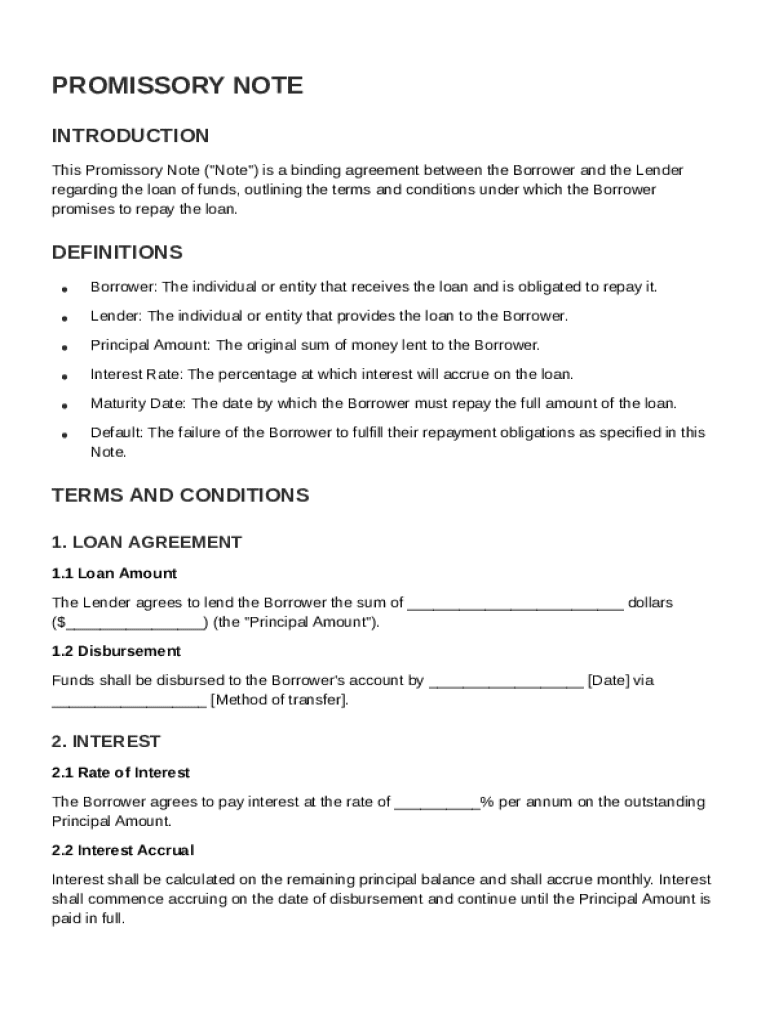
Promissory Contract Form
Use a Promissory Contract Template template to make your document workflow more streamlined.
What a promissory contract form does
A Promissory Contract Form records a borrower’s written promise to repay money under defined terms. The parties identify the principal, interest or finance charge if applicable, payment schedule, maturity date, default provisions, and signatures specified by their agreement. With signNow, a sender uploads the document, reviews detected fillable fields, assigns signing roles, and sends it electronically. Signers review and execute the agreement, while the completed document and audit trail remain available for recordkeeping. ESIGN and applicable state electronic-transactions law may recognize qualifying electronic signatures.
Businesses that use promissory contracts
The form fits private lending, project financing, and business repayment workflows when the parties define and approve the obligations before signing.
A small-business lender can document a private loan’s principal, repayment schedule, maturity date, and default terms, then send the agreement electronically without coordinating an in-person signing appointment. A real estate or construction operator can use the form for project-related financing, route it to authorized signers, and retain the executed agreement alongside transaction or project records. A finance or legal operations team can standardize approved promissory contract templates, delegate sending, and preserve audit trails for agreements executed across multiple borrowers or business units.
These tasks are executed by both individual contributors and centralized administrators depending on organizational policy and required controls.
How the promissory contract workflow works
The signNow workflow moves the repayment agreement from an approved document to a signed, traceable record.
Upload: Upload the signed-ready Promissory Contract Form document. Prepare: Review detected fields and add required signing roles. Route: Send the repayment agreement to designated signers. Archive: Store the completed PDF with its audit trail.
How to complete a promissory contract
Prepare the repayment terms first, then use signNow to route the agreement, capture signatures, and preserve the final record.
Upload document:
Upload the approved agreement. Check fields:
Review detected fields and add missing term or signature fields. Assign signers:
Assign the borrower and lender signing roles. Complete record:
Send the completed agreement and retain the signed PDF with its audit trail.
 Best ROI. Our customers achieve an average 7x ROI within the first six months.
 Scales with your use cases. From SMBs to mid-market, airSlate SignNow delivers results for businesses of all sizes.
 Intuitive UI and API. Sign and send documents from your apps in minutes.



Security for signed promissory contracts
Transport encryption:
Storage encryption:
Control certification:
Security certification:
Electronic signature law:
Signing evidence:
Recommended promissory contract workflow settings
Configure signing, access, security, and retention controls around the repayment agreement and the people responsible for it.
| Setting | Recommendation |
|---|---|
| Authentication and signature method | Email verification with signer intent recorded |
| Audit trail | Export the completed signing history |
| Document retention | Apply the governing business retention schedule |
| Encryption | Use TLS 1.2/1.3 and AES-256 protection |
| User provisioning | Assign role-based access to authorized senders |
Best practices for promissory contract records
Accurate terms, documented consent, controlled access, and organized retention make a signed Promissory Contract Form easier to administer and review.
Review every repayment term before sending
Preserve intent and consent evidence
Export the contract and audit trail together
Control access and identify amendments
Promissory contract record retention periods
Retention depends on the record’s business purpose, industry, and governing federal rule, not merely the contract’s signature date.
3 years from filing
6 years for substantial understatement
Indefinitely for fraud or no return
3 years for payroll records
6 years for broker-dealer records
State rules and document exclusions
State law may require acknowledgment
Excluded from ESIGN coverage
Electronic execution may not substitute filing
Recording rules still apply
Common promissory contract mistakes
Leaving principal, interest, maturity, or payment terms incomplete can make the repayment obligation difficult to interpret. Using an electronic signature without documented intent, consent, attribution, and record reproduction can weaken evidentiary support. Changing repayment language after signing without a tracked amendment can create conflicting versions of the agreement. Sending the contract to the wrong signer or account can leave authority and identity insufficiently documented.
Promissory contract form questions
These answers address field detection, electronic-signature evidence, plan selection, signer identity, retention, and the limits of industry-specific compliance rules.
Upload the approved PDF again, then inspect detected fields before sending. If a required term is not represented by a field, add the appropriate text or signature field manually and compare the final document with the approved version.
The Business plan includes legally binding eSignatures, templates, audit trails, and mobile apps at $8/user/month with annual billing. If the workflow needs bulk send, Business Premium is listed at $15/user/month annually.
ESIGN and UETA recognize qualifying electronic signatures, but the transaction still needs intent, consent, attribution, and record retention. For consumer-facing transactions, review the ESIGN disclosure requirements in 15 U.S.C. §7001(c).
Use signer assignment and authentication controls to document who executed the agreement. An audit trail can preserve timestamps, IP information, and action history, but it does not replace review of authority under the parties’ contract or state law.
Keep the signed PDF and audit trail together under the applicable business, tax, lending, or industry schedule. IRS records generally follow IRC §6501(a), while state requirements may impose longer periods for particular transactions.
If the agreement contains protected health information, HIPAA requirements may apply and signNow states that a BAA is required for HIPAA use. Otherwise, do not apply HIPAA’s six-year rule automatically.
Key performance indicators that demonstrate SignNow's proven track record.
BE READY TO GET MORE
Get this form now!

If you believe that this page should be taken down, please follow our DMCA take-down process.