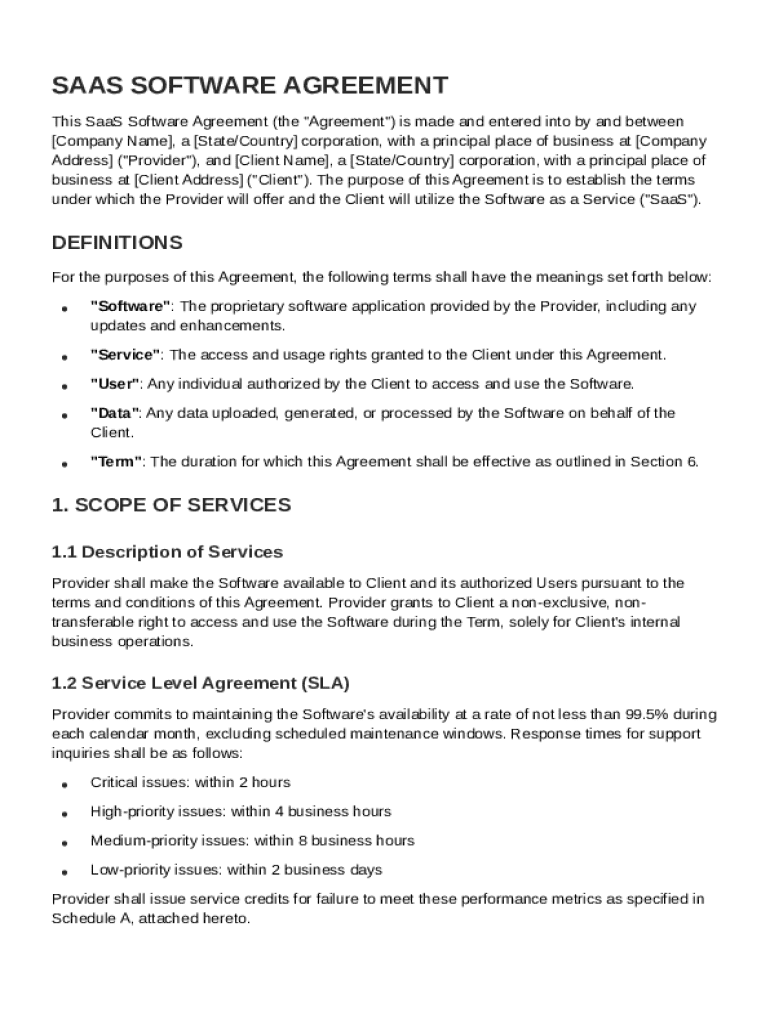
Saas Software Contract Form
Use a SaaS Software Contract Template template to make your document workflow more streamlined.
What the SaaS Software Contract Form does
A SaaS Software Contract Form records the commercial terms between a software provider and its customer, including the service scope, subscription period, fees, responsibilities, data handling, and termination rights. In signNow, upload the contract, review or place fillable fields, assign the customer and provider signers, and send it for electronic signature. Each signer reviews the exact document, demonstrates intent, and completes assigned fields. The executed contract and audit trail can then be retained as business records, subject to the agreement and applicable U.S. law.
Who completes SaaS contract forms
SaaS providers
SaaS providers use the form for subscription agreements, service descriptions, pricing schedules, renewal terms, data-processing commitments, and termination provisions. Customer-facing teams can route it to authorized signers, while legal and finance retain the executed agreement for renewals, billing questions, and contract administration.
Customers and partners
Customers, procurement teams, and implementation partners use the form to review service obligations, acceptance criteria, security requirements, payment terms, and support commitments before signing. The same document can preserve each party’s approved terms and provide an accessible record after execution.
Business types using SaaS contract forms
SaaS Software Contract Form supports businesses that need repeatable subscription agreements, controlled approvals, and accessible records across customer and vendor workflows.
Solo SaaS consultants use this contract to document implementation scope, subscription terms, payment obligations, and client acceptance before beginning project work. Growing software companies use repeatable contract templates to send subscription agreements, data-processing terms, and renewal documents to customers while maintaining consistent approval records. Enterprise SaaS procurement teams use role-based workflows to route contracts through legal, security, finance, and authorized signers before preserving the completed agreement.
These tasks are executed by both individual contributors and centralized administrators depending on organizational policy and required controls.
Features for SaaS contract workflows
signNow combines field detection, reusable templates, controlled signing, audit trails, and stored records to handle each stage of the SaaS Software Contract Form workflow.
Field detection
Upload the SaaS Software Contract Form and let signNow identify fillable areas, reducing manual field placement before you assign customer, vendor, or internal signer responsibilities.
Reusable templates
Reusable templates keep subscription terms, service descriptions, payment clauses, and signature locations consistent across repeated SaaS customer agreements and renewals.
Role routing
Assign signing roles and sequence approvals so legal, security, finance, and customer representatives review the same SaaS contract without duplicate versions.
Flexible delivery
Send a completed contract by email or signing link, allowing customers to review and sign without creating an account when the workflow permits.
Audit trail
Audit trails record signer actions, timestamps, and document history, giving teams evidence connected to the executed SaaS contract.
Secure records
Completed contracts remain available with their signing records, helping teams retrieve subscription agreements during renewals, disputes, audits, or customer support reviews.
Key performance indicators that demonstrate SignNow's proven track record.
 Best ROI. Our customers achieve an average 7x ROI within the first six months.
 Scales with your use cases. From SMBs to mid-market, airSlate SignNow delivers results for businesses of all sizes.
 Intuitive UI and API. Sign and send documents from your apps in minutes.
How SaaS contract signing works
Follow the document from upload through field preparation, signer delivery, electronic signing, and audit-trail retention in signNow.
Upload contract: Upload the SaaS contract PDF and confirm its version. Prepare fields: Review detected fields and add signer assignments. Send agreement: Send the agreement by email or signing link. Store record: Collect signatures and retain the completed record.
Ways to send and sign SaaS contracts
- Use the signNow web app when preparing a SaaS contract on a desktop, reviewing clauses, assigning roles, and coordinating multiple internal approvals before sending it externally.
- Use the mobile app when a sales or implementation professional needs to review, send, or sign the SaaS contract from an iOS or Android device.
- Use kiosk mode for supervised, in-person completion when a customer or partner signs the SaaS Software Contract Form at an office or event.
- Use a shareable signing link when the same SaaS contract template must be made available to identified customers without creating a separate email invitation each time.
Recommended SaaS contract workflow setup
Configure the SaaS Software Contract Form around signer identity, electronic intent, audit evidence, controlled retention, and protected document transmission.
| Setting | Recommendation |
|---|---|
| Authentication method | Email verification with SMS OTP |
| Signature type | Electronic signature with signer intent |
| Audit trail | Retain completion certificate and action log |
| Document retention | Follow contract and industry retention policy |
| Encryption | Use TLS 1.2/1.3 and AES-256 |
Security for SaaS contract records
Transport encryption:
Stored encryption:
Control certification:
Security certification:
Privacy compliance:
Signature compliance:



SaaS contract signing pricing comparison
signNow provides verified plan details for SaaS contract workflows; competitor pricing and feature values are marked Not verified where the supplied vendor data does not confirm them.
| Features | signNow | DocuSign | Adobe Sign | PandaDoc | Dropbox Sign |
|---|---|---|---|---|---|
| Annual starting price | $8/user/month Business plan | Not verified | Not verified | Not verified | Not verified |
| Free trial availability | 7 days, no credit card | Not verified | Not verified | Not verified | Not verified |
| Bulk sending availability | Business Premium includes bulk send | Not verified | Not verified | Not verified | Not verified |
| Audit trail availability | Included with Business plan | Not verified | Not verified | Not verified | Not verified |
| HIPAA support | Available with BAA requirement | Not verified | Not verified | Not verified | Not verified |
Risks of incomplete SaaS contracts
Unclear obligations
Weak signer evidence
Unauthorized disclosure
Missing executed copy
Best practices for SaaS contracts
Accurate version control, signer authority, audit evidence, and controlled retention make the completed SaaS Software Contract Form easier to administer and defend.
Approve the exact contract version
Verify signer authority before sending
Preserve the executed record securely
Recheck terms at renewal
Platform requirements for SaaS contracts
The SaaS Software Contract Form can be prepared through Chrome, Firefox, Safari, or Edge on Windows and macOS. signNow mobile apps support iOS and Android workflows, while TLS 1.2/1.3 protects data in transit during document access and signing.
Supported browsers Chrome, Firefox, Safari, Edge Operating systems Windows, macOS, iOS, Android Secure connection TLS 1.2/1.3 connections
Enterprise deployments should review managed-device policies, API access, and SSO provisioning before scaling SaaS contract workflows. Teams handling regulated information should also confirm the applicable retention policy, signer authentication level, business associate agreement requirements, and any certificate or long-term-validation configuration needed for their records.
SaaS contract signing troubleshooting
Resolve field, signer, authentication, compliance, plan, and retention questions before the SaaS Software Contract Form is executed.
Upload the original SaaS contract again and confirm the PDF is readable. signNow can identify fillable areas, but fields may require manual placement when the document uses scanned pages, unusual layouts, or flattened text. Review every clause and assigned field before sending.
Open the document settings and confirm the intended signer roles, email addresses, and signing order. A SaaS contract should not be sent until each provider, customer, witness, or approver has the authority and responsibilities specified by the agreement.
A typed, drawn, or click-to-sign mark can function as an electronic signature when intent, consent, attribution, and record retention are established. ESIGN and UETA support this framework; use stronger authentication when the contract risk or internal policy requires it.
The Business plan includes legally binding eSignatures and audit trails. Business Premium adds bulk send, while Enterprise adds advanced signer authentication. Select the plan based on volume, authentication, and workflow requirements rather than assuming every feature is included at the base tier.
For contracts involving protected health information, signNow identifies HIPAA compliance as available with a business associate agreement requirement. Confirm that the SaaS agreement, data flows, users, and retention process are covered before sending documents containing PHI.
Preserve the executed SaaS contract, completion certificate, and audit trail in an access-controlled repository. ESIGN requires records to remain accurately reproducible, while the agreement, industry rules, and applicable state law determine the appropriate retention period.
BE READY TO GET MORE
Get this form now!

If you believe that this page should be taken down, please follow our DMCA take-down process.