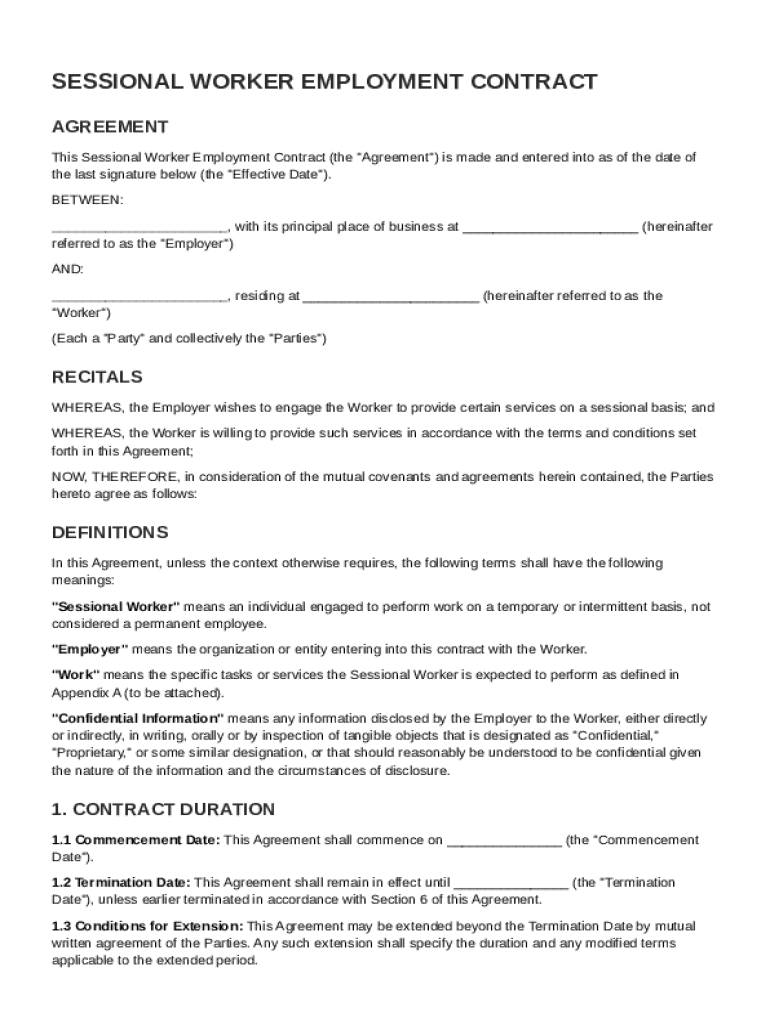
Sessional Worker Contract Form
Use a Sessional Worker Contract Template template to make your document workflow more streamlined.
What the Sessional Worker Contract Form does
A Sessional Worker Contract Form records the agreed terms for a worker engaged for defined sessions, shifts, or assignments. It identifies the parties, services, dates, compensation, responsibilities, confidentiality terms, and signatures. In signNow, upload the contract, allow automatic field detection, verify each field, send it to the worker, collect an electronic signature, and store the completed document with its audit trail. ESIGN and applicable state electronic-transaction law can support electronic execution, but worker classification and contract terms remain subject to federal and state law.
Who uses this contract form
Independent providers
Independent consultants, tutors, therapists, event workers, and other session-based providers can document assignments, rates, dates, deliverables, and signatures before work begins.
Service organizations
Staffing agencies, clinics, studios, and service businesses can send repeatable contracts, collect worker signatures, and retain completed records for assignment administration.
Features for sessional worker contracts
signNow combines structured contract fields, remote signing, reusable templates, and audit evidence for organizations managing session-based work.
Defined terms
Record the worker’s identity, assignment scope, session dates, compensation terms, and responsibilities in one structured document before services begin.
Field detection
Upload a prepared contract and use signNow’s field detection to place signature, date, initials, and text fields efficiently.
Remote signing
Send the completed contract by email or signing link, allowing the sessional worker to review and sign remotely.
Audit trail
Preserve timestamps, signer activity, IP information, and document history so the execution record can be reviewed later.
Reusable templates
Reuse an approved contract template for recurring sessional assignments while updating dates, rates, and worker-specific details.
Mobile access
Access contract workflows from signNow mobile apps when coordinators or workers need to sign outside the office.
Business types that use sessional contracts
Session-based work benefits from written terms that identify the assignment, compensation, responsibilities, and approval path before services start.
A solo tutoring or consulting practice can use one approved Sessional Worker Contract Form to state session dates, rates, deliverables, cancellation terms, and signature requirements before accepting an assignment. A regional staffing agency can send separate sessional contracts to workers, track completion through audit trails, and reuse templates while changing each worker’s assignment dates and compensation. A healthcare or education organization can coordinate session-based personnel through controlled templates, but should separately assess licensing, worker classification, privacy, and state-specific employment requirements.
These tasks are executed by both individual contributors and centralized administrators depending on organizational policy and required controls.
Complete the form in five steps
Prepare the sessional assignment terms, verify every detected field, collect signatures, and preserve the completed contract with its audit evidence.
Upload contract:
Upload the prepared contract PDF to signNow. Check fields:
Confirm detected fields for worker and organization details. Assign fields:
Add signature and date fields for each signer. Send document:
Send the contract by email or signing link. Store records:
Download the signed contract and audit trail.
 Best ROI. Our customers achieve an average 7x ROI within the first six months.
 Scales with your use cases. From SMBs to mid-market, airSlate SignNow delivers results for businesses of all sizes.
 Intuitive UI and API. Sign and send documents from your apps in minutes.
Set up the sessional worker workflow
Configure signer authentication, signature capture, audit evidence, retention, and encryption before sending a Sessional Worker Contract Form.
| Setting | Recommendation |
|---|---|
| Authentication method | Email link with SMS OTP |
| Signature type | Typed or drawn electronic signature |
| Audit trail | Capture timestamps, IP address, and actions |
| Document retention | Retain signed records for the contract period |
| Encryption | TLS 1.2/1.3 in transit and AES-256 at rest |



Security for signed contracts
TLS 1.2/1.3 and AES-256:
SOC 2 Type II certified:
ISO 27001 certified:
HIPAA compliant with BAA:
ESIGN and UETA compliant:
WCAG 2.0 Level AA:
What the contract audit trail records
The signNow audit trail documents execution evidence separately from the contract’s business terms, helping reviewers examine who acted, when, and how.
Authenticate signer:
Timestamp events:
Link activity:
Seal history:
Capture evidence:
Export audit trail:
Retention periods for related records
Retention depends on the record’s purpose and contents. Apply the rule connected to the underlying record, and check state requirements before deletion.
Three years — tax records
Three years — payroll records
Six years — HIPAA records
Five years — injury records
Thirty years — exposure records
Best practices for contract records
Accurate fields, controlled templates, preserved audit evidence, and authority-based retention reduce disputes around sessional assignments.
Verify every assignment term
Preserve the audit evidence
Match retention to authority
Restrict sensitive information
Risks of incomplete contract records
Weaker evidence
Consent challenge
Payment dispute
Version conflict
Challenges when preparing the form
Leaving session dates or cancellation terms blank can create disputes about availability, payment, and whether a worker completed the agreed assignment. Using one template without updating rates, duties, or venue details can attach the wrong commercial terms to a worker’s contract. Failing to preserve the signed contract and audit trail can make it harder to establish signer intent, document integrity, and execution timing. Calling a worker independent without reviewing the actual relationship can create classification risk under applicable federal and state law.
Compare contract signing plans
signNow provides verified Business pricing for sessional worker contracts; competitor pricing and plan details are not verified in the available source.
| Features | signNow | DocuSign | Adobe Sign | PandaDoc | Dropbox Sign |
|---|---|---|---|---|---|
| Starting annual price | $8/user/month, Business plan | Not verified | Not verified | Not verified | Not verified |
| Free trial period | 7 days, no credit card required | Not verified | Not verified | Not verified | Not verified |
| Bulk sending availability | Available on Business Premium | Not verified | Not verified | Not verified | Not verified |
| Audit trail availability | Included with Business plan | Not verified | Not verified | Not verified | Not verified |
| HIPAA compliance | Available with Site License add-on | Not verified | Not verified | Not verified | Not verified |
| Annual signature invites | 100 per user, overage fees apply | Not verified | Not verified | Not verified | Not verified |
Examples of contract workflows
Real signNow customer stories illustrate mobile execution and coordinated document handling that can inform sessional worker contract workflows.
Property services
Martin Properties uses signNow to process and execute property documents online, including work completed on mobile or offline. A sessional property-services workflow can apply the same contract pattern to assignment-based workers.
- Mobile and offline document execution
The customer story shows how mobile and offline work can keep documents moving when personnel are away from an office. For a Sessional Worker Contract Form, the organization should still identify the assignment, rate, dates, and worker obligations before sending the document for signature.
Technology operations
Tech Data uses airSlate SignNow to improve internal and external customer service while increasing speed to revenue. Similar contract administration can support recurring sessional assignments across operational teams.
- Faster signature coordination
The named customer story supports using signNow for coordinated document execution, not a specific sessional-worker outcome. Organizations should adapt the workflow to their own contract terms, approval controls, worker-classification analysis, and record-retention obligations.
Troubleshoot contract signing issues
Resolve field, authentication, plan, evidence, and privacy issues before a Sessional Worker Contract Form is finalized.
Upload the contract as a PDF, then use signNow’s field detection and confirm every signature, date, payment, and scope field manually before sending. Business includes templates and audit trails, but field detection does not determine whether the contract complies with applicable state worker-classification rules.
Business includes 100 signature invites per user annually, with overage fees after the included amount. Review the account’s invite usage before sending repeated seasonal contracts; Business Premium also includes bulk send for distributing the same contract to multiple workers.
Electronic signatures generally receive legal recognition under ESIGN, 15 U.S.C. chapter 96, and UETA. Confirm signer intent, electronic consent, attribution, and record reproduction. Consumer-facing transactions may require the ESIGN disclosure under 15 U.S.C. §7001(c).
Use signNow’s audit trail to preserve signer identity, timestamps, IP information, and action history with the completed contract. The record supports evidence of execution, but it does not replace legal review of worker status, wages, or state-specific requirements.
Business supports legally binding eSignatures, audit trails, templates, and mobile apps. Business Premium adds bulk send, kiosk mode, request payments, and quick invite links. Select the plan based on the number of workers and signing methods required.
If the contract contains protected health information, signNow identifies HIPAA compliance as requiring a business associate agreement. Limit unnecessary health details, restrict access, and confirm the agreement and organizational safeguards before collecting PHI.
Key performance indicators that demonstrate SignNow's proven track record.
BE READY TO GET MORE
Get this form now!

If you believe that this page should be taken down, please follow our DMCA take-down process.