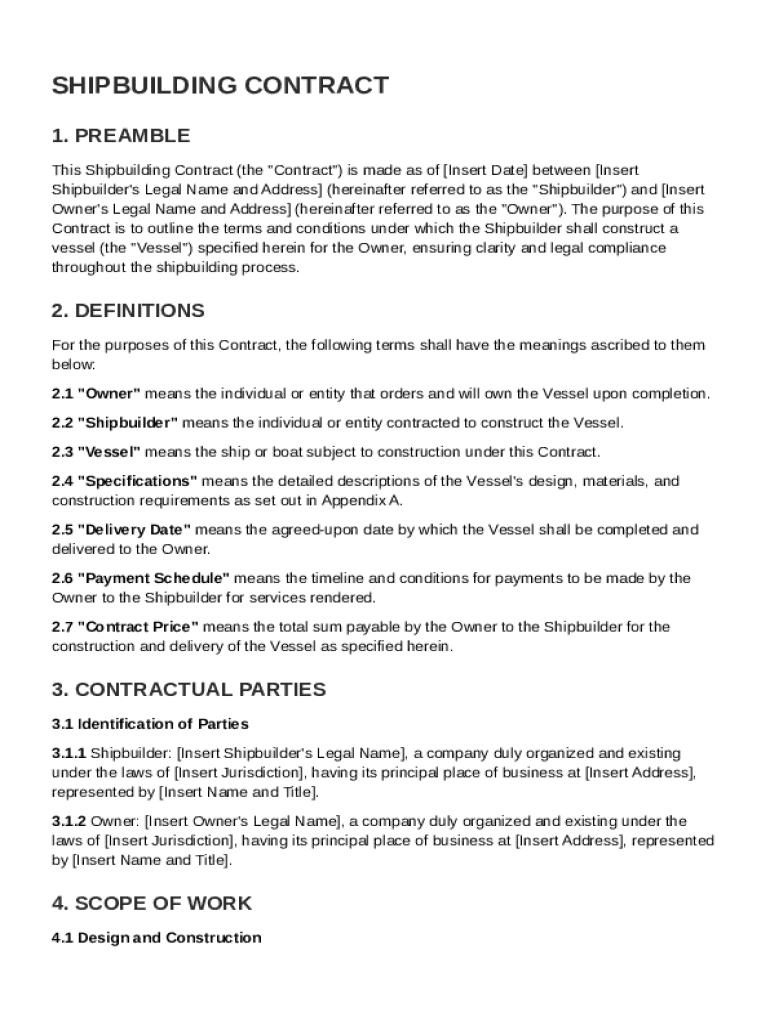
Shipbuild Contract Form
Use a Shipbuild Contract Template template to make your document workflow more streamlined.
What the Shipbuild Contract Form does
The Shipbuild Contract Form records the parties, scope, specifications, pricing, delivery terms, and signatures for a shipbuilding agreement. It gives a shipyard, owner, buyer, or marine contractor a structured document for confirming project obligations before work proceeds. With signNow, upload the form, review automatically detected fillable areas, add missing fields, route it to the required signers, and retain the completed PDF with its audit trail. The form’s enforceability depends on its terms, signer authority, consent, applicable maritime or state law, and any required notarization or filing.
Who benefits from this contract workflow
Shipbuilders, vessel owners, marine contractors, and larger shipyard organizations use the form to document commercial commitments and approvals.
Independent shipbuilders can prepare owner agreements, change orders, and acceptance documents without coordinating paper exchanges across offices. Commercial shipyards can reuse approved contract templates, route signatures by role, and maintain auditable records for vessels and project milestones. Marine engineering enterprises can connect contract signing with ERP and storage workflows while applying administrator controls across departments, subsidiaries, and external counterparties.
These tasks are executed by both individual contributors and centralized administrators depending on organizational policy and required controls.
Who uses the Shipbuild Contract Form
Shipyards
Shipyards use the form for vessel construction agreements, specifications, milestone approvals, change orders, and delivery acceptance records.
Owners and buyers
Owners and buyers document scope, payment obligations, inspection rights, delivery conditions, warranties, and final acceptance before signing.
How Shipbuild Contract Form works
The document moves from preparation to authorized signing, with the completed contract and audit evidence retained together.
Upload: Upload the Shipbuild Contract Form PDF. Prepare: Review detected fields and add missing fields. Route: Assign parties and signing order. Complete: Collect signatures and retain evidence.
 Best ROI. Our customers achieve an average 7x ROI within the first six months.
 Scales with your use cases. From SMBs to mid-market, airSlate SignNow delivers results for businesses of all sizes.
 Intuitive UI and API. Sign and send documents from your apps in minutes.
Complete Shipbuild Contract Form online
Use this signNow workflow to prepare, route, sign, and retain the Shipbuild Contract Form with a clear record of each action.
Upload the form:
Upload the completed Shipbuild Contract Form to signNow. Check fields:
Review detected fields and add missing signer, date, or initials fields. Add signers:
Enter each signer’s email address and define the signing order. Send and store:
Send the form, monitor progress, and download the completed record.
Recommended Shipbuild Contract Form setup
Configure the form around signer identity, reliable evidence, controlled access, and the retention policy governing your shipbuilding contract records.
| Setting | Recommendation |
|---|---|
| Authentication method | Email verification with SMS OTP |
| Signature type | Typed or drawn electronic signature |
| Audit trail | Enable completion certificate and action history |
| Document retention | Retain signed records under your contract policy |
| Encryption | TLS 1.2 or 1.3 in transit and AES-256 at rest |
How the Shipbuild Contract Form audit trail works
The audit trail connects signer identity, document activity, timestamps, and completion evidence to the final Shipbuild Contract Form.
Authenticate signer:
Capture timestamp:
Record document state:
Associate actions:
Seal history:
Export evidence:
Features for the Shipbuild Contract Form
signNow connects preparation, signer routing, evidence capture, reusable templates, mobile access, and record handling around the Shipbuild Contract Form workflow.
Field preparation
Upload the Shipbuild Contract Form and review automatically detected fields, then add missing signature, initials, date, and approval fields before sending.
Signer routing
Route the contract to the shipyard, owner, buyer, or contractor in a defined order, reducing confusion about who must approve project terms.
Audit trail
Capture signer actions, timestamps, and completion evidence in an audit trail linked to the executed Shipbuild Contract Form.
Reusable templates
Use reusable templates for recurring vessel agreements, specifications, change orders, and acceptance documents while keeping approved language consistent.
Mobile signing
Complete signing from desktop or mobile workflows when project teams work across shipyard offices, vessels, and customer locations.
Workflow connections
Connect completed contracts with supported systems such as NetSuite, Microsoft 365, Google Drive, Box, or Procore for organized project records.
Security for Shipbuild Contract Form
Data in transit:
Stored documents:
Security reporting:
Information security:
U.S. eSignatures:
Document accountability:
Best practices for completing the contract
Accurate project terms, authorized signers, complete exhibits, and reliable evidence make the Shipbuild Contract Form easier to administer after signing.
Define the vessel and project scope
Confirm signer authority before sending
Attach complete contract exhibits
Preserve evidence after completion
Shipbuild Contract Form troubleshooting
Resolve field, signer, plan, enforceability, authentication, and regulated-data questions before treating the Shipbuild Contract Form as fully executed.
Upload the original PDF again and confirm that the file is readable, not password-protected, and contains the intended Shipbuild Contract Form pages. Then review signNow’s detected fields and manually add any signature, date, initials, or approval fields that were missed.
Confirm that each recipient email is correct, the signer has access to the message, and the signing order matches the contract’s approval process. A sender can resend or use a signNow signing link when the original invitation is inaccessible.
The Business plan is listed at $8/user/month when billed annually. Paid plans include 100 signature invites per user per year, so check the account’s remaining invites before sending additional Shipbuild Contract Form transactions.
signNow states that its eSignatures support ESIGN and UETA. For a Shipbuild Contract Form, also verify intent, electronic consent, signer attribution, record reproducibility, signer authority, and any state-law or maritime-law requirements.
Use a stronger signer-authentication method, such as SMS OTP or an available advanced authentication option, and retain the audit trail. Authentication supports attribution but does not replace verifying that the signer can bind the contracting entity.
For a regulated healthcare project involving protected health information, signNow lists HIPAA compliance with a BAA required. A shipbuilding contract alone does not create HIPAA obligations; apply HIPAA controls only when the transaction genuinely involves PHI.
Key performance indicators that demonstrate SignNow's proven track record.
BE READY TO GET MORE
Get this form now!

If you believe that this page should be taken down, please follow our DMCA take-down process.