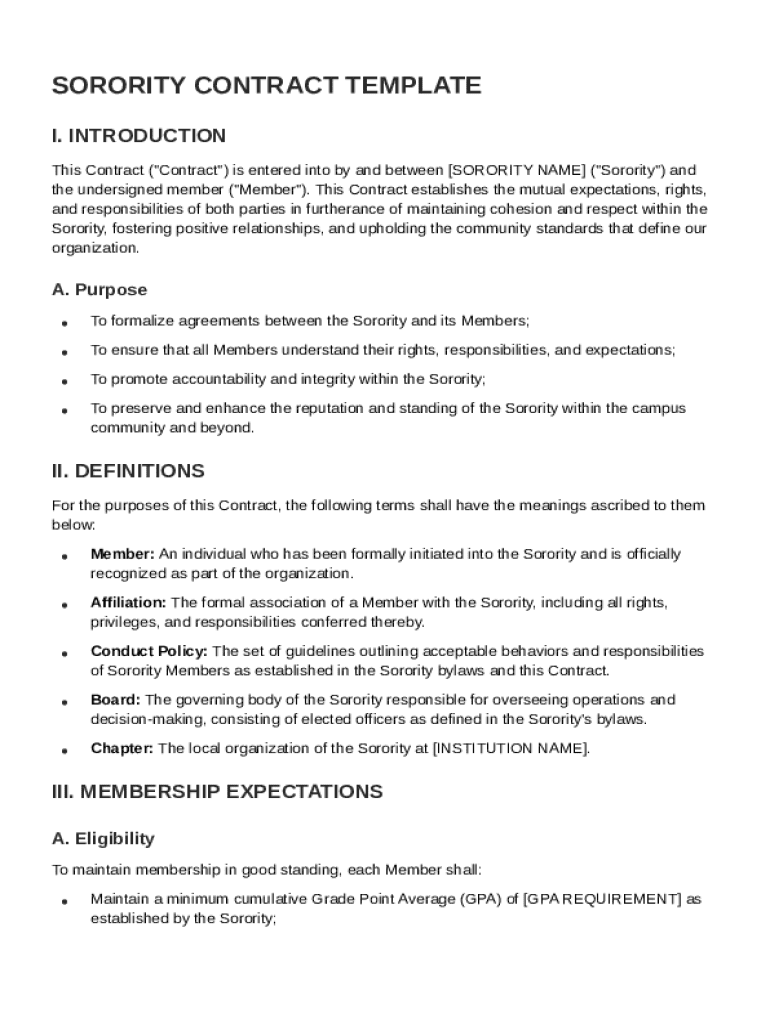
Sorority Contract Form
Use a Sorority Contract Template template to make your document workflow more streamlined.
What Sorority Contract Form does
Sorority Contract Form is a written agreement used to document commitments between a sorority and its members, officers, chapters, vendors, or other participants. The exact obligations depend on the organization’s approved terms; this is not a federal or state-issued form with a universal filing deadline. In signNow, an administrator uploads the agreement, places fields for names, dates, signatures, and acknowledgments, then sends it to the designated signers. Each signer reviews the document, completes required fields, and receives a final copy with an audit trail showing the signing activity.
Key features for Sorority Contract Form
signNow helps organizations prepare, route, complete, and retain Sorority Contract Form records without relying on paper packets or scattered email attachments.
Reusable template
Upload the Sorority Contract Form once, then place signature, date, initials, and text fields where members or officers must complete the agreement. Reusable templates reduce repeated preparation and keep each distributed copy aligned with the approved wording.
Signer routing
Send the Sorority Contract Form to multiple signers in a defined order, such as an officer followed by a member. Role-based routing keeps approvals organized and records each participant’s completed action.
Mobile signing
Signers can complete the Sorority Contract Form from a browser or signNow mobile app. Typed, drawn, or uploaded signatures are captured with the document rather than handled through separate email attachments.
Audit trail
The completed Sorority Contract Form includes an audit trail recording signer actions, timestamps, and document activity. Export the record with the signed agreement when your organization needs evidence of execution.
Required fields
Use signNow fields to collect names, chapter details, dates, terms, and acknowledgments directly in the Sorority Contract Form. Required fields help reduce omissions before the agreement reaches final signature.
Controlled storage
Store the signed Sorority Contract Form with its completion record in signNow or an approved connected repository. Controlled access helps limit exposure of member information and internal agreement terms.
How to complete Sorority Contract Form
Prepare the approved agreement in signNow, identify every required participant, and retain the completed document with its audit trail.
Upload form:
Upload the approved agreement. Detect fields:
Let signNow detect fields. Set signers:
Add signer names and routing. Send form:
Send the agreement for completion. Check completion:
Review signatures and required fields. Store record:
Download the signed record.
 Best ROI. Our customers achieve an average 7x ROI within the first six months.
 Scales with your use cases. From SMBs to mid-market, airSlate SignNow delivers results for businesses of all sizes.
 Intuitive UI and API. Sign and send documents from your apps in minutes.
Signer authentication and certificates
Signer authentication:
Two-factor authentication:
ID verification:
PKI support:
Certificate option:
Signing evidence:
Recommended Sorority Contract Form setup
A controlled setup keeps the approved agreement, signer identity, completion evidence, and storage decision connected from preparation through archival.
| Setting | Recommendation |
|---|---|
| Authentication method | Email verification with SMS OTP |
| Signature type | Typed or drawn electronic signature |
| Audit trail | Export with the completed agreement |
| Document retention | Use the organization’s records policy |
| Encryption | TLS 1.2/1.3 and AES-256 at rest |
Audit trail for Sorority Contract Form
The signNow audit trail connects signer authentication, document actions, completion status, and exportable evidence for each Sorority Contract Form agreement.
Authenticate signer:
Timestamp actions:
Log document events:
Seal record:
Confirm completion:
Export audit trail:
Record-keeping practices for Sorority Contract Form
A reliable record policy connects each signed Sorority Contract Form with its audit trail, retention decision, approved version, and authorized storage location.
Lock the approved form template
Export each audit trail
Assign a documented retention period
Securely archive signed agreements
Mobile options for Sorority Contract Form
signNow mobile apps for iOS and Android let authorized users review and complete Sorority Contract Form records away from a desk. Camera capture can convert paper pages into documents for preparation, while offline signing supports work without an active connection.
Mobile apps iOS and Android Offline mode Offline signing available Camera capture Camera document capture
Before deployment, confirm that managed iOS or Android devices meet your organization’s security requirements and that completed Sorority Contract Form files synchronize to an approved account. Administrators should review app permissions, device access, signer authentication, and storage controls for chapter or member information.
Pricing and features for Sorority Contract Form
signNow pricing and capabilities are shown from verified plan information; competitor values are marked when the available source does not verify them.
| Features | signNow | DocuSign | Adobe Sign | PandaDoc | Dropbox Sign |
|---|---|---|---|---|---|
| Starting price | $8/user/month annually | Not verified | Not verified | Not verified | Not verified |
| Free trial | 7 days, no card | Not verified | Not verified | Not verified | Not verified |
| Bulk send | Business Premium | Not verified | Not verified | Not verified | Not verified |
| Audit trail | Included on Business | Not verified | Not verified | Not verified | Not verified |
| HIPAA compliance | Available with BAA | Not verified | Not verified | Not verified | Not verified |
Sorority Contract Form troubleshooting
These answers address field preparation, electronic execution, plan capabilities, signer access, and record handling for Sorority Contract Form workflows.
Upload the current Sorority Contract Form as a PDF or supported document, then use signNow’s editor to place fields manually or review detected fields. Confirm that names, dates, acknowledgments, and signature fields match the organization’s approved agreement.
On signNow’s Business plan, legally binding eSignatures, templates, and audit trails are included at $8 per user per month with annual billing. If the workflow requires bulk sending, Business Premium adds that capability at $15 per user per month annually.
Electronic execution of a Sorority Contract Form may be recognized under the federal ESIGN Act, 15 U.S.C. chapter 96, and applicable state law, including UETA or New York ESRA. Confirm organizational policy and any contract-specific requirements before relying on electronic execution.
If the agreement collects personal information from consumers, provide the required electronic-record disclosure and ensure the signer can access the record. ESIGN, 15 U.S.C. §7001(c), addresses consent, paper-record rights, and electronic access for covered consumer transactions.
Use signNow’s required fields and signer routing to identify unfinished portions before completion. If a signer cannot open the request, verify the email address, resend the invitation, or provide a signNow signing link through an approved channel.
Business plans include audit trails, while signNow’s compliance materials identify ESIGN and UETA compliance. For sensitive records, review access permissions, export the completed audit trail, and determine whether a HIPAA BAA or another contractual control is required.
Key performance indicators that demonstrate SignNow's proven track record.
BE READY TO GET MORE
Get this form now!

If you believe that this page should be taken down, please follow our DMCA take-down process.