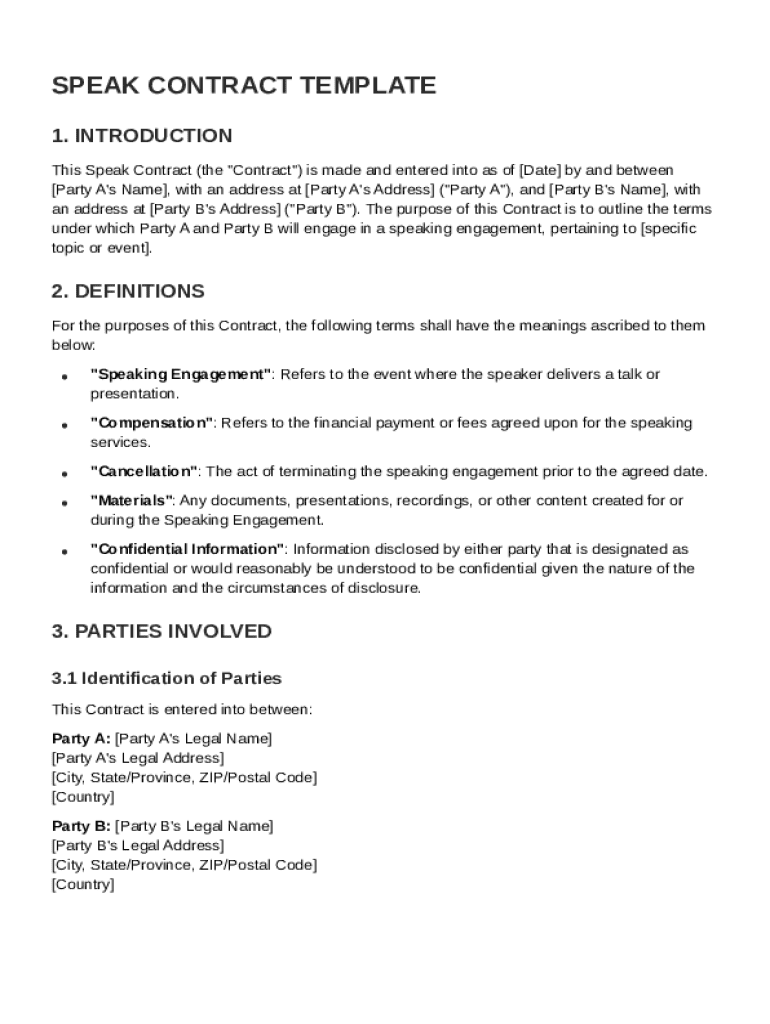
Speak Contract Form
Use a Speak Contract Template template to make your document workflow more streamlined.
What is Speak Contract Form?
Speak Contract Form is a business agreement that records the parties’ terms, responsibilities, and signatures. With signNow, upload the document, let the editor identify fillable areas, review or add signature and date fields, and send it to each signer. Signers can complete the form online from a desktop or mobile device, while the completed document and audit trail remain available for recordkeeping. Electronic execution may be recognized under the federal ESIGN Act and applicable state law, including UETA, when intent, consent, attribution, and record retention requirements are satisfied.
How to complete Speak Contract Form
Complete Speak Contract Form in signNow by preparing the agreement, assigning fields, collecting signatures, and preserving the finished record.
Upload document: Upload the agreement and review detected fields. Prepare fields: Add missing signature, initials, date, and text fields. Send for signing: Assign each field to the correct signer and send. Store records: Review the completed agreement and download its audit trail.
Quick steps for Speak Contract Form
Use this signNow sequence to prepare, route, sign, and retain Speak Contract Form without losing document control.
Upload document:
Upload the approved Speak Contract Form file. Check fields:
Review detected fields and add missing fields. Assign signers:
Assign each field to its signer. Send agreement:
Send invitations and monitor completion.
Key features for Speak Contract Form
signNow combines document preparation, signer routing, electronic execution, audit evidence, mobile access, and integrations for Speak Contract Form workflows.
Field detection
Upload Speak Contract Form and review detected fields before sending, reducing manual preparation while keeping the final agreement under sender control.
Signer assignment
Assign signatures, initials, dates, and text fields to named parties so each person completes only the obligations intended for them.
Remote signing
Route the agreement by email or signing link, allowing parties to review and execute without exchanging paper copies.
Audit trail
Collect completed signatures and preserve the associated audit trail for later contract administration, internal review, or dispute response.
Mobile access
Use mobile apps to review and sign Speak Contract Form when parties are working away from a desktop.
Integrations
Connect the workflow with systems such as Salesforce, NetSuite, Google Drive, or Procore when contract records must move into business operations.
Mobile options for Speak Contract Form
The signNow iOS and Android apps let parties review and sign Speak Contract Form from supported mobile devices. Mobile workflows can also capture paper documents with a device camera before field placement and sending.
iOS app signNow mobile app for iOS Android app signNow mobile app for Android Camera capture Capture paper agreements with device camera
Teams should manage mobile access through organizational controls when Speak Contract Form contains confidential business information. Confirm device security, signer identity, and retention procedures before using mobile signing for regulated or consumer-facing records.
 Best ROI. Our customers achieve an average 7x ROI within the first six months.
 Scales with your use cases. From SMBs to mid-market, airSlate SignNow delivers results for businesses of all sizes.
 Intuitive UI and API. Sign and send documents from your apps in minutes.
Security for Speak Contract Form
Data in transit:
Stored documents:
Service controls:
Information security:
U.S. eSignatures:
Protected health data:
Recommended Speak Contract Form setup
Configure Speak Contract Form for clear signer attribution, controlled access, complete audit evidence, and retention aligned with the agreement’s business purpose.
| Setting | Recommendation |
|---|---|
| Authentication method | Email invitation with SMS verification |
| Signature type | Typed or drawn electronic signature |
| Audit trail | Enable completed document history |
| Document retention | Retain under the contract policy |
| User provisioning | Admin-managed roles and templates |
Inside the Speak Contract Form audit trail
The audit trail records evidence surrounding Speak Contract Form execution rather than merely documenting how the file was prepared.
Authenticate signer:
Capture timestamp:
Track document:
Seal record:
Build audit trail:
Export history:
Recordkeeping practices for Speak Contract Form
Good recordkeeping connects the executed agreement, signer evidence, consent, and retention rule without mixing Speak Contract Form with unrelated records.
Verify the final agreement before sending
Preserve the signed file and audit trail
Match retention to the record type
Document electronic consent clearly



Challenges when completing Speak Contract Form
Unassigned signature fields can leave a party unable to complete Speak Contract Form or create uncertainty about who accepted each obligation. Conflicting versions of the agreement can cause parties to sign different terms, weakening document control and increasing dispute risk. Missing dates, initials, or required exhibits can make the completed contract incomplete even when every signature field is finished. Failure to preserve the signed document and audit trail can make later proof of intent, attribution, and transaction history more difficult.
Legal standing of Speak Contract Form
For U.S. business transactions, Speak Contract Form can carry evidentiary value when the parties intend to sign, consent to electronic records, can be identified, and the record remains reproducible under the ESIGN Act and applicable UETA or New York ESRA rules. Wills, codicils, testamentary trusts, court orders, and specified family-law documents are excluded from ESIGN coverage.

Pricing and features for Speak Contract Form
signNow pricing and capabilities are shown first; competitor values remain unverified where the supplied vendor data does not establish a fact.
| Features | signNow | DocuSign | Adobe Sign | PandaDoc | Dropbox Sign |
|---|---|---|---|---|---|
| Starting price | $8/user/month annually | Not verified | Not verified | Not verified | Not verified |
| Free trial | 7 days, no card required | Not verified | Not verified | Not verified | Not verified |
| Bulk send | Business Premium included | Not verified | Not verified | Not verified | Not verified |
| Audit trail | Included with Business | Not verified | Not verified | Not verified | Not verified |
| HIPAA compliance | Available with BAA | Not verified | Not verified | Not verified | Not verified |
Speak Contract Form troubleshooting
These answers address signing, consent, plan limits, regulated data, and recordkeeping questions for Speak Contract Form.
Business includes legally binding eSignatures, audit trails, templates, and mobile apps at $8/user/month when billed annually. Business Premium adds bulk send at $15/user/month, while Enterprise adds advanced signer authentication at $30/user/month. Review plan terms when the agreement requires specialized controls.
Use signNow’s audit trail to preserve signer actions, timestamps, and document history. For a consumer-facing agreement, separately provide the ESIGN consumer disclosure under 15 U.S.C. §7001(c), confirm electronic access, and explain how consent can be withdrawn.
Speak Contract Form may be electronically executed when the signer demonstrates intent, consents to electronic records, can be attributed to the signature, and the record can be retained and reproduced. The federal ESIGN Act and applicable state law govern the analysis.
If a signer cannot open the invitation, verify the email address, resend the request, or provide a controlled signing link. signNow supports mobile apps and web signing; confirm the signer can access the document before changing authentication requirements.
Business and Business Premium plans include 100 signature invites per user per year, with overage fees applying. The Site License uses $1.50 per signature invite and is designed for unlimited users handling 1,000 or more documents annually.
When Speak Contract Form includes protected health information, signNow lists HIPAA compliance with a business associate agreement required. Configure the appropriate plan and controls, restrict access, and retain the agreement according to the covered entity’s HIPAA policy.
Key performance indicators that demonstrate SignNow's proven track record.
BE READY TO GET MORE
Get this form now!

If you believe that this page should be taken down, please follow our DMCA take-down process.