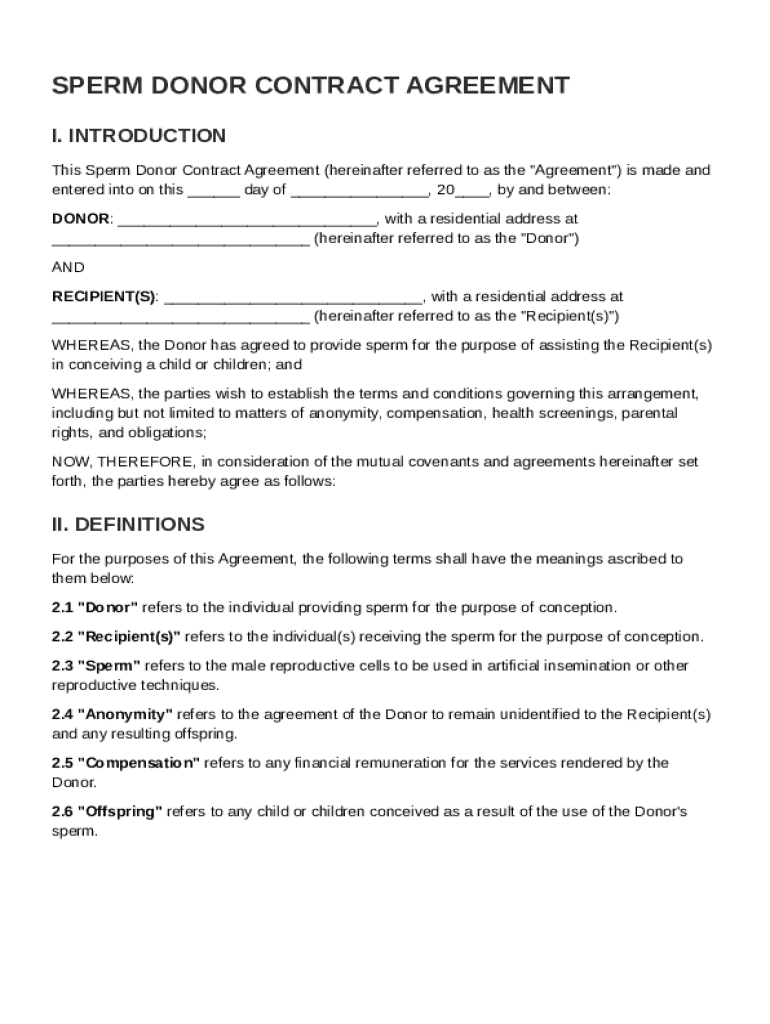
Sperm Donor Contract Form
Use a Sperm Donor Contract Template template to make your document workflow more streamlined.
What a sperm donor contract form does
A Sperm Donor Contract Form records the agreement between a sperm donor and the intended parent or parents about donation, consent, confidentiality, compensation, medical disclosures, and intended use. It is a private contract template, not a federal filing form or universal proof of parentage. Parties complete the donor and recipient details, state-specific terms, acknowledgments, and signatures, then retain the executed record. Parentage and donor-rights effects vary by state law, assisted-reproduction method, and whether a clinic or intermediary is involved, so legal review remains important before signing.
Legal standing of the signed agreement
A Sperm Donor Contract Form may provide admissible evidence of the parties’ agreed terms when intent, electronic consent, signer attribution, and reliable record retention are established under ESIGN and applicable state law, including UETA or New York ESRA. It cannot replace state-specific parentage procedures, wills, codicils, or court orders excluded by ESIGN.

Key features for donor agreements
A structured signNow workflow helps parties complete donor-specific terms, authenticate signers, and retain evidence of the executed agreement.
Structured fields
Add donor, recipient, consent, date, initials, and signature fields to one controlled template. Required fields reduce incomplete agreements and make each party’s responsibilities visible before the document is sent.
Signing order
Send the agreement to the donor and intended parents in a defined signing order. Each participant receives only the fields assigned to that role, reducing accidental edits to another party’s information.
Audit trail
Capture timestamps, signer activity, and completion evidence with the signNow Audit Trail. The record helps explain when each party reviewed and executed the donor agreement.
Signer authentication
Use SMS OTP or configured identity-verification controls when email access alone is insufficient. Stronger authentication can help attribute the donor’s signature to the intended person.
Secure storage
Keep the signed PDF, certificate of completion, and audit history together. Controlled storage supports later review of the exact donor terms and signing sequence.
Mobile access
Handle donor agreements from a desktop or mobile workflow. Authorized users can send or review the form without recreating paper copies for each signing event.
 Best ROI. Our customers achieve an average 7x ROI within the first six months.
 Scales with your use cases. From SMBs to mid-market, airSlate SignNow delivers results for businesses of all sizes.
 Intuitive UI and API. Sign and send documents from your apps in minutes.
How the donor contract workflow works
The signNow workflow moves the Sperm Donor Contract Form from document preparation through signing and evidence preservation.
Upload: Upload the donor contract Prepare: Detect and place required fields Send: Send it to authorized signers Complete: Store the executed agreement
Complete the donor contract in signNow
Follow these steps to prepare, send, sign, and preserve the Sperm Donor Contract Form.
Upload the form:
Upload the completed donor contract and let signNow detect fillable fields. Review each field:
Check donor, recipient, consent, date, and signature fields manually. Send for signing:
Send the agreement to each authorized signer in order. Store the evidence:
Download the signed PDF and preserve its Audit Trail.
Recommended donor contract setup
Configure the workflow around signer attribution, sensitive donor information, and preservation of the executed agreement.
| Setting | Recommendation |
|---|---|
| Authentication method | Email plus SMS OTP |
| Signature type | Intent-based electronic signature |
| Audit trail | Export with completion certificate |
| Document retention | 6 years for HIPAA records |
| Encryption | TLS 1.2/1.3 and AES-256 |
How the donor contract audit trail works
The audit trail records execution evidence separately from the donor contract’s substantive terms and consent provisions.
Authenticate signers:
Capture timestamps:
Record document hash:
Seal the record:
Retain event history:
Export evidence:
Retention practices for donor agreements
Preserve the signed agreement, consent evidence, and audit history under a documented retention policy.
Keep agreement records together
Export the audit trail
Archive sensitive records securely
Review state retention rules
Legal and privacy risks
State-law mismatch
Parentage uncertainty
Missing audit trail
Privacy exposure
Troubleshooting donor contract workflows
Resolve field, authentication, privacy, and evidence issues before relying on a completed sperm donor agreement.
Upload the donor contract as a PDF or supported document, then use signNow’s field-detection and field-placement tools to add signatures, initials, dates, and required acknowledgments. Review every donor-specific field manually before sending because automated detection does not determine state-law requirements.
Business includes legally binding eSignatures, templates, and audit trails at $8/user/month when billed annually. It includes 100 signature invites per user annually; additional invites may incur overage fees. Business Premium adds bulk send and costs $15/user/month annually.
For donor agreements containing protected health information, signNow identifies HIPAA compliance as requiring a Business Associate Agreement. Confirm that the BAA is executed and configure access controls before placing PHI in the document or its related workflow.
Use signNow’s signer-authentication options, including SMS OTP or stronger identity verification where configured, and preserve the Audit Trail. Under ESIGN and UETA, intent, consent, attribution, and record retention remain necessary for enforceability.
If a signer cannot open the email, generate a shareable signing link or resend the invitation after confirming the address. Do not send sensitive donor information through an unverified recipient channel; check the signer identity before releasing the contract.
Use the completed document and signNow Audit Trail as the execution record. The Business plan includes audit trails; retain the final PDF, certificate of completion, and event history together so the signed terms remain reproducible.
Key performance indicators that demonstrate SignNow's proven track record.
BE READY TO GET MORE
Get this form now!

If you believe that this page should be taken down, please follow our DMCA take-down process.