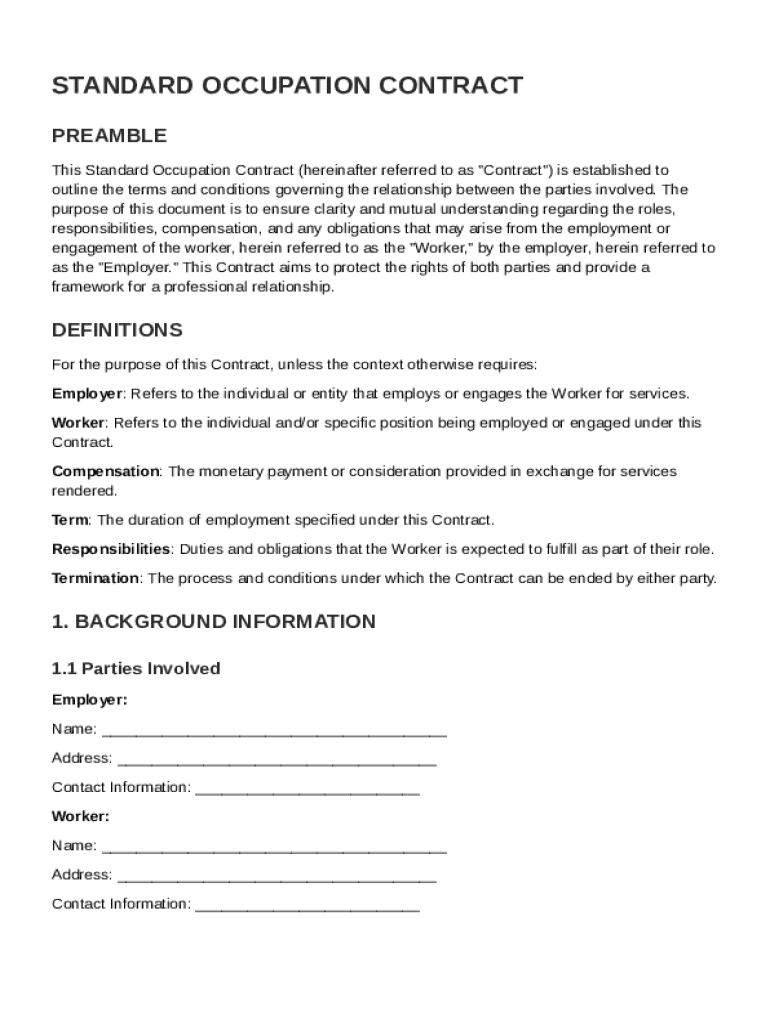
Standard Occupation Contract Form
Use a Standard Occupation Contract Template template to make your document workflow more streamlined.
What the occupation contract form records
The Standard Occupation Contract Form is a written agreement that records who may occupy specified premises and under which agreed conditions. It identifies the parties, describes the occupied space, states the occupancy term, and documents financial, maintenance, access, and notice responsibilities when those provisions apply. In signNow, a sender uploads the document, reviews detected fields, assigns signature and date fields, sends it to the parties, and retains the signed copy with an audit trail. State law and the contract’s subject matter determine which provisions, disclosures, notarizations, or supporting records are required.
Who uses this occupation contract form
Property managers
Property managers and housing providers use the Standard Occupation Contract Form to record occupancy terms, identify the parties, document permitted use, and capture signatures before possession begins. Clear fields help both sides review responsibilities and retain an accessible agreement.
Occupants and operators
Occupants and business operators use the Standard Occupation Contract Form to confirm the premises, payment obligations, duration, maintenance duties, and notice terms. A completed electronic record makes the agreed terms easier to circulate, sign, and retrieve during the occupancy period.
Key features for occupation contracts
Complete, route, sign, and retain Standard Occupation Contract Form records through one structured electronic workflow.
Reusable template
Create a reusable Standard Occupation Contract Form with consistent party, premises, term, payment, maintenance, and notice fields. Templates reduce omissions when property teams prepare repeated occupancy agreements for review and signature.
Assigned fields
Upload the contract and place signature, initials, date, and text fields where each party must complete the agreement. Field assignment clarifies responsibility before the document is sent.
Signer routing
Send the completed occupation contract to each signer in the required order or invite parties through a signing link. Recipients can review the same controlled document before signing.
Audit trail
Capture signer actions, timestamps, and document history in an audit trail. The record helps teams demonstrate how the Standard Occupation Contract Form was completed and signed.
Mobile access
Use signNow on desktop or mobile to complete occupation agreements without requiring every participant to work from the same location. The document remains available for review and signing across supported devices.
Secure records
Store the signed Standard Occupation Contract Form with its completion evidence so authorized personnel can retrieve the agreement when occupancy, payment, maintenance, or notice questions arise.
How the occupation contract workflow works
Use a controlled sequence to prepare, sign, and retain the Standard Occupation Contract Form.
Upload: Upload the occupation contract Prepare: Review detected fields and terms Route: Send assigned fields to parties Retain: Store signatures and audit evidence
 Best ROI. Our customers achieve an average 7x ROI within the first six months.
 Scales with your use cases. From SMBs to mid-market, airSlate SignNow delivers results for businesses of all sizes.
 Intuitive UI and API. Sign and send documents from your apps in minutes.
Steps to complete the occupation contract
Prepare the Standard Occupation Contract Form in signNow using these document-specific steps.
Upload document:
Upload the completed contract PDF. Check details:
Confirm parties, terms, and fields. Assign fields:
Assign signature and date fields. Send contract:
Send and monitor completion. Retain evidence:
Download the signed record.
How the audit trail supports occupation contracts
The audit trail connects signer activity, timestamps, document history, and completion evidence to the Standard Occupation Contract Form.
Authenticate signer:
Capture timestamps:
Record document history:
Link signer actions:
Seal completion:
Export audit trail:
Recommended occupation contract setup
Configure the Standard Occupation Contract Form around signer identity, field responsibility, evidence preservation, and controlled access.
| Setting | Recommendation |
|---|---|
| Authentication method | Email verification with SMS OTP |
| Signature type | Typed or drawn electronic signature |
| Audit trail | Retain completion certificate with signed PDF |
| Document retention | Follow applicable state retention rule |
| User provisioning | Assign role-based access to contract teams |
Security for occupation contracts
Data encryption:
Security certification:
Information security:
Privacy controls:
U.S. eSignatures:
Encryption standards:
Risks of incomplete occupation contracts
Contract dispute
Weak evidence
Notice conflict
Document alteration
Best practices for retaining occupation contracts
Accurate fields, controlled templates, complete evidence, and access-managed retention make Standard Occupation Contract Form records easier to administer.
Verify every contract field
Assign fields to each party
Preserve the audit evidence
Review templates before reuse
Platform requirements for occupation contracts
To complete Standard Occupation Contract Form online, use signNow through Chrome, Firefox, Safari, or Edge on Windows or macOS. signNow also provides iOS and Android mobile apps for reviewing, completing, and signing the contract. Secure connections use TLS for data in transit.
Browsers Chrome, Firefox, Safari, and Edge Desktop systems Windows and macOS computers Mobile systems iOS and Android mobile apps
Organizations should manage access through approved devices and accounts, especially when occupation contracts contain personal or financial information. Teams may also evaluate API access, SSO provisioning, storage integrations, and audit-trail export requirements before deploying the workflow across property, housing, or operations departments.
Troubleshooting occupation contract workflows
These answers address field detection, signer routing, electronic consent, plan capabilities, and evidence for Standard Occupation Contract Form records.
Upload the original PDF again, then inspect whether text, signature, initials, and date fields were detected correctly. On the Business plan, manually place or edit fields before sending the Standard Occupation Contract Form.
Check the recipient email address, signing order, and assigned fields. A signer can often open the request without a signNow account, while the sender manages routing and completion from the document workflow.
Business includes templates and audit trails, while Business Premium adds bulk send. Choose the plan based on whether one occupation contract or many individualized contracts must be prepared and delivered.
An electronic signature can support a U.S. transaction when intent, consent, attribution, and record retention are demonstrated under ESIGN and applicable state law. Review state-specific requirements before relying on the form.
For consumer-facing electronic records, provide the ESIGN disclosure, confirm the recipient can access the electronic record, and explain how consent may be withdrawn. Keep the disclosure with the transaction record.
Use role-based access, assigned recipients, and the audit trail to limit who can view or change the contract. For sensitive occupancy records, confirm organizational retention and access policies before sending.
Key performance indicators that demonstrate SignNow's proven track record.
BE READY TO GET MORE
Get this form now!

If you believe that this page should be taken down, please follow our DMCA take-down process.