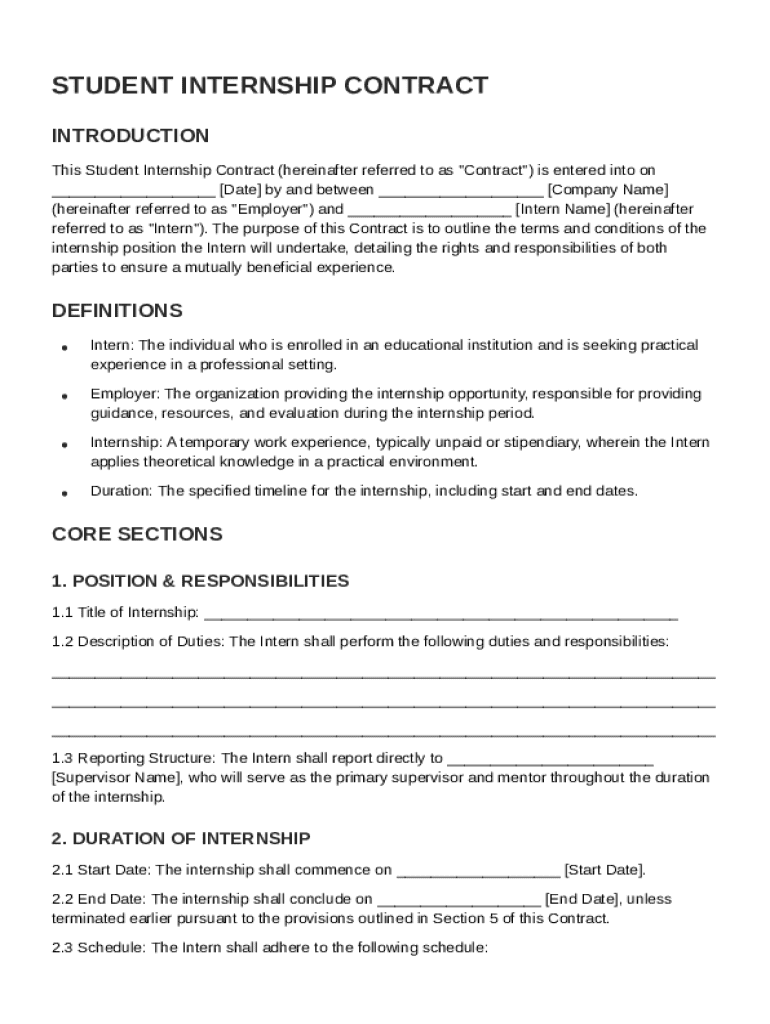
Student Internship Contract Form
Use a Student Internship Contract Template template to make your document workflow more streamlined.
What the Student Internship Contract Form does
The Student Internship Contract Form records the agreed terms of a student’s internship between the student, educational institution, and host organization. It is used to document placement responsibilities, supervision, learning expectations, dates, and required approvals as specified by the participating program. With signNow, an authorized sender uploads the approved document, reviews detected fillable fields, assigns each field to the correct participant, and sends invitations for electronic signatures. The completed agreement and audit trail can then be retained as the program’s signing record. Specific requirements depend on the institution and applicable state law.
Business types using internship contracts
Organizations use this form to record placement terms consistently, whether one student signs directly or a program coordinates many internships.
Small professional practices use the contract to document one or two student placements, define supervisor responsibilities, and collect signatures without coordinating paper copies across the student, school, and host organization. Regional nonprofits use the contract to standardize recurring internships across locations, capture placement-specific terms, and retain completed agreements for program administration and participant questions. Large employers use reusable internship contract templates, controlled signer routing, and audit trails to coordinate university partnerships, department approvals, student signatures, and supervisor execution at scale.
These tasks are executed by both individual contributors and centralized administrators depending on organizational policy and required controls.
Features for student internship contracts
signNow connects preparation, signer assignment, electronic execution, and record preservation around the specific internship agreement shared by students, schools, and host organizations.
Field detection
Upload the institution’s approved Student Internship Contract Form and inspect signNow’s detected fields before assigning participants, reducing manual preparation and preserving the original agreement structure.
Signer routing
Assign student, supervisor, school, and host-organization fields to named recipients so each participant completes only the information and signature actions intended for them.
Remote signing
Send the completed contract through email or a controlled signing link, allowing participants to review placement terms without coordinating physical copies.
Audit trail
Capture timestamps, signer actions, and document history in an audit trail that connects the finished contract to its signing sequence.
Reusable templates
Reuse an approved internship agreement template for recurring placements while updating student-specific and host-organization details before every send.
Record control
Keep the signed contract and completion evidence together so education and host-organization staff can retrieve the agreement when placement questions arise.
How this internship contract works
The signNow workflow moves the Student Internship Contract Form from an approved source document to a signed, traceable agreement.
Prepare the form: Upload the approved contract and review detected fields. Assign participants: Assign student, supervisor, school, and host signers. Route for signing: Send invitations and collect each required signature. Preserve evidence: Store the completed agreement with its audit trail.
 Best ROI. Our customers achieve an average 7x ROI within the first six months.
 Scales with your use cases. From SMBs to mid-market, airSlate SignNow delivers results for businesses of all sizes.
 Intuitive UI and API. Sign and send documents from your apps in minutes.
Quick steps to complete the contract
Prepare the approved agreement, assign every participant, collect signatures, and preserve the completed Student Internship Contract Form with its audit evidence.
Upload contract:
Upload the approved Student Internship Contract Form. Check fields:
Review detected fields and add missing assignments. Send invitations:
Send invitations to the designated participants. Save records:
Download the completed contract and audit trail.
Ways to send and sign internship contracts
- Use the signNow web app when an education office or host organization prepares the Student Internship Contract Form, assigns fields, and manages the complete routing process centrally.
- Use the signNow mobile app when a student or supervisor needs to review and sign the internship contract from a supported phone or tablet during placement coordination.
- Use kiosk mode when participants sign at a supervised school, career center, or employer location using one managed device without exchanging personal devices.
- Use a shareable signing link when an authorized coordinator needs to distribute the same approved internship contract through a controlled channel for designated participants.
What the internship audit trail records
The audit trail documents how the Student Internship Contract Form moved from invitation to completed agreement, providing evidence beyond the visible signatures.
Signer authentication:
Timestamp capture:
Document integrity:
Action history:
Completion evidence:
Audit retrieval:
Security for student agreements
Transport encryption:
Stored encryption:
Security certification:
Information security:
Privacy controls:
Electronic signatures:
Mobile access for internship contracts
Students and supervisors can review the Student Internship Contract Form through signNow mobile apps for iOS and Android. Mobile signing and camera-based capture help participants work from placement sites when a desktop is unavailable.
Mobile apps iOS and Android apps Offline access Offline signing support Camera capture Camera document capture
Education offices and host organizations should manage mobile access through approved accounts, recipient assignments, and organization policy. Regulated or sensitive placements may require stronger authentication, restricted devices, and retention procedures defined by the institution or applicable state law.
Best practices for internship contracts
Accurate party information, deliberate signer routing, and controlled recordkeeping make each completed internship agreement easier to review.
Verify placement details before sending
Assign fields to the correct signer
Preserve the signed record and audit trail
Control access to recurring agreements
Privacy and disclosure pitfalls
Student addresses, school details, emergency contacts, and placement information can be exposed when completed contracts circulate through personal email or unrestricted folders. A missing electronic-records disclosure or unclear signing consent can weaken evidence that each participant agreed to complete the internship contract electronically. Shared links without signer verification can allow the wrong person to access, complete, or sign a student internship contract. Broad administrator permissions can expose student records, supervisor comments, or signed agreements beyond the school and host personnel who need access.
Risks of incomplete internship contracts
Incomplete agreement
Attribution dispute
Scope disagreement
Conflicting records
Internship contract troubleshooting
These answers address field assignment, signer identity, electronic consent, plan selection, record preservation, and U.S. electronic-signature rules for this contract.
Upload the approved Student Internship Contract Form as a PDF. In signNow, inspect the detected fillable fields, correct any assignments, and add signature, date, or text fields where the source document requires participant input.
The signNow Business plan includes templates and audit trails, while Business Premium adds bulk send. Select the plan based on whether one contract or many individualized student agreements must be sent.
For consumer-facing electronic records, ESIGN requires disclosure of the right to paper records, electronic access capability, and consent-withdrawal procedures under 15 U.S.C. §7001(c). Apply those requirements when applicable to the participants.
Use assigned signer fields and verify each recipient’s email before sending. signNow can capture the signing event and audit trail, but the organization remains responsible for accurate identity and routing decisions.
Export or retain the completed contract with its signNow audit trail and certificate of completion. The record should remain reproducible and connected to the specific internship placement and signers.
ESIGN generally recognizes electronic signatures for interstate commerce, while UETA governs transactions in adopting states; New York uses ESRA. Review state requirements when the placement involves a specific state-law process.
Key performance indicators that demonstrate SignNow's proven track record.
BE READY TO GET MORE
Get this form now!

If you believe that this page should be taken down, please follow our DMCA take-down process.