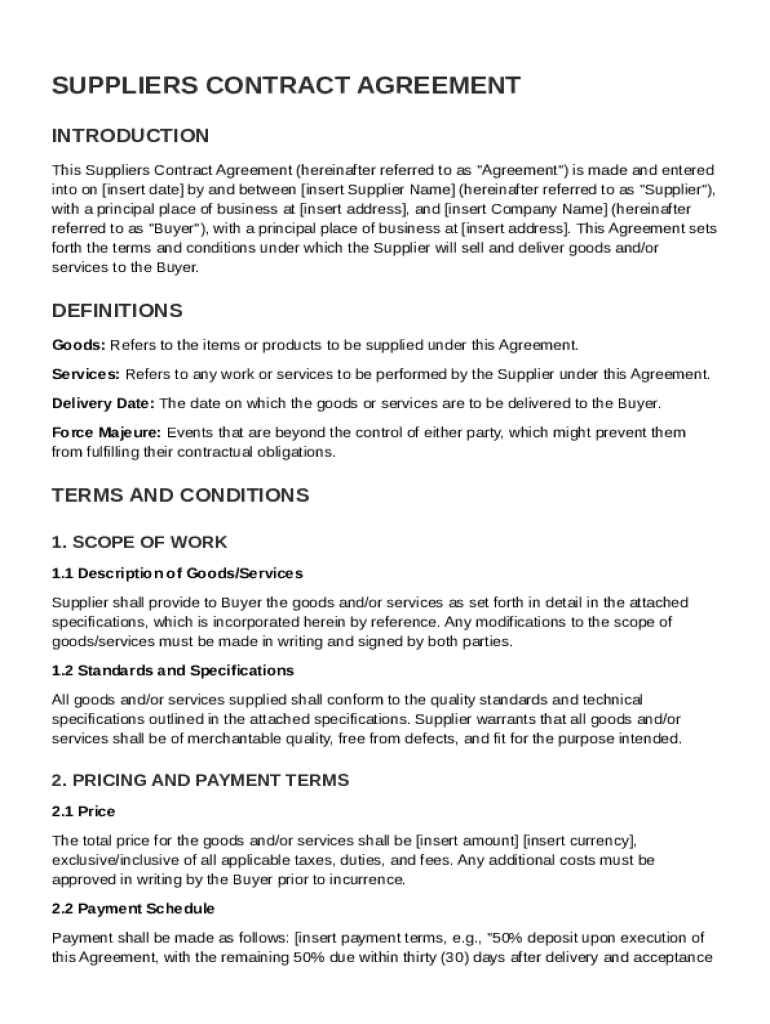
Suppliers Contract Form
Use a Suppliers Contract Template template to make your document workflow more streamlined.
What a Suppliers Contract Form does
A Suppliers Contract Form records the commercial terms between a business and a supplier, including the parties, products or services, pricing, delivery duties, approvals, and signatures. In signNow, the sender uploads the contract, reviews automatically detected fillable fields, assigns supplier and internal recipients, and sends the document for completion. Each signer reviews and signs electronically, while signNow preserves completion evidence and an audit trail. The resulting record can be downloaded, shared, and stored with related purchase and vendor records.
Businesses that use supplier forms
Supplier forms help businesses document commercial terms, approvals, and signatures across repeat vendor relationships.
A solo consulting practice can reuse a Suppliers Contract Form template for each vendor engagement, capturing scope, rates, deliverables, and signatures without maintaining separate paper files. A regional construction company can route supplier agreements to procurement and project leads, preserving approvals and signed terms before materials or subcontracted work begins. An enterprise procurement department can standardize supplier contracts through shared templates, delegated sending, and centralized audit evidence across business units and approved vendors.
These tasks are executed by both individual contributors and centralized administrators depending on organizational policy and required controls.
How to complete a supplier contract
Prepare the Suppliers Contract Form in signNow by checking detected fields, assigning the supplier and internal signers, and preserving the completed agreement.
Upload document:
Upload the supplier contract. Check fields:
Review auto-detected fields. Add signers:
Add supplier recipients. Send contract:
Send for signature. Store evidence:
Store the completed record.
What the supplier audit trail records
The signNow audit trail connects signer identity, document integrity, and completion events for each Suppliers Contract Form.
Authenticate signer:
Capture timestamps:
Hash document:
Seal completion:
Link events:
Export evidence:
 Best ROI. Our customers achieve an average 7x ROI within the first six months.
 Scales with your use cases. From SMBs to mid-market, airSlate SignNow delivers results for businesses of all sizes.
 Intuitive UI and API. Sign and send documents from your apps in minutes.
Recommended supplier contract setup
Configure Suppliers Contract Form around signer identity, contract evidence, applicable retention rules, and controlled access.
| Setting | Recommendation |
|---|---|
| Authentication method | Email plus SMS OTP |
| Signature type | Typed or drawn e-signature |
| Audit trail | Export with completed PDF |
| Document retention | Apply governing contract rule |
| Encryption | TLS 1.2/1.3 and AES-256 |
Key features for supplier agreements
signNow combines field preparation, recipient routing, reusable templates, audit evidence, and integrations for Suppliers Contract Form workflows.
Fillable fields
Upload an existing Suppliers Contract Form and place signature, initials, date, and text fields where each party must complete information. Field review reduces omissions before the agreement reaches a supplier.
Recipient routing
Assign supplier, procurement, and business approvers as separate recipients. Role-based routing keeps each person’s required action visible and records the order used to complete the contract.
Reusable templates
Reuse an approved supplier contract template for recurring vendor engagements. Standardized clauses and field placement reduce accidental differences between agreements while allowing supplier-specific values to be entered before sending.
Audit trail
Capture timestamps, signer actions, authentication events, and delivery information in the audit trail. Exporting that evidence with the signed contract supports later contract administration and dispute review.
Business integrations
Connect completed supplier documents with systems such as NetSuite, Salesforce, Google Drive, Box, or Procore. Integration choices help procurement teams keep contract evidence near vendor, finance, or project records.
Mobile completion
Use signNow on desktop or mobile to complete supplier agreements without requiring every signer to work from the same location. The final record remains available for controlled storage after completion.
Security controls for supplier contracts
Stored data:
Network encryption:
Security assurance:
Management standard:
U.S. eSignatures:
Health information:



Record-keeping practices for supplier contracts
Retain each Suppliers Contract Form with its audit evidence, supporting records, and documented disposition decision.
Assign owners for supplier records
Export the audit trail with completion evidence
Apply the longest applicable rule
Archive signed contracts securely
Platform requirements for supplier forms
Suppliers Contract Form workflows run in Chrome, Firefox, Safari, or Edge on Windows and macOS. Signers can also use signNow mobile apps on iOS and Android, with connections protected by TLS 1.2/1.3.
Browsers Chrome, Firefox, Safari, Edge Operating systems Windows, macOS, iOS, Android Transport security TLS 1.2/1.3 for connections
Organizations should manage supplier documents on approved devices, use role-based access, and confirm API or integration requirements before deployment. Where contracts contain protected health information, confirm that the chosen signNow configuration includes the required HIPAA business associate agreement and retention controls.
Troubleshooting supplier contract workflows
Use these answers to resolve field, authentication, compliance, and plan questions while completing Suppliers Contract Form in signNow.
On the Business plan, upload the supplier contract, place or confirm signature fields, then send it to the vendor by email. If automatic field recognition misses a field, add it manually before sending; the completed document and audit trail remain available after signing.
The Business plan includes templates and audit trails, while Business Premium adds bulk send. If many suppliers must receive the same contract with individualized fields, Business Premium’s bulk-send capability is the relevant plan feature; verify current account limits before deployment.
A signNow electronic signature can support a supplier agreement when the parties demonstrate intent, consent, attribution, and reliable record retention. ESIGN, 15 U.S.C. chapter 96, and applicable UETA provisions provide the federal and state framework; contract law still governs the agreement itself.
Use signNow’s signer authentication options, including SMS one-time passwords where configured, when email-only identification is insufficient. For regulated workflows, select authentication appropriate to the risk and preserve the resulting audit evidence with the executed Suppliers Contract Form.
If a supplier contract contains protected health information, signNow identifies HIPAA compliance as requiring a business associate agreement. Execute the BAA and confirm the workflow, access permissions, and retention process before sending PHI through the form.
Business subscription plans are listed at $8/user/month annually for Business, $15/user/month annually for Business Premium, and $30/user/month annually for Enterprise. The listed plans include 100 signature invites per user yearly; confirm overage terms and account limits before high-volume sending.
Key performance indicators that demonstrate SignNow's proven track record.
BE READY TO GET MORE
Get this form now!

If you believe that this page should be taken down, please follow our DMCA take-down process.