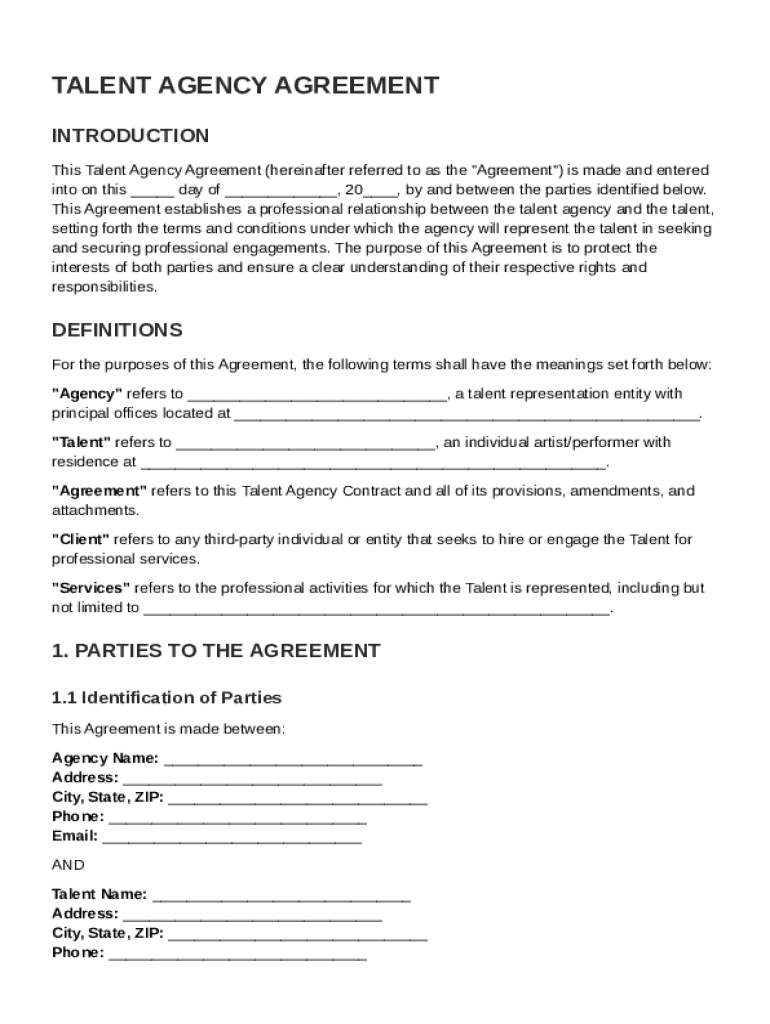
Talent Agency Contract Form
Use a Talent Agency Contract Template template to make your document workflow more streamlined.
What the Talent Agency Contract Form covers
A Talent Agency Contract Form records the relationship between a talent agency and the performer it represents. It identifies the parties, services, territory, term, commission or compensation arrangements, exclusivity, responsibilities, approvals, and termination provisions agreed for representation. The agency prepares the document, the performer reviews the specific business terms, and authorized parties sign the final version. With signNow, the agency can upload the form, place or detect fillable fields, send it to designated signers, and retain the completed contract with its audit trail. State licensing and contract rules still require legal review where applicable.
Who completes this agency contract
Talent agencies
Talent agencies use the form to document representation terms with performers, including commission arrangements, territory, exclusivity, services, approvals, and termination rights. Agencies can prepare reusable templates while updating performer-specific information before sending the agreement for signature.
Contract participants
Performers, managers, and authorized agency representatives review the completed contract before signing. The document creates a shared record of the relationship, while separate legal advice may be appropriate for state-specific licensing, employment, or commission questions.
Features that support agency contract workflows
Talent agencies can prepare, route, sign, and retain representation agreements with clearer fields, controlled access, and an auditable signing record.
Structured terms
Capture the agency, talent, services, compensation, commission, exclusivity, and termination terms in one structured agreement, reducing omissions before the performer or representative signs.
Remote signing
Send the completed contract to talent, agency representatives, or authorized managers for electronic signatures without coordinating separate paper copies or in-person meetings.
Reusable templates
Use reusable templates for recurring representation agreements while preserving fields for each performer, project, commission arrangement, and approval requirement.
Audit trail
Track who received, opened, signed, or declined the contract through a signNow audit trail that supports organized contract administration.
Signer routing
Collect signatures from multiple parties in a defined order when agency policy requires performer approval before countersignature by an authorized representative.
Document storage
Keep the signed Talent Agency Contract Form and completion record together so teams can retrieve the final agreement when reviewing commissions or termination terms.
How to complete the agency contract
The signNow workflow moves the Talent Agency Contract Form from an agency template to a completed, traceable representation agreement.
Upload contract: Upload the agency’s Talent Agency Contract Form and confirm the intended agreement version. Add fields: Use detected or placed fields for performer details, commission terms, initials, dates, and signatures. Assign signers: Assign each field to the performer, agency representative, or other authorized signer. Complete and retain: Send the contract, monitor completion, and store the signed record with its audit trail.
 Best ROI. Our customers achieve an average 7x ROI within the first six months.
 Scales with your use cases. From SMBs to mid-market, airSlate SignNow delivers results for businesses of all sizes.
 Intuitive UI and API. Sign and send documents from your apps in minutes.
Ways to send and sign agency contracts
- Use the signNow web app when agency staff prepare the Talent Agency Contract Form, place fields, assign performers, and monitor completion from a desktop workflow.
- Use the signNow mobile app when an authorized agency representative or performer needs to review and sign the contract from a mobile device.
- Use kiosk mode for supervised, in-person signing at an agency office or casting location when Business Premium features meet the workflow requirement.
- Create a shareable signing link when the agency repeatedly sends the same contract type and can control access through its established intake process.
Recommended setup for agency contracts
Configure the signing workflow around signer identity, contract integrity, controlled access, and the agency’s documented retention policy.
| Setting | Recommendation |
|---|---|
| Authentication method | Email verification with SMS OTP |
| Signature type | Electronic signature with signer intent |
| Audit trail | Enabled with completion certificate |
| Document retention | Agency policy with state-law review |
| Encryption | TLS 1.2/1.3 and AES-256 |
What the contract audit trail records
A signNow audit trail documents the technical and signer events surrounding the Talent Agency Contract Form without replacing the contract’s negotiated terms.
Authenticate signer:
Timestamp events:
Hash document:
Seal record:
Log actions:
Export trail:
Signer authentication and certificate controls
PKI signing:
X.509 certificates:
Two-factor authentication:
SMS OTP:
ID verification:
Audit evidence:
Contract issues agencies should prevent
Commission language may omit the percentage, calculation base, payment timing, or post-termination obligations, creating disputes over agency compensation. An agreement may identify the agency and performer incompletely, making it harder to establish which legal entities and individuals accepted the contract. Exclusivity, territory, term, and termination clauses can conflict when templates are reused without updating performer-specific representation terms. Uncontrolled copies can leave the agency uncertain which signed version contains the final commission and approval provisions.
Risks of incomplete agency contracts
Weaker evidence
Payment dispute
Conflicting versions
Authority challenge
Retrieval failure



Agency contract workflow examples
These scenarios show how agencies can apply signNow’s document workflow to performer representation agreements without changing the contract’s legal terms.
Talent agency workflow
Talent agencies can prepare performer-specific representation agreements from a controlled template before sending them for review and signature.
- Commission terms stay visible
- Performer fields are assigned
An agency can preserve the agreed representation terms in one completed record instead of coordinating separate paper copies. signNow supports assigned fields, signing notifications, and an audit trail that helps staff identify the final agreement and its completion history.
Casting operations
A regional casting business uses a reusable agreement for performers while changing territory, term, services, and compensation fields for each engagement.
- Reusable agreement structure
- Individual terms remain distinct
The workflow separates recurring contract language from performer-specific business terms. Staff can review the populated document before sending it, then retain the signed contract and completion evidence for later questions about commissions, authority, or termination.
Talent Agency Contract Form troubleshooting
Resolve field, signer, plan, and evidence questions before sending the Talent Agency Contract Form for signature.
Upload the agency’s source document again and inspect the field placement after signNow detects fillable areas. Add or reposition fields for commission percentages, dates, initials, and signatures before sending the contract.
Use signer assignment to distinguish performer fields from agency fields. Confirm each signature, date, and initials field belongs to the intended party, then send a corrected agreement rather than relying on an incomplete envelope.
Business costs $8 per user monthly with annual billing and includes legally binding eSignatures, audit trails, templates, and mobile apps. It includes 100 signature invites per user annually; overages may apply.
Business Premium costs $15 per user monthly with annual billing and adds bulk send, kiosk mode, request payments, and quick invite links. Bulk send can help distribute substantially similar agreements with performer-specific fields.
ESIGN and UETA generally recognize electronic signatures when intent, consent, attribution, and record retention requirements are satisfied. For consumer-facing records, review the ESIGN disclosure requirements in 15 U.S.C. §7001(c).
A signNow audit trail can preserve invitation, access, authentication, signing, and completion events. Store the signed contract and completion evidence under the agency’s retention policy, while checking applicable state contract and licensing rules.
Key performance indicators that demonstrate SignNow's proven track record.
BE READY TO GET MORE
Get this form now!

If you believe that this page should be taken down, please follow our DMCA take-down process.