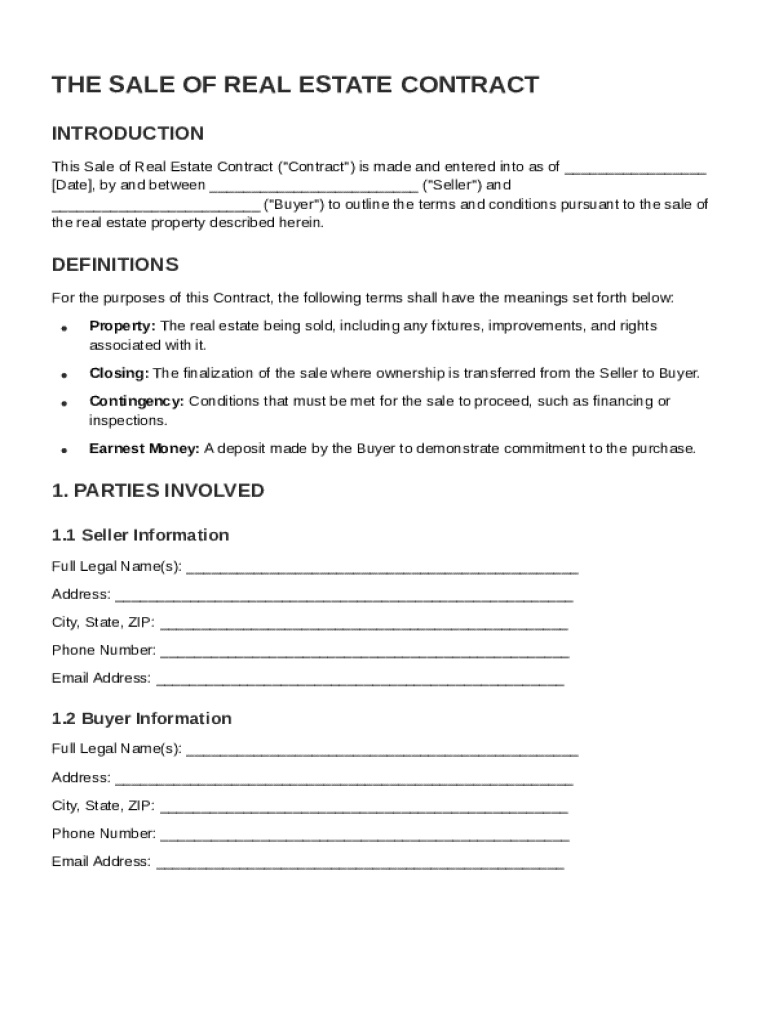
The Sale Of Real Estate Contract Form
Use a The Sale Of Real Estate Contract Template template to make your document workflow more streamlined.
What the sale contract form does
The Sale Of Real Estate Contract Form records the agreed terms for transferring an interest in property between a buyer and seller. It commonly identifies the parties, property, purchase price, earnest money, financing, closing conditions, contingencies, disclosures, and signatures, although the required provisions vary by state and transaction. In signNow, a sender uploads the agreement, places or detects fillable fields, assigns signing roles, sends the document, and receives a completed copy with an audit trail. Electronic signing may be recognized under ESIGN and UETA, but state real-estate, notarization, and recording rules still apply.
Business types using sale contracts
The form supports transaction work ranging from individual property professionals to multi-office real estate organizations.
Solo real estate practitioners can prepare buyer and seller agreements, send signature requests from mobile devices, and keep transaction records organized without arranging repeated office appointments. Regional brokerages can standardize sale contract templates, assign signing roles, and monitor completed agreements across agents while maintaining an audit trail for each property transaction. Enterprise property organizations can connect contract workflows with systems such as Salesforce, NetSuite, or cloud storage, supporting controlled access and consistent records across multiple offices.
These tasks are executed by both individual contributors and centralized administrators depending on organizational policy and required controls.
How the sale contract workflow works
Prepare the real estate sale agreement in signNow, route it to the required parties, and preserve the executed document with its audit evidence.
Upload document: Upload the sale contract Prepare fields: Detect and place fields Send for signing: Send to transaction parties Archive evidence: Store executed records
What the audit trail records
For a sale contract, the audit trail connects signer actions, timing, document integrity, and completion evidence to the executed agreement.
Authenticate signer:
Capture timestamp:
Hash document:
Seal document:
Log activity:
Retrieve audit trail:
Ways to send and sign sale contracts
- Use the signNow web app when a broker, attorney, or transaction coordinator needs to prepare the sale contract, assign roles, and monitor completion from a desktop browser.
- Use the signNow mobile app when an agent or buyer must review and sign the contract during a property visit, showing each participant the current document version.
- Use kiosk mode for supervised signing when multiple participants are together and one device must collect signatures without requiring each person to manage a separate account.
- Use a shareable signing link when a brokerage repeatedly distributes the same contract template to qualified parties, while controlling access and preserving each completed transaction’s audit trail.
 Best ROI. Our customers achieve an average 7x ROI within the first six months.
 Scales with your use cases. From SMBs to mid-market, airSlate SignNow delivers results for businesses of all sizes.
 Intuitive UI and API. Sign and send documents from your apps in minutes.
Features for sale contract workflows
signNow features address the practical sequence of preparing, routing, signing, and preserving a real estate sale agreement.
Field preparation
Upload the brokerage’s approved agreement and use field detection to identify signature, date, initials, and property-specific fields before sending.
Role routing
Assign buyer, seller, broker, or other required roles so each participant receives the fields and signing order intended for the transaction.
Remote signing
Collect signatures through browser or mobile workflows while keeping the sale agreement accessible to participants working from different locations.
Audit evidence
Capture signer actions, timestamps, and completion evidence alongside the executed contract for transaction administration and later review.
Reusable templates
Use templates for recurring sale agreements while preserving the ability to enter property-specific price, address, contingency, and closing information.
Record control
Protect contract records with controlled access and signNow security features, while applying state-specific legal and retention requirements separately.



Mobile options for sale contracts
signNow mobile apps for iOS and Android let authorized real estate participants review and sign sale contracts from supported phones or tablets.
Mobile apps iOS and Android apps Offline mode Offline signing supported Document capture Camera document capture
Confirm device compatibility and connectivity before an appointment, especially when a buyer, seller, or agent needs to sign away from the office. Offline workflows and camera capture can support document handling, but transaction teams should verify that the final executed agreement and audit trail synchronize correctly.
Authentication for sale contracts
Digital certificates:
Certificate standard:
Signer authentication:
SMS verification:
Identity verification:
Signing evidence:
Legal standing of sale contracts
A sale contract can generally be signed electronically when the parties show intent, consent to electronic records, and the record can be retained and reproduced. ESIGN, 15 U.S.C. ch. 96, and UETA support electronic signatures, while state contract, recording, notarization, and real-estate laws still govern. Wills, certain court filings, and family law decrees remain excluded.

State rules and document limits
State notarization
Wills and codicils
Family law documents
Real-estate deeds
Privacy and disclosure pitfalls
Uploading an outdated sale agreement can cause parties to sign terms that do not match the broker’s approved property transaction version. Including unnecessary financial or identity details in a contract increases exposure if access permissions are broader than the transaction team requires. Failing to capture electronic consent and signer identity can weaken evidence that each buyer or seller intended to execute the agreement. Sending a contract before confirming state-specific notarization or deed requirements may leave the agreement incomplete for the intended closing process.
Record-keeping practices for sale contracts
Preserve the executed agreement, supporting disclosures, and audit evidence according to applicable state and transaction-specific retention rules.
Export the signed contract and audit trail
Set retention by transaction and state
Archive records with controlled access
Separate drafts from executed agreements
Pricing and feature comparison
For a real estate sale contract, compare verified signNow plan details with competitor information only where pricing or features have been verified.
| Features | signNow | DocuSign | Adobe Sign | PandaDoc | Dropbox Sign |
|---|---|---|---|---|---|
| Starting price | $8/user/month annually | Not verified | Not verified | Not verified | Not verified |
| Free trial | 7 days, no card required | Not verified | Not verified | Not verified | Not verified |
| Bulk send | Business Premium: included | Not verified | Not verified | Not verified | Not verified |
| Audit trail | Business plan: included | Not verified | Not verified | Not verified | Not verified |
| HIPAA compliance | Available; BAA required | Not verified | Not verified | Not verified | Not verified |
Key performance indicators that demonstrate SignNow's proven track record.
Troubleshooting sale contract workflows
Use these answers to resolve signing, plan, authentication, and legal-formality questions involving The Sale Of Real Estate Contract Form.
Business includes legally binding eSignatures, templates, audit trails, and mobile apps at $8 per user per month when billed annually. Upload the sale agreement, confirm fields, and send it to the authorized parties. State-law requirements remain separate from the plan.
The signNow Business Premium plan adds bulk send at $15 per user per month billed annually. It may help a brokerage distribute the same approved sale agreement to multiple transactions, but property-specific fields and signer roles must still be reviewed before sending.
If a buyer or seller cannot complete a signature, verify the email address, signing order, required fields, and authentication method. Resend the invitation or generate a supported signing link after confirming that the recipient is authorized for that property transaction.
ESIGN and UETA generally support electronic signatures when intent, consent, attribution, and record retention are demonstrated. A sale contract may still require state-specific formalities, notarization, or separate deed recording, so electronic execution does not replace those requirements.
Business provides audit trails, while Enterprise adds advanced signer authentication at $30 per user per month billed annually. Select authentication based on transaction risk and policy, then preserve the completion evidence with the executed contract.
The signNow Business plan includes 100 signature invites per user per year, with overage fees applying after that allowance. A brokerage should review invite usage before routing high-volume sale agreements; the Site License uses a separate usage-based model.
BE READY TO GET MORE
Get this form now!

If you believe that this page should be taken down, please follow our DMCA take-down process.