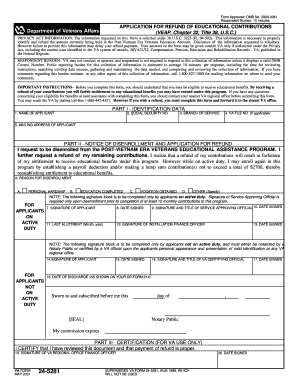
Omb Veap Refund Form
Use a Omb Veap Refund Form template to make your document workflow more streamlined.
What Omb Veap Refund Form does
Omb Veap Refund Form is a document used to record and authorize a refund request or refund transaction. Because no issuing agency, statutory form number, required fields, or filing deadline is identified for this named form, the responsible organization should confirm its instructions before submission. With signNow, a sender uploads the form, reviews detected fillable fields, assigns each field to the appropriate signer, and sends it for completion. Signers review the refund details, provide required signatures, and receive a completed copy. The audit trail records signing activity for later review.
Who benefits from Omb Veap Refund Form
Omb Veap Refund Form supports organizations that need a traceable way to prepare, sign, and retain refund documentation.
A solo financial consultant can prepare a refund request, collect the client’s signature, and retain the completed Omb Veap Refund Form with its signing history for organized case records. A healthcare billing practice can route refund documentation to patients or authorized representatives, while applying access controls and HIPAA safeguards when the form contains protected health information. An enterprise finance department can standardize Omb Veap Refund Form templates, delegate sending to regional teams, and use role-based administration for consistent approval and record handling.
These tasks are executed by both individual contributors and centralized administrators depending on organizational policy and required controls.
Complete Omb Veap Refund Form online
Use this sequence to prepare, route, sign, and retain the Omb Veap Refund Form in signNow.
Upload form:
Upload the Omb Veap Refund Form file to signNow. Check fields:
Review detected fields and add missing refund details. Assign signers:
Assign signature and date fields to each signer. Send form:
Send the completed request through signNow. Store records:
Download the signed form and audit trail.
How the Omb Veap Refund Form audit trail works
The audit trail connects each Omb Veap Refund Form signing event to the people, times, and document record involved.
Signer authentication:
Timestamp capture:
Document association:
Event logging:
Tamper evidence:
Audit export:
 Best ROI. Our customers achieve an average 7x ROI within the first six months.
 Scales with your use cases. From SMBs to mid-market, airSlate SignNow delivers results for businesses of all sizes.
 Intuitive UI and API. Sign and send documents from your apps in minutes.
Recommended form workflow setup
Use a controlled signing workflow that assigns every refund field, records signer activity, and follows the organization’s retention policy.
| Setting | Recommendation |
|---|---|
| Authentication method | Email verification with SMS OTP |
| Signature type | Typed or drawn electronic signature |
| Audit trail | Enable completion history and export |
| Document retention | Follow the organization’s refund policy |
| Encryption | TLS 1.2/1.3 and AES-256 |
Security for Omb Veap Refund Form
Transport encryption:
Stored encryption:
SOC 2 certification:
ISO 27001 certification:
Electronic signature laws:
HIPAA safeguards:
Privacy issues to check
Unredacted account or payment details can expose personal information when the signed refund form is shared outside the authorized team. Missing electronic consent evidence can weaken the record when a consumer signs Omb Veap Refund Form electronically. Incorrect signer permissions can allow an unauthorized person to approve or sign the refund request. A missing audit trail can make the signing date, signer identity, and document history harder to establish.
Why the form record matters
For a business refund transaction, a completed Omb Veap Refund Form can provide evidence of the parties’ intent, consent, attribution, and retained record when handled under ESIGN and applicable state law, including UETA or New York ESRA. Those frameworks do not cover wills, certain court orders, or specified family-law documents.

Processing Omb Veap Refund Form
The processing sequence depends on document accuracy, signer availability, and the organization’s refund approval rules.
Prepare the document
Deliver to signers
Complete signer review
Archive completion



Best practices for this refund form
Accuracy, controlled access, consent evidence, and complete records make Omb Veap Refund Form easier to review after signing.
Verify every refund field
Preserve the signing evidence
Restrict sensitive access
Document electronic consent
Omb Veap Refund Form troubleshooting
Resolve the named workflow, consent, plan, and access issues before treating the signed Omb Veap Refund Form as complete.
On the Business plan, signNow provides templates, audit trails, mobile apps, and legally binding eSignatures. Confirm that every required refund field has an assigned signer before sending; a missing assignment prevents completion of that field.
Business Premium includes bulk send, while Business does not list bulk send among its plan features. If the same Omb Veap Refund Form must reach many recipients, review the plan before configuring the workflow.
signNow lists ESIGN and UETA compliance for its platform. For consumer-facing records, separately provide the ESIGN disclosure, confirm electronic access, and explain how consent may be withdrawn under 15 U.S.C. §7001(c).
HIPAA compliance requires a business associate agreement. Use that workflow only when the refund document contains protected health information and the organization has completed the required contractual and administrative review.
Business includes 100 signature invites per user per year when billed annually, with overage fees after the included allowance. Business Premium and Enterprise have different invite pricing, so check usage before sending at scale.
If a signer cannot open the request, verify the email address, resend the invitation, or use a signNow signing link. Confirm that the signer can access the assigned Omb Veap Refund Form fields before resending.
Key performance indicators that demonstrate SignNow's proven track record.
BE READY TO GET MORE
Get this form now!

If you believe that this page should be taken down, please follow our DMCA take-down process.