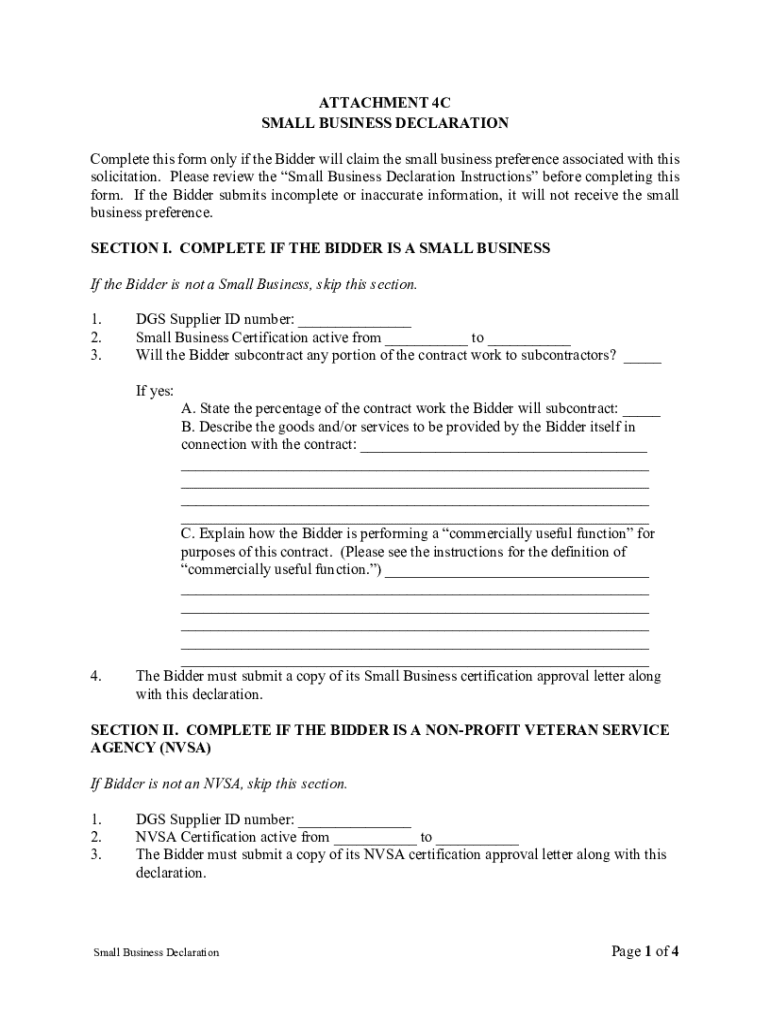
Request For Statement Of Qualifications Rfsq No 606 Sh Form
Use a Request For Statement Of Qualifications rfsq No 606 sh template to make your document workflow more streamlined.
What this RFSQ form is
The Request For Statement Of Qualifications Rfsq No 606 Sh Form is a procurement document used to present an organization’s qualifications for consideration. It generally organizes the respondent’s business information, relevant experience, capabilities, and supporting certifications for an issuing purchasing authority. The exact questions, attachments, signature requirements, and submission deadline come from the form and its solicitation instructions, not from signNow. Upload the source document to signNow, review detected fields, assign contributors or signers, and preserve the completed response with its audit trail.
Who prepares this RFSQ response
Procurement respondents
Procurement respondents can prepare the qualification narrative, identify authorized representatives, attach requested experience records, and route the final response for signature without rebuilding the document. The purchasing authority’s instructions still control required sections, formatting, attachments, and delivery.
Respondent teams
Construction, professional-services, and consulting firms can coordinate subject-matter contributors and an authorized signer in one controlled workflow. Shared templates and role-based access help preserve the approved RFSQ wording while the team gathers project history and qualifications.
Complete the RFSQ form online
Use the source solicitation as the controlling checklist while preparing the response in signNow.
Upload form:
Upload the RFSQ source file to signNow. Check fields:
Review detected fields and add missing qualification fields. Assign roles:
Assign contributors and authorized signers by role. Send response:
Send the prepared response for review and signature. Store records:
Download the completed form and audit trail.
How the RFSQ audit trail works
The audit trail separates document preparation from technical evidence about access, signing, integrity, and retrieval.
Authenticate signer:
Capture timestamps:
Hash document:
Seal record:
Review history:
Export evidence:
 Best ROI. Our customers achieve an average 7x ROI within the first six months.
 Scales with your use cases. From SMBs to mid-market, airSlate SignNow delivers results for businesses of all sizes.
 Intuitive UI and API. Sign and send documents from your apps in minutes.
Privacy controls for RFSQ submissions
Personal information copied into a qualification response can expose contact details beyond the evaluators who need access. Missing electronic-consent language may weaken evidence that each contributor agreed to sign the submitted qualification statement. Unrestricted template permissions can let unauthorized staff alter the RFSQ response before it reaches the purchasing office. A downloaded response without its audit trail can make it harder to demonstrate who signed, when, and what was completed.
Recommended RFSQ workflow setup
Configure the response workflow around the solicitation’s signer, access, submission, and recordkeeping requirements.
| Setting | Recommendation |
|---|---|
| Authentication method | Email verification with SMS OTP |
| Signature type | Typed or drawn electronic signature |
| Audit trail | Enabled for every signer action |
| Document retention | Follow the issuing authority’s schedule |
| User provisioning | Named users with role-based access |
Signer authentication options
PKI support:
X.509 certificates:
Two-factor authentication:
SMS OTP:
ID verification:
Event evidence:
Recordkeeping practices for RFSQ files
Retention for this procurement response depends on the issuing authority and the governing contract or records schedule; preserve evidence consistently rather than assuming one federal period applies.
Apply the issuing authority’s retention schedule
Export the final response and audit trail
Restrict access to qualification materials
Preserve the submitted version separately
Check exclusions before signing
Notarization
Wills excluded
Court orders
Real-estate deeds
Legal standing of an RFSQ signature
A signed Request For Statement Of Qualifications Rfsq No 606 Sh Form can provide evidence of intent, attribution, and document integrity when the solicitation permits electronic signatures and the record remains accessible. ESIGN, 15 U.S.C. chapter 96, and applicable UETA provisions support electronic records, but they do not override an issuing authority’s wet-ink, notarization, or submission rules.

RFSQ workflow capabilities compared
signNow pricing and capabilities below use the supplied verified product information; unavailable competitor details are marked Not verified.
| signNow | DocuSign | Adobe Acrobat Sign | PandaDoc | |
|---|---|---|---|---|
| Fillable RFSQ workflow | Yes | Not verified | Not verified | Not verified |
| Signer audit trail | Yes | Not verified | Not verified | Not verified |
| Starting plan price | $8/user/month annually | Not verified | Not verified | Not verified |
| Free trial availability | 7-day trial | Not verified | Not verified | Not verified |
RFSQ completion and signing questions
These answers address field preparation, signer control, electronic-signature law, and recordkeeping for this qualification response.
Upload the source RFSQ PDF again if signNow cannot detect fields. Auto-detection depends on the document’s structure; manually place text, date, initials, and signature fields where the solicitation requires them, then compare every field against the original instructions.
Use signNow’s role assignment to separate contributors from the authorized signer. Contributors can prepare qualification content, while the designated representative signs the final response. Confirm the signer’s authority under the respondent’s internal policy before sending.
The Business plan is listed at $8/user/month when billed annually and includes audit trails. If the response requires stronger controls, select authentication settings appropriate to the organization and document them in the procurement file.
Electronic signatures generally receive legal recognition under ESIGN, 15 U.S.C. chapter 96, and applicable state law, including UETA in 49 states plus jurisdictions listed in the governing framework. Check the solicitation for any wet-ink or notarization instruction before using eSignature.
For consumer-facing electronic records, ESIGN requires disclosure of the right to paper records and access-related consent conditions under 15 U.S.C. §7001(c). A procurement response should still follow the purchasing authority’s stated delivery and consent instructions.
A completed RFSQ should not be treated as permanently retained by default. Export the signed document and audit trail, then apply the issuing authority’s records schedule, contract terms, and state procurement requirements to determine the retention period.
Key performance indicators that demonstrate SignNow's proven track record.
BE READY TO GET MORE
Get this form now!

If you believe that this page should be taken down, please follow our DMCA take-down process.