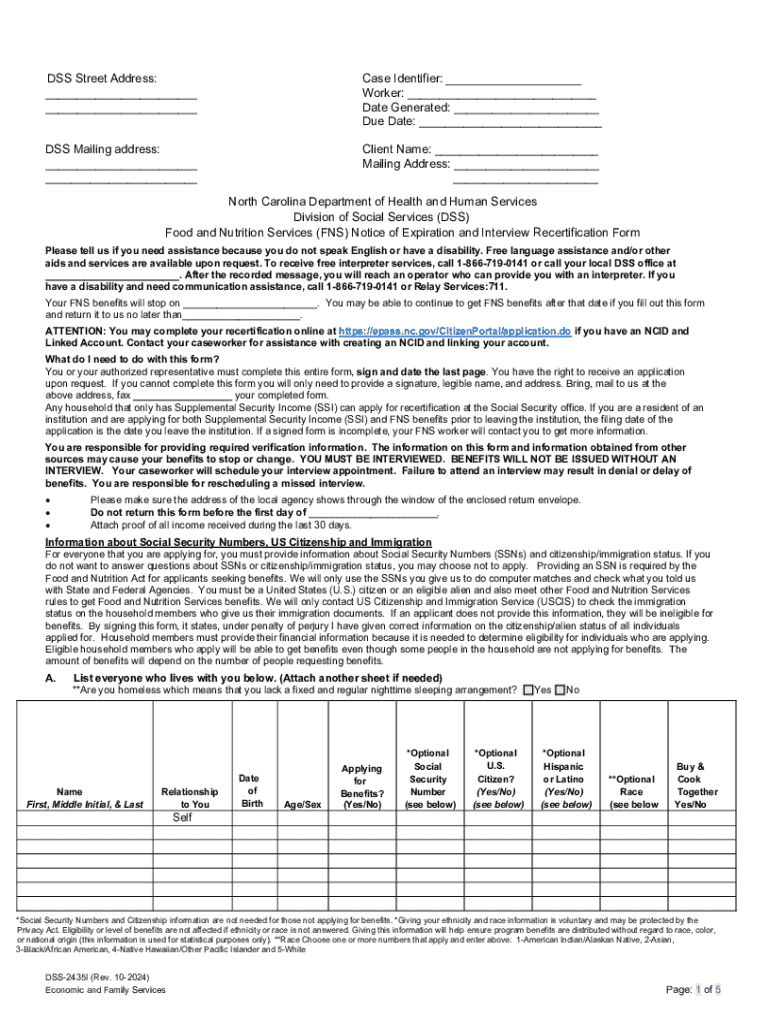
Dss Contact Informationncdhhs
Use a DSS Contact InformationNCDHHS template to make your document workflow more streamlined.
Dss Contact Informationncdhhs overview
Dss Contact Informationncdhhs is a contact-information document that can be prepared, completed, and signed electronically when its issuing organization and applicable law permit electronic execution. In signNow, a sender uploads the document, reviews automatically detected fillable areas, adds or corrects fields, assigns recipients, and sends the request. Recipients review the form and sign from a browser or mobile device. signNow records signing activity in an audit trail and provides the completed document for authorized storage. Retention and disclosure duties depend on the document’s purpose and contents.
Who uses contact information forms
Administrative teams
Administrative teams can use Dss Contact Informationncdhhs to collect contact details from employees, clients, vendors, or members of the public. They should define required fields, verify recipient identity, and limit access to personnel who need the information for a documented business purpose.
Regulated organizations
Healthcare, legal, financial, and government teams may use the form when their workflow requires contact details and an electronic record. The applicable privacy, retention, and filing rules depend on the information collected and the organization’s industry, state, and transaction.
How Dss Contact Informationncdhhs works
Dss Contact Informationncdhhs moves from upload to completed record through four controlled signNow actions.
Upload form: Upload the Dss Contact Informationncdhhs file to signNow for preparation. Check fields: Review detected fields and add missing contact-information fields manually. Assign recipients: Assign each field to the correct recipient before sending. Store record: Store the completed form with its signNow audit trail.
Complete Dss Contact Informationncdhhs online
Use this sequence to prepare Dss Contact Informationncdhhs in signNow while checking recipient identity and required contact fields.
Upload form:
Upload the Dss Contact Informationncdhhs document. Check fields:
Review detected fields and add missing fields. Assign fields:
Assign contact fields to each signer. Complete form:
Send, sign, and download the completed record.
 Best ROI. Our customers achieve an average 7x ROI within the first six months.
 Scales with your use cases. From SMBs to mid-market, airSlate SignNow delivers results for businesses of all sizes.
 Intuitive UI and API. Sign and send documents from your apps in minutes.
Recommended contact form setup
Configure Dss Contact Informationncdhhs around signer identity, field accuracy, audit evidence, controlled access, and the retention rule governing the record.
| Setting | Recommendation |
|---|---|
| Authentication and signature | Email verification with signer intent |
| Audit trail | Enable completion history and export |
| Document retention | Apply the governing record schedule |
| Encryption | TLS 1.2/1.3 and AES-256 |
| User provisioning | Assign role-based access permissions |
Best practices for contact information forms
Careful field review, limited disclosure, controlled access, and documented storage reduce errors when handling Dss Contact Informationncdhhs.
Review every field before sending
Minimize collected contact details
Restrict access by recipient role
Archive the signed record securely
Security for contact information workflows
Data encryption:
Security reporting:
Information security:
Health information:
Privacy controls:
Electronic signatures:
Platform requirements for contact forms
Complete Dss Contact Informationncdhhs in Chrome, Firefox, Safari, or Edge on Windows or macOS. signNow mobile apps support iOS and Android, while encrypted connections use TLS 1.2/1.3.
Browsers Chrome, Firefox, Safari, Edge Desktop systems Windows and macOS desktops Mobile apps iOS and Android mobile apps
Organizations should manage access through approved devices and role-based permissions. Teams using APIs, SSO, or regulated workflows should confirm the selected signNow plan supports those controls. Site License adds SSO and full API access, while HIPAA and 21 CFR Part 11 are available as add-ons.



Legal standing of contact information forms
Dss Contact Informationncdhhs can support an electronic record when the signer intends to sign, consents to electronic records, can be identified, and the record remains reproducible. ESIGN and UETA generally recognize qualifying electronic signatures, but wills, court orders, and certain family-law filings remain excluded.

Privacy checks for contact information
Review every contact field before sharing Dss Contact Informationncdhhs; unnecessary personal details can expose people to avoidable privacy risks. Capture consent before sending Dss Contact Informationncdhhs when recipients are consumers, and preserve the electronic-record disclosure. Restrict Dss Contact Informationncdhhs access by role so unauthorized users cannot view, edit, or download contact details. Confirm recipient identity before sending Dss Contact Informationncdhhs because an incorrect email address can disclose private information.
Audit trail for Dss Contact Informationncdhhs
signNow records the events surrounding Dss Contact Informationncdhhs so authorized users can review how the document was completed.
Authenticate signer:
Capture timestamp:
Protect document:
Record activity:
Export audit trail:
Verify completion:
Dss Contact Informationncdhhs troubleshooting
These answers address file preparation, recipient access, electronic consent, compliance, and plan selection for Dss Contact Informationncdhhs.
Upload errors can result from an unsupported or damaged Dss Contact Informationncdhhs file. Save a readable PDF, confirm the file opens locally, then upload it again through signNow. The Business plan includes document preparation, templates, mobile apps, and audit trails for this workflow.
If signNow places fields incorrectly, inspect every detected field before sending Dss Contact Informationncdhhs. Move, resize, or add fields manually, then assign each field to the intended signer. Do not rely on automatic detection without reviewing contact details.
A recipient who cannot open the signing request should verify the email address, check spam filtering, and use the original signNow message. A sender can resend the request after correcting the recipient address or generate a signing link where appropriate.
Consumer-facing electronic records require consent and access procedures under ESIGN, 15 U.S.C. §7001(c). Before sending Dss Contact Informationncdhhs, disclose the electronic format, confirm the recipient can access it, and explain how consent can be withdrawn.
A HIPAA workflow requires a signNow Business Associate Agreement when protected health information is involved. HIPAA’s retention rule is six years from creation or the last effective date under 45 CFR §164.530(j).
The Business plan costs $8 per user monthly with annual billing and includes 100 signature invites per user per year. Business Premium costs $15 and adds bulk send; Enterprise costs $30 and adds advanced signer authentication.
Key performance indicators that demonstrate SignNow's proven track record.
BE READY TO GET MORE
Get this form now!

If you believe that this page should be taken down, please follow our DMCA take-down process.