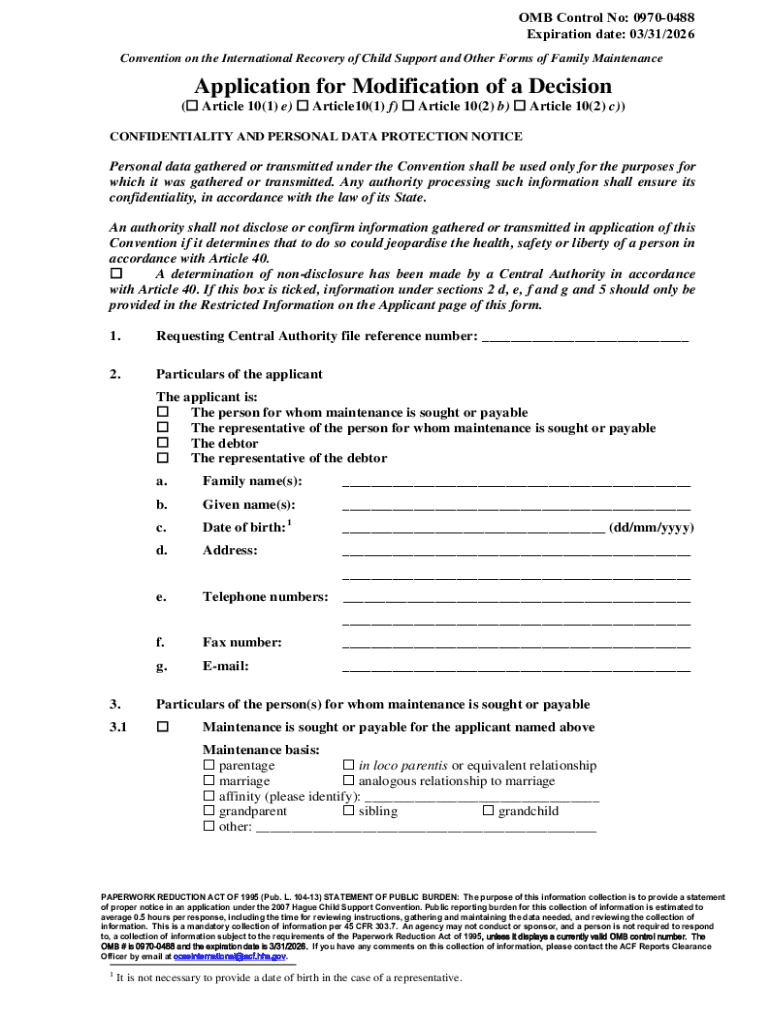
Annex D1 Application For Modification Of A Decision Omb 0970 0488 Form
Use a Annex D1 Application For Modification Of A Decision OMB 0970 0488 template to make your document workflow more streamlined.
About the Annex D1 application
The Annex D1 Application For Modification Of A Decision Omb 0970 0488 Form is used to request a change to an identified decision. It should connect the applicant to the original decision, state precisely what modification is sought, and provide the facts or documents supporting that request. Because the available form information does not establish a specific issuing office, statutory deadline, filing fee, or required attachment list, confirm those details with the responsible Ombudsman’s office before submission. signNow can prepare and e-sign the document when electronic signing is accepted, while the receiving authority’s rules control filing and review.
Who uses this modification application
Applicants
A person seeking review of a prior decision uses the application to identify the decision, explain the requested modification, and provide supporting information for the reviewing office.
Administrative teams
An organization’s records or compliance team can prepare the document, verify the underlying decision, obtain an authorized signature, and preserve the completed application for later reference.
How the modification application works
The application connects a prior decision to a specific requested change and supporting record in four focused stages.
Identify decision: Identify the original decision State modification: Describe the requested modification Add evidence: Attach supporting information Submit form: Submit the completed application
Complete and sign Annex D1 online
Use signNow to prepare the uploaded application, route it to the correct signer, and preserve the completed record with its signing history.
Upload the form:
Upload the completed Annex D1 document to signNow and check that each page is legible. Check the fields:
Review detected fields and add missing signer, date, or text fields where the document requires them. Choose recipients:
Send the application to the authorized signer or create a controlled signing link. Sign and store:
Complete the signature, download the signed PDF, and retain its audit trail with supporting records.
 Best ROI. Our customers achieve an average 7x ROI within the first six months.
 Scales with your use cases. From SMBs to mid-market, airSlate SignNow delivers results for businesses of all sizes.
 Intuitive UI and API. Sign and send documents from your apps in minutes.
Recommended Annex D1 workflow setup
Configure the signing workflow around the application’s identity, evidence, and authority-specific submission requirements.
| Setting | Recommendation |
|---|---|
| Authentication method | Email verification with SMS OTP |
| Signature type | Typed or drawn electronic signature |
| Audit trail | Export certificate with signed PDF |
| Document retention | Follow the Ombudsman’s published rule |
| Encryption | TLS 1.2/1.3 and AES-256 |
Challenges when preparing Annex D1
Entering an incomplete decision identifier can prevent the Ombudsman’s office from matching the application to the decision being challenged or modified. A vague modification request may not explain which finding, condition, date, or remedy the applicant wants changed. Uploading evidence without labeling its connection to the requested modification can slow review and prompt a request for clarification. Sending the signed form through an unapproved channel may leave the application properly signed but improperly filed.
Best practices for completing Annex D1
Accuracy matters because an application for modification must identify the underlying decision and clearly explain the requested change.
Confirm the decision reference
Explain the requested change
Review every mandatory field
Preserve the complete record
What the signNow audit trail records
The audit trail preserves technical evidence about how the Annex D1 application was signed, completed, and retained.
Authenticate signer:
Capture timestamp:
Hash document:
Seal document:
Log activity:
Export history:
Protect the completed application record
Data at rest:
Data in transit:
Security reporting:
Information security:
Health information:
Electronic signatures:
Platform requirements for signing
Complete the Annex D1 application in a current Chrome, Firefox, Safari, or Edge browser on Windows or macOS. signNow also provides mobile apps for iOS and Android, allowing authorized users to review and sign from supported devices.
Browsers Chrome, Firefox, Safari, Edge Desktop systems Windows and macOS desktops Mobile systems iOS and Android mobile apps
Organizations should test managed-device restrictions, email delivery, authentication settings, and document download permissions before routing the application. If the receiving Ombudsman’s office requires a particular file format, naming convention, or submission channel, configure the workflow to preserve that requirement after signing.



Legal standing and practical value
A completed Annex D1 application creates a clearer record of the requested modification, supporting facts, signer intent, and submission history. ESIGN and applicable UETA provisions generally recognize qualifying electronic signatures and records, but they do not override exclusions or the receiving Ombudsman’s filing rules. Confirm acceptance before relying on electronic submission.

Key performance indicators that demonstrate SignNow's proven track record.
Troubleshooting Annex D1 applications
Resolve document, signing, and filing questions by separating signNow workflow settings from the responsible authority’s submission rules.
Upload the original PDF again and confirm every page is legible. signNow can auto-detect fillable fields, but a scanned or flattened Annex D1 document may require manual text, date, and signature fields before sending.
Check the recipient email, signing order, and required fields. On signNow Business, the sender can route the application for legally binding eSignatures, with audit trails and templates available for repeat workflows.
Use a supported signNow authentication option, such as email verification or SMS-based two-factor authentication where configured. Stronger identity checks may require an eligible plan or account configuration; verify the signer’s phone number first.
Download both the signed PDF and certificate of completion from signNow. ESIGN and UETA support electronic signatures when intent, consent, attribution, and record reproducibility are established; the receiving office may impose additional rules.
Keep the original decision, modified application, attachments, signed PDF, and audit trail together. No federal retention period is established here for this specific Ombudsman form, so follow the responsible authority’s rule.
Do not assume signNow submission replaces filing with the Ombudsman’s office. Confirm whether that office accepts electronically signed Annex D1 applications, which delivery channel it requires, and whether additional identity or notarization steps apply.
BE READY TO GET MORE
Get this form now!

If you believe that this page should be taken down, please follow our DMCA take-down process.