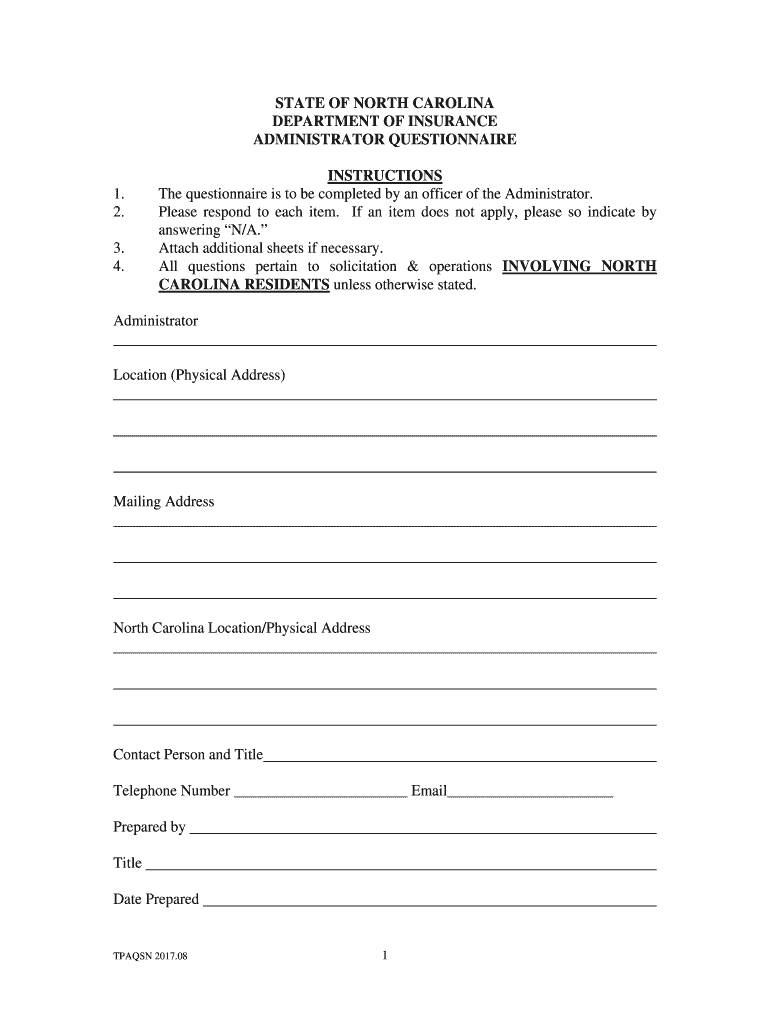
Administrator Questionnaire Form
Use a ADMINISTRATOR QUESTIONNAIRE template to make your document workflow more streamlined.
What Administrator Questionnaire Form does
Administrator Questionnaire Form is a structured record for collecting administrator information, confirming required answers, and obtaining an authorized signature. In signNow, upload the questionnaire, let the platform detect fillable areas, review or add fields, and send it to the designated administrator. The signer opens the invitation, reviews the entries, provides consent and a signature, and receives a completed copy. signNow preserves the workflow history and audit trail. Electronic signing may be valid under ESIGN and UETA when intent, consent, attribution, and record retention requirements are satisfied.
Business types using Administrator Questionnaire Form
Administrator Questionnaire Form suits organizations that need consistent administrator information, controlled signatures, and a retrievable completion record.
Solo consultants use the Administrator Questionnaire Form to document administrative details, collect an authorized signature, and retain a completed copy without coordinating paper exchanges. The signNow Business plan provides templates, audit trails, and mobile apps for this focused workflow. Incomplete answers remain visible before signing, reducing follow-up requests. Enterprise operations teams use the form to standardize administrator information across departments, assign signing roles, and preserve completion evidence. Shared templates, delegated sending, and role-based administration help Xerox-style NetSuite operations coordinate the same form while maintaining controlled access and an auditable record. Healthcare organizations may use the form for administrative intake when it contains protected health information. A HIPAA workflow requires a signNow Business Associate Agreement and access controls; the form should collect only necessary information and retain the signed record under the organization’s documented policy.
These tasks are executed by both individual contributors and centralized administrators depending on organizational policy and required controls.
Documents completed with Administrator Questionnaire Form
Administrative records
Operations teams use Administrator Questionnaire Form to collect administrator details, approvals, and signatures from internal staff or external contacts.
Regulated workflows
Legal, finance, and healthcare teams use the form for controlled intake when retention, confidentiality, or signer attribution matters.
Key features for Administrator Questionnaire Form
signNow connects preparation, routing, signing, and recordkeeping so administrators can complete this questionnaire with fewer manual handoffs.
Field preparation
Upload the Administrator Questionnaire Form and place signature, initials, date, and required-answer fields without rebuilding the document from paper.
Signer routing
Send the completed form to each administrator by email or signing link, preserving the intended signing order when multiple people must review it.
Audit trail
Capture timestamps, signer actions, and document history in an audit trail that supports later review of the Administrator Questionnaire Form.
Reusable template
Reuse a prepared Administrator Questionnaire Form template so departments collect the same administrator details and signatures consistently across requests.
Mobile access
Complete the form from supported desktop or mobile browsers, allowing administrators to review and sign without printing or scanning.
Record storage
Store the signed form and completion evidence together, giving authorized staff a clearer record for internal administration and later retrieval.
 Best ROI. Our customers achieve an average 7x ROI within the first six months.
 Scales with your use cases. From SMBs to mid-market, airSlate SignNow delivers results for businesses of all sizes.
 Intuitive UI and API. Sign and send documents from your apps in minutes.
Recommended Administrator Questionnaire Form setup
Configure the Administrator Questionnaire Form around verified signer identity, explicit intent, audit evidence, controlled retention, and managed access.
| Setting | Recommendation |
|---|---|
| Authentication method | Email link with SMS OTP |
| Signature type | Electronic signature with signer intent |
| Audit trail | Capture timestamps, IP, and action history |
| Document retention | Follow the organization’s documented retention policy |
| Encryption | TLS 1.2/1.3 in transit and AES-256 at rest |
Platform requirements for Administrator Questionnaire Form
Administrator Questionnaire Form can be completed through supported web browsers using TLS 1.2 or TLS 1.3, including Windows, macOS, iOS, and Android devices.
Desktop browsers Use Chrome, Firefox, Safari, or Edge on Windows or macOS. Mobile browsers Use Safari on iOS or Chrome on Android for mobile completion. Secure connection Maintain TLS 1.2 or TLS 1.3 for secure document access.
Organizations can standardize access through managed Windows and macOS devices while allowing signers to use iOS or Android. Enterprise deployments should coordinate browser updates, SSO provisioning, API access, and certificate or long-term validation settings with their security team.



How the Administrator Questionnaire Form audit trail works
The audit trail records technical evidence around the Administrator Questionnaire Form, helping reviewers connect signer identity, document integrity, and completion events.
Signer authentication:
Timestamp capture:
Document hashing:
Tamper-evident sealing:
Action history:
Audit export:
Security for Administrator Questionnaire Form
Transport encryption:
Storage encryption:
Security certification:
Information security:
Healthcare safeguards:
U.S. eSignatures:
Recordkeeping practices for Administrator Questionnaire Form
Good recordkeeping connects the signed questionnaire, audit evidence, access controls, and applicable legal retention rule in one controlled process.
Apply the correct retention period
Export completion evidence
Restrict access after signing
Check fields before sending
Troubleshooting Administrator Questionnaire Form
Resolve the named delivery, authentication, compliance, plan, and document-scope issues before relying on a signed Administrator Questionnaire Form.
Upload the original Administrator Questionnaire Form again and confirm that the file is a supported PDF. On the Business plan, signNow supports document preparation, templates, and audit trails; if automatic field detection misses an area, place the required field manually before sending.
Open the recipient settings and verify the administrator’s email address, signing order, and required fields. A signNow signing link or email invitation can be resent without changing the underlying questionnaire, while the audit trail records the subsequent delivery and signing events.
Use SMS OTP or another configured authentication method when the organization needs stronger signer attribution. signNow supports two-factor authentication, while the legal validity of the electronic signature still depends on intent, consent, attribution, and record retention under ESIGN and UETA.
For protected health information, use a signNow HIPAA-compliant workflow with a Business Associate Agreement. HIPAA requires covered records to be retained for six years from creation or the last effective date under 45 CFR §164.530(j), unless another applicable rule requires longer.
The Business plan is listed at $8 per user per month with annual billing, and Business Premium is $15. Business Premium includes bulk send. Subscription plans include 100 signature invites per user annually, with overage fees; verify the selected plan before distributing many questionnaires.
Electronic signing does not automatically authorize every document type. ESIGN excludes wills, codicils, testamentary trusts, court orders, and specified notices. Do not use this workflow where applicable federal or state law requires in-person execution, notarization, or a paper filing.
Key performance indicators that demonstrate SignNow's proven track record.
BE READY TO GET MORE
Get this form now!

If you believe that this page should be taken down, please follow our DMCA take-down process.