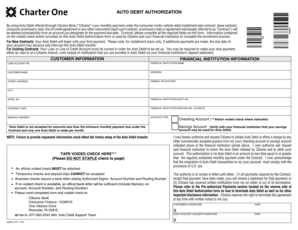
Citizens Bank Auto Debit Authorization Form
Use a Citizens Bank Auto Debit Authorization Form template to make your document workflow more streamlined.
What the Citizens Bank form does
The Citizens Bank Auto Debit Authorization Form records a customer’s permission for authorized automatic debits from a designated bank account. The completed document normally connects the account holder, banking details, debit instructions, authorization language, and signature. With signNow, a sender uploads the Citizens Bank form, reviews detected fillable fields, assigns the signer, and sends it electronically. The signer reviews the authorization, provides consent, and signs. The completed PDF and audit trail can then be retained for payment administration, account inquiries, and authorization disputes.
How the Citizens Bank form works
The workflow converts a Citizens Bank Auto Debit Authorization Form into a controlled digital signing process with fields, signer authentication, and an audit trail.
Upload form: Upload the Citizens Bank form and review its detected fields. Add signer: Add the Citizens Bank account holder as the required signer. Send document: Send the authorization securely by email or signing link. Store record: Collect the signature and retain the completed authorization record.
Ways to send and sign the form
- Use the signNow web app when finance staff upload the Citizens Bank form, review fields, assign the account holder, and manage the completed record from a desktop workflow.
- Use the signNow mobile app when an authorized employee needs to prepare or review the Citizens Bank authorization from an iOS or Android device.
- Use kiosk mode when a staff member supervises signing on an organization-controlled device and the signer completes the Citizens Bank form in person.
- Use a shareable signing link when the organization distributes the same Citizens Bank authorization workflow to identified account holders without manually creating each invitation.
Recommended workflow setup
Configure the Citizens Bank authorization workflow around signer identity, consent, audit evidence, controlled access, and secure record storage.
| Setting | Recommendation |
|---|---|
| Authentication and provisioning | SMS verification with controlled finance-team access |
| Signature type | Electronic signature with clear consent |
| Audit trail | Capture timestamps, IP address, and actions |
| Document retention | Apply the relevant banking-record schedule |
| Encryption | TLS 1.2/1.3 and AES-256 protection |
 Best ROI. Our customers achieve an average 7x ROI within the first six months.
 Scales with your use cases. From SMBs to mid-market, airSlate SignNow delivers results for businesses of all sizes.
 Intuitive UI and API. Sign and send documents from your apps in minutes.
Key features for this authorization
signNow connects document preparation, signer routing, audit evidence, mobile access, and controlled storage for the Citizens Bank Auto Debit Authorization Form.
Field detection
Automatic field detection helps identify areas requiring account details, dates, initials, and signatures after the Citizens Bank form is uploaded. Review the detected placement before sending because the bank’s required fields remain the sender’s responsibility.
Signer routing
Assign the account holder as the signer and send the completed Citizens Bank authorization by email or signing link. The signer can review the document before applying an electronic signature.
Audit trail
A signNow audit trail records signing actions and document history associated with the Citizens Bank authorization. Preserve it with the final PDF to support questions about consent, timing, or document changes.
Mobile signing
Mobile apps allow authorized staff and signers to handle Citizens Bank authorization documents away from a desktop. Device controls should protect downloaded banking details and prevent unauthorized access.
Reusable template
Templates can preserve approved field placement and signer roles for recurring Citizens Bank authorizations. Administrators can limit who edits the template while delegated staff handle sending.
Data protection
TLS 1.2/1.3 protects data in transit and AES-256 protects stored documents. These controls help organizations handle banking information within their documented security and access policies.
Mobile options for Citizens Bank forms
Citizens Bank Auto Debit Authorization Form workflows can use signNow mobile apps on iOS and Android. Use a supported browser or app, an internet connection for sending and synchronization, and TLS-protected access when transmitting the document.
Mobile apps The signNow mobile apps support completing and signing Citizens Bank authorizations on iOS and Android devices. Camera capture Camera capture can create a document image before field placement and electronic signing. Offline signing Offline signing availability depends on the signNow mobile workflow and later synchronization.
Organizations handling banking records should manage mobile devices, app access, and downloaded files through their internal security policy. Confirm whether offline signing, camera capture, SSO provisioning, API access, or stronger signer authentication is required before deploying this Citizens Bank authorization workflow.
Security and compliance for banking forms
Transport encryption:
Storage encryption:
Security certification:
Management standard:
Electronic signatures:
Protected health information:
Inside the Citizens Bank audit trail
The audit trail documents how the Citizens Bank authorization was accessed, signed, completed, and preserved for later review.
Authenticate signer:
Capture timestamp:
Hash document:
Seal record:
Log activity:
Export evidence:
Retention and record-keeping practices
Keep the signed Citizens Bank authorization, signer evidence, and audit history together under the retention rule applicable to its payment or business purpose.
Apply the relevant retention rule
Export the audit trail
Protect banking information
Archive with deletion controls
Privacy and disclosure pitfalls
Leaving the Citizens Bank account number or authorization amount incomplete can delay processing or require the form to be resubmitted. Sharing the signed authorization outside the intended banking or payment team can expose routing, account, and personal information. Failing to capture the account holder’s consent may weaken evidence that recurring debits were authorized. Giving every team member unrestricted access can allow unauthorized edits, downloads, or disclosures of the completed form.
Citizens Bank form troubleshooting
Resolve field, signer, consent, acceptance, and recordkeeping questions before relying on a completed Citizens Bank Auto Debit Authorization Form.
Upload the Citizens Bank form to signNow, use automatic field detection, and inspect every detected account, authorization, date, and signature field. Correct any misplaced fields before sending, because automatic detection does not confirm the bank’s business requirements or account information.
The Business plan costs $8 per user per month with annual billing and includes templates and audit trails. Business Premium costs $15 per user per month annually and adds bulk send. Choose the plan based on the number of authorizations and required workflow features.
Signers can receive an email invitation or signing link and may complete the document from a browser or mobile app. If the signer cannot access the link, resend it after confirming the email address and reviewing account security controls.
For consumer-facing electronic records, ESIGN requires disclosure of the right to receive paper records, access to the electronic format, and a withdrawal procedure under 15 U.S.C. §7001(c). Apply those requirements when the Citizens Bank authorization is presented to a consumer.
signNow supports audit trails that record signing activity, timestamps, and document history. Export the completed form and audit trail together, then store them under the retention schedule applicable to the Citizens Bank payment authorization and related records.
signNow is ESIGN and UETA compliant, but those frameworks do not replace Citizens Bank’s acceptance requirements or applicable state law. Confirm that the bank accepts an electronically signed authorization before relying on the digital workflow.
Key performance indicators that demonstrate SignNow's proven track record.
BE READY TO GET MORE
Get this form now!

If you believe that this page should be taken down, please follow our DMCA take-down process.