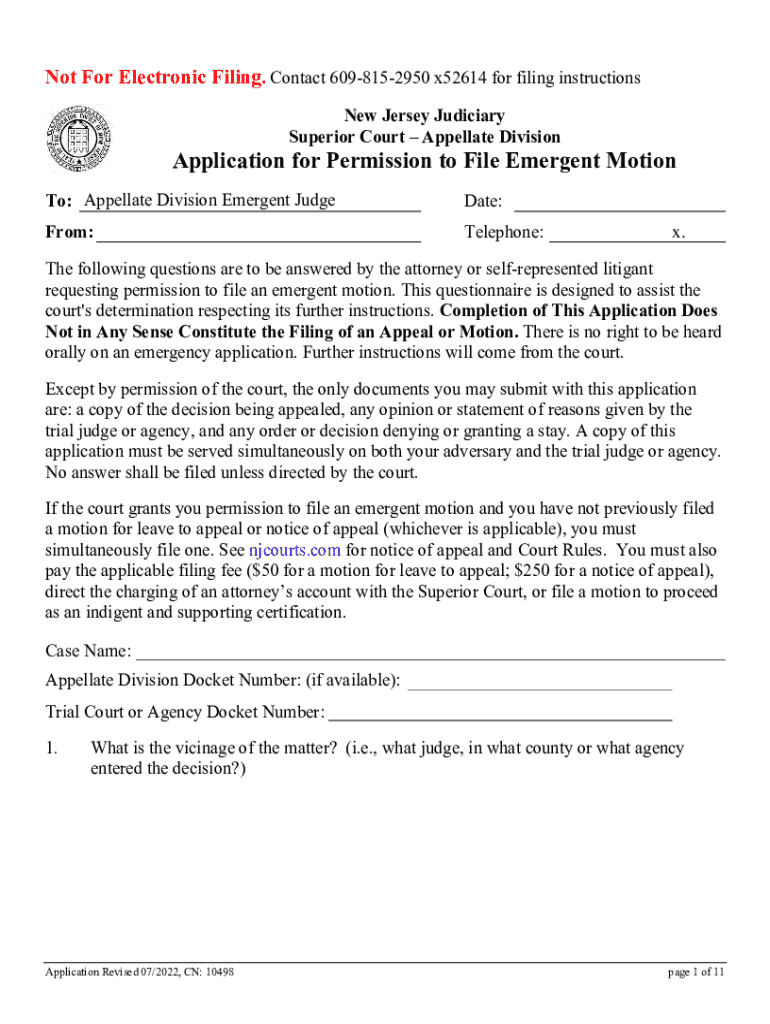
Printclearnot For Electronic Filing Contact 60981 Form
Use a PrintClearNot For Electronic Filing Contact 60981 template to make your document workflow more streamlined.
What this contact form does
Printclearnot For Electronic Filing Contact 60981 Form is a contact-information document prepared for electronic completion, signature, and filing-related recordkeeping. In signNow, a sender uploads the form, reviews automatically detected fillable fields, assigns each field to the correct signer, and sends the document by email or signing link. The recipient reviews the displayed information, signs where assigned, and receives the completed record. signNow retains the signed PDF and audit trail, while the organization remains responsible for confirming the form’s required fields, filing destination, and any agency-specific rules.
Business types that benefit from this form
This form is most useful when teams collect contact information, signatures, and filing records across repeatable U.S. business workflows.
Solo tax practitioners can prepare this contact form for individual clients, capture required information, and retain signed copies without paper-based exchanges. Regional accounting firms can standardize the form through reusable templates, route it to clients, and preserve audit evidence for each completed submission. Enterprise finance departments can connect the form workflow with Microsoft 365 or NetSuite, apply role-based controls, and manage high-volume signer requests centrally.
These tasks are executed by both individual contributors and centralized administrators depending on organizational policy and required controls.
Who uses this contact form
Tax practitioners
Independent tax preparers use the contact form to collect client details, confirm the information electronically, and keep a completed copy with the engagement file. The workflow reduces rekeying and creates a searchable record for later review without changing the form’s underlying fields.
Business operations
Finance and operations teams use the form when a vendor, customer, or internal contact must confirm information before processing. signNow supports assigned fields, signer routing, and an audit trail that helps distinguish the submitted record from later drafts.
How this contact form works
The signNow workflow turns the uploaded contact form into a controlled record while preserving the signer’s intent and completion history.
Upload form: Upload the contact form PDF to signNow and preserve its original page structure. Review fields: Auto-detect fillable fields, then review contact fields before assigning signer roles. Send request: Send the prepared form by email or signing link to the intended recipient. Store record: Collect the signature and retain the completed PDF with its audit trail.
 Best ROI. Our customers achieve an average 7x ROI within the first six months.
 Scales with your use cases. From SMBs to mid-market, airSlate SignNow delivers results for businesses of all sizes.
 Intuitive UI and API. Sign and send documents from your apps in minutes.
Ways to send and sign this form
- Use the signNow web app when preparing the contact form on a desktop, reviewing detected fields, and sending it to a named signer by email.
- Use the signNow mobile app when a recipient needs to review or sign the contact form from an iOS or Android device away from the office.
- Use kiosk mode for supervised, in-person completion when staff control the device and need multiple people to sign separate copies sequentially.
- Use a shareable signing link when the same contact form must be distributed through an approved portal, message, or internal workflow.
Recommended setup for this form
Configure the contact form around signer attribution, field accuracy, reproducible records, and the security requirements of the underlying transaction.
| Setting | Recommendation |
|---|---|
| Authentication method | Email verification with SMS OTP |
| Signature type | Typed or drawn electronic signature |
| Audit trail | Retain completion certificate and action history |
| Document retention | Follow the transaction’s governing record rule |
| Encryption | TLS 1.2/1.3 and AES-256 |
What the audit trail records
The audit trail separates the original contact form from the evidence showing who accessed, completed, and signed the final record.
Authenticate signer:
Capture timestamps:
Record document history:
Seal transaction:
Export evidence:
Archive securely:
Platform requirements for this form
Complete Printclearnot For Electronic Filing Contact 60981 Form in the signNow web app using Chrome, Firefox, Safari, or Edge on Windows or macOS. Mobile signing is available through the signNow apps for iOS and Android, with an internet connection required for sending and synchronization.
Browsers Chrome, Firefox, Safari, Edge Operating systems Windows, macOS, iOS, Android Mobile apps SignNow iOS and Android apps
Organizations should manage access through approved Windows, macOS, iOS, or Android devices and confirm browser updates before sending the form. Teams requiring automated provisioning, API workflows, SSO, or advanced controls should review the selected signNow plan and configure integrations separately from the document’s field assignments.
Legal standing for business use
For a U.S. business transaction, a completed electronic form may be admissible when the signer demonstrates intent, consents to electronic records, can be attributed to the signature, and the record remains reproducible under ESIGN, 15 U.S.C. ch. 96, and applicable UETA law. Wills, codicils, testamentary trusts, certain court filings, and family-law decrees are excluded.

Privacy and disclosure pitfalls
Uploading an outdated or incomplete contact form can leave required identifying details blank and create a filing record that needs correction. Consumer-facing workflows require electronic-record disclosure and consent; omitting the paper-record option can weaken evidence of valid electronic consent. Sending the completed form to the wrong recipient may expose taxpayer, contact, or business information beyond the intended filing team. Unrestricted template access can allow unauthorized edits to contact fields before signing, making the final record difficult to reconcile.
State rules and document exclusions
Notarization required
Real-estate deeds
Wills and codicils
Court documents
Family-law records
Best practices for retaining this form
Accurate field review, controlled delivery, and documented retention help preserve the value of a completed Printclearnot For Electronic Filing Contact 60981 Form.
Export the completed record and audit trail
Apply the governing retention rule
Verify every contact field before sending
Limit access to personal information
Troubleshooting this contact form
Use these answers to resolve field, signer, consent, plan, and recordkeeping issues before filing the completed contact form.
Upload the original PDF again and check whether the document is password-protected or damaged. signNow Business supports document uploads, field placement, templates, and audit trails; a clean, editable source helps automatic field detection identify the contact fields correctly.
Open the document’s signer roles and confirm every contact field belongs to the intended recipient. signNow lets senders assign fields before delivery, so an incorrect role assignment should be corrected before sending rather than after the form is signed.
Use an SMS code or another available authentication control when the contact information requires stronger attribution. The signNow Business plan includes legally binding eSignatures and audit trails; stronger authentication may depend on the selected plan and configuration.
Consumer-facing electronic records require disclosure of the right to receive paper, access to the electronic format, and a method to withdraw consent under ESIGN, 15 U.S.C. §7001(c). Add and retain the required disclosure before requesting this form’s signature.
Business includes 100 signature invites per user annually when billed annually, with overage fees described by signNow. Business Premium adds bulk send, while Enterprise adds advanced signer authentication; select the plan based on invite volume and verification needs.
Export the completed PDF and audit trail from signNow, then store both under the organization’s records policy. ESIGN requires records to remain accurately reproducible, but the retention period for this contact form depends on the transaction and applicable federal or state rule.
Key performance indicators that demonstrate SignNow's proven track record.
BE READY TO GET MORE
Get this form now!

If you believe that this page should be taken down, please follow our DMCA take-down process.