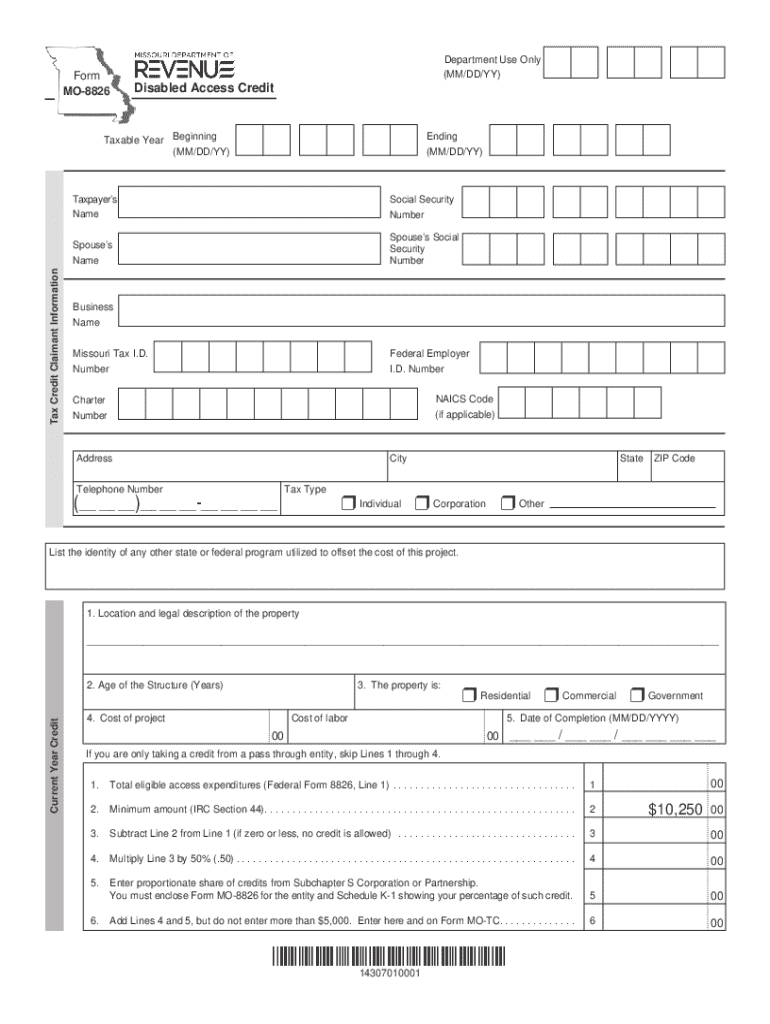
About Form 8826, Disabled Access Credit
Use a About Form 8826, Disabled Access Credit template to make your document workflow more streamlined.
What Form 8826 does
Form 8826, Disabled Access Credit, is used by eligible small businesses to calculate the federal credit for qualifying expenditures that improve access for people with disabilities. The form identifies eligible access expenditures, applies the statutory credit calculation, and carries the resulting amount to the business’s income tax return. Businesses should verify eligibility, expenditure categories, and current instructions with the IRS before filing. In signNow, teams can upload the form, complete fields, collect authorized signatures, and retain an auditable copy with supporting records.
Businesses that use Form 8826
Form 8826 is most useful for businesses documenting eligible accessibility expenditures and coordinating the supporting records needed for tax preparation.
Small businesses that paid qualifying accessibility costs can document eligible expenditures and complete Form 8826 alongside the appropriate income tax return. Architectural and construction firms can organize project invoices, accessibility improvement records, and owner approvals supporting a client’s Form 8826 calculation. Multi-location enterprises can route Form 8826 approvals to finance teams while preserving consistent records for each eligible business location and tax year.
These tasks are executed by both individual contributors and centralized administrators depending on organizational policy and required controls.
Useful features for Form 8826
signNow organizes the Form 8826 completion, approval, signature, and retention steps without replacing the IRS eligibility analysis or tax filing process.
Field detection
Upload the Form 8826 PDF and let signNow detect available fields before you review the tax-year information and accessibility expenditure entries.
Signature routing
Route the completed Form 8826 to an authorized business representative for review and electronic signature without exchanging paper copies.
Audit trail
Capture signer actions, timestamps, and completion history in an audit trail connected to the Form 8826 package.
Record organization
Keep invoices, calculation worksheets, and the signed form together in a controlled digital record for tax documentation.
Reusable template
Use signNow templates for recurring Form 8826 workflows while checking each tax year’s figures before sending.
Mobile access
Review or sign from desktop or mobile apps when finance and operations teams work across locations.
How to complete Form 8826 online
A controlled digital workflow keeps Form 8826 data, approvals, signatures, and supporting accessibility-cost records together.
Upload documents: Upload the current Form 8826 PDF and supporting cost records. Complete fields: Review detected fields and enter eligible expenditure details. Request signatures: Send the completed form to authorized business signers. Archive records: Store the signed form with its audit trail.
Quick steps for Form 8826
Complete Form 8826 in signNow by uploading the document, checking detected fields, routing it for approval, and preserving the completed record.
Upload form:
Upload the Form 8826 PDF. Check fields:
Review auto-detected fillable fields. Add costs:
Enter eligible accessibility expenditures. Send form:
Send for authorized signatures. Save copy:
Download the signed record.
 Best ROI. Our customers achieve an average 7x ROI within the first six months.
 Scales with your use cases. From SMBs to mid-market, airSlate SignNow delivers results for businesses of all sizes.
 Intuitive UI and API. Sign and send documents from your apps in minutes.
What the Form 8826 audit trail records
The audit trail preserves technical evidence showing who handled the Form 8826 package, when actions occurred, and how the final record was completed.
Signer authentication:
Timestamp capture:
Document hashing:
Tamper-evident sealing:
Action history:
Audit export:
Recommended Form 8826 workflow setup
Use a controlled signing and records process for Form 8826, its supporting cost records, and the filed business tax return.
| Setting | Recommendation |
|---|---|
| Authentication method | Email verification for business signers |
| Signature type | Standard electronic signature under ESIGN and UETA |
| Audit trail | Enable completion certificate and action history |
| Document retention | Retain with tax records under IRC §6501(a) |
| Encryption | TLS 1.2 or 1.3 and AES-256 |



Security for Form 8826 records
Data in transit:
Data at rest:
Security certification:
Information security:
Electronic signatures:
Health information:
Platform requirements for Form 8826
Use signNow through Chrome, Firefox, Safari, or Edge on Windows or macOS. Mobile access is available through signNow apps for iOS and Android, supporting Form 8826 review and signature workflows.
Browsers Chrome, Firefox, Safari, and Edge Desktop systems Windows and macOS desktop access Mobile systems iOS and Android mobile apps
Finance teams should use managed devices, role-based access, and controlled storage for Form 8826 and its accessibility-cost evidence. Organizations needing API access or SSO should confirm the selected signNow plan and configure retention for IRS examination records.
Form 8826 filing challenges to address
Separating eligible access expenditures from ordinary repairs can make the Form 8826 calculation inaccurate and weaken supporting documentation. Missing the disabled access credit’s eligibility requirements may lead to claiming costs that do not qualify under the Internal Revenue Code. Manually transferring project costs, dates, and credit calculations into Form 8826 creates transcription errors before the business tax return is filed. Unsigned or poorly retained supporting records can make it difficult to substantiate Form 8826 amounts during an IRS examination.
Form 8826 retention and recordkeeping
Preserve the completed Form 8826, calculation evidence, signature certificate, and tax records for the applicable IRS and state retention period.
Retain Form 8826 with supporting tax records
Export the completion certificate and audit trail
Archive signed records securely
Check state retention rules before deletion
Form 8826 retention schedule
Keep Form 8826 and its supporting tax records for the period tied to the filed return, an understatement, fraud, or applicable state requirements.
Three years: filed tax records
Six years: major understatement
Indefinite: fraudulent return
Indefinite: no return
Longer period: state rules
Risks when Form 8826 records are incomplete
Ineligible costs
Weak evidence
Missing audit trail
Incorrect form
Key performance indicators that demonstrate SignNow's proven track record.
Form 8826 troubleshooting questions
Resolve Form 8826 workflow issues by checking eligibility records, field mapping, signer permissions, and the applicable signNow plan or compliance control.
Form 8826 is a tax form, so the Business plan can collect legally binding electronic signatures and maintain an audit trail, while the business remains responsible for IRS eligibility and filing requirements.
Upload the PDF again and inspect detected fields before sending. signNow’s document editor lets you add or adjust fields when the source Form 8826 file does not expose every required entry.
The Business Premium plan includes bulk send, which can help distribute standardized Form 8826 packages across locations. Confirm each recipient’s role and supporting records before sending separate tax-year documents.
Electronic signatures are recognized under ESIGN and applicable state law, but Form 8826 eligibility and tax treatment come from IRS rules. Retain the signed form and records supporting the credit calculation.
For consumer-facing records, ESIGN requires electronic-record disclosures and access procedures. Form 8826 is generally a business tax document, but apply the disclosure requirements if a consumer participates in the workflow.
If the form contains protected health information, signNow lists HIPAA compliance with a BAA required. A business should limit access and confirm that the workflow, users, and retention policy meet its obligations.
BE READY TO GET MORE
Get this form now!

If you believe that this page should be taken down, please follow our DMCA take-down process.