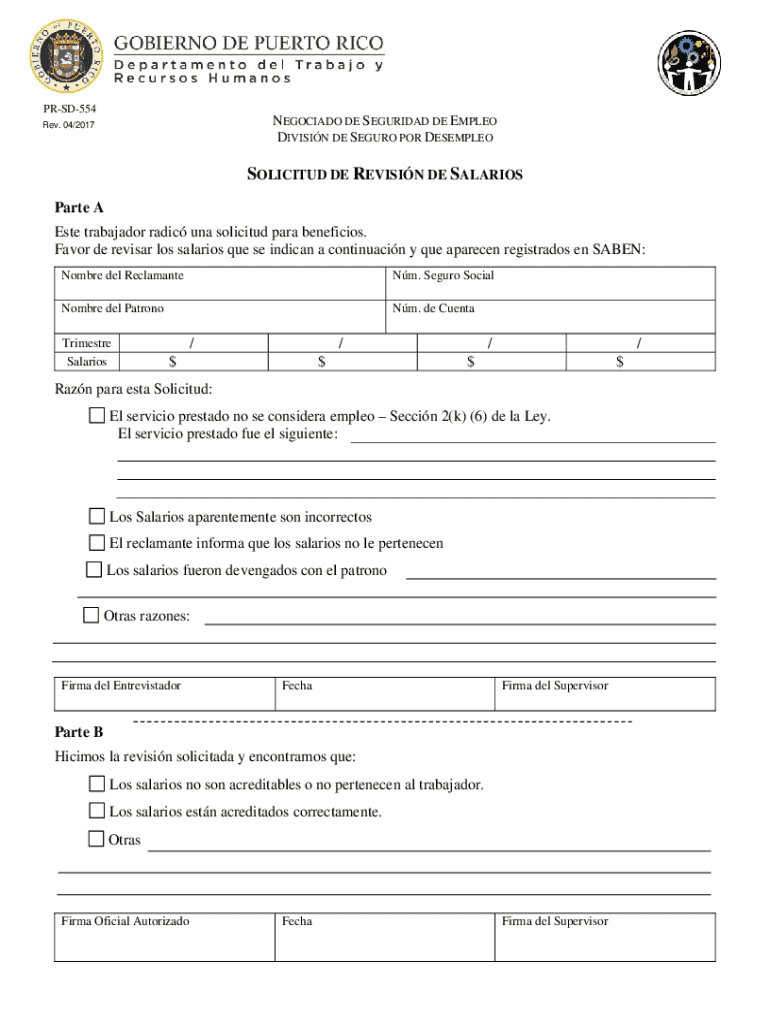
Employment Security Negotiation Form
Use a Employment Security Negotiation Form template to make your document workflow more streamlined.
Employment Security Negotiation Form overview
The Employment Security Negotiation Form records the employment terms an employer and candidate negotiate before accepting an employment arrangement. It can capture compensation, duties, benefits, start dates, conditions, and signatures in one document. With signNow, a sender uploads the form, reviews automatically detected fillable fields, assigns the employer and candidate, and sends it for electronic signing. The completed form and audit trail preserve the agreed version, signer actions, timestamps, and execution history for organizational records.
Legal standing of the signed form
An electronically signed Employment Security Negotiation Form can support a U.S. business record when the parties demonstrate intent, consent, attribution, and reliable retention and reproduction. ESIGN, 15 U.S.C. ch. 96, and applicable UETA or New York ESRA rules generally recognize electronic signatures, subject to excluded records and applicable state requirements.

Business types using this form
Employment Security Negotiation Form supports negotiated employment terms for individual professionals, growing businesses, and centralized human-resources teams.
Solo employment attorneys can prepare, revise, and obtain signatures on negotiated employment terms without exchanging separate email attachments or losing version control. Small businesses can send one employment negotiation document to a candidate, capture each agreed term, and retain the signed record for internal files. Enterprise human-resources teams can standardize negotiation templates, assign signing roles, and preserve completed employment agreements with searchable audit evidence.
These tasks are executed by both individual contributors and centralized administrators depending on organizational policy and required controls.
Who uses this employment form
Employment teams
Employment attorneys and human-resources teams use the form to document negotiated compensation, duties, benefits, start dates, and other employment conditions.
Employers and candidates
Candidates and employers use the form to review agreed terms, sign electronically, and retain a shared record of the negotiation outcome.
 Best ROI. Our customers achieve an average 7x ROI within the first six months.
 Scales with your use cases. From SMBs to mid-market, airSlate SignNow delivers results for businesses of all sizes.
 Intuitive UI and API. Sign and send documents from your apps in minutes.
Recommended form workflow setup
Configure the Employment Security Negotiation Form around signer identity, clear electronic intent, complete audit evidence, and the organization’s documented retention policy.
| Setting | Recommendation |
|---|---|
| Authentication method | Email link with SMS OTP |
| Signature type | Typed or drawn electronic signature |
| Audit trail | Enabled for every signer action |
| Document retention | Follow applicable employment-record policy |
| Encryption | TLS 1.2/1.3 and AES-256 at rest |
How to complete this form
Use this sequence to prepare the Employment Security Negotiation Form, route it to the correct parties, and preserve evidence of completion.
Upload form:
Upload the Employment Security Negotiation Form to signNow. Check fields:
Review automatically detected fields and correct placements. Assign signers:
Add the employer and candidate as signers. Send form:
Send the negotiated terms for electronic signature. Retain record:
Store the signed form with its audit trail.
Security for signed employment records
Transport encryption:
Stored encryption:
Security certification:
Information security:
Electronic signing:
Signer authentication:



Platform requirements for signing
The Employment Security Negotiation Form can be prepared in supported desktop browsers and signed through signNow mobile apps on iOS and Android, using encrypted connections.
Windows browsers Chrome and Edge macOS browsers Safari and Chrome Mobile apps signNow apps for iOS and Android
Teams should manage mobile access through their device and identity policies when employment records contain personal information. Confirm browser updates, signer authentication requirements, and retention controls before distributing the form across departments or external candidates.
Privacy and disclosure pitfalls
Leaving salary, start date, duties, or benefits fields blank can make the negotiated employment terms ambiguous and invite later disagreement. Sending an outdated draft can cause the signed record to omit revised compensation, responsibilities, or conditions discussed during negotiation. Skipping consumer electronic-record disclosures can create compliance concerns when the negotiation involves a consumer-facing transaction covered by 15 U.S.C. §7001(c). Granting broad access to signed employment records can expose personal information beyond the human-resources or legal teams that need it.
Best practices for this employment form
Accurate fields, controlled sending, and complete records reduce disputes over negotiated employment terms and execution history.
Identify every negotiated employment term
Review detected fields before sending
Keep the audit trail with the form
Apply the governing retention policy
Pricing for employment negotiation workflows
signNow pricing and selected plan features are shown beside competitor data only where the available vendor reference confirms the detail.
| Features | Features | signNow | DocuSign | Adobe Sign | PandaDoc | Dropbox Sign |
|---|---|---|---|---|---|---|
| Annual Business plan price | $8/user/month annually | Not verified | Not verified | Not verified | Not verified | |
| Free trial availability | 7 days, no card | Not verified | Not verified | Not verified | Not verified | |
| Bulk sending availability | Business Premium plan | Not verified | Not verified | Not verified | Not verified | |
| Audit trail availability | Included in Business | Not verified | Not verified | Not verified | Not verified |
Employment form troubleshooting questions
These answers address field detection, signer identity, plan limits, electronic consent, and timing questions for Employment Security Negotiation Form workflows.
On the Business plan, signNow provides templates, audit trails, mobile apps, and legally binding eSignatures. Upload the Employment Security Negotiation Form, inspect detected fields, and confirm required signer assignments before sending.
Use signNow’s SMS OTP or another available authentication control to strengthen signer attribution. Electronic validity still depends on intent, consent, attribution, and retention under ESIGN and applicable UETA or ESRA rules.
The Business plan costs $8 per user per month with annual billing and includes 100 signature invites per user per year. Additional invite charges may apply; confirm current plan terms before deployment.
Business Premium costs $15 per user per month with annual billing and adds bulk send. It can distribute the Employment Security Negotiation Form to multiple candidates using a repeatable workflow.
For consumer-facing electronic records, ESIGN requires disclosure of the right to receive paper, access to the electronic format, and procedures to withdraw consent under 15 U.S.C. §7001(c).
Employment Security Negotiation Form is not a federal tax form with a supplied IRS filing deadline. Set completion dates contractually and follow applicable employer, state, and organizational record policies.
Key performance indicators that demonstrate SignNow's proven track record.
BE READY TO GET MORE
Get this form now!

If you believe that this page should be taken down, please follow our DMCA take-down process.