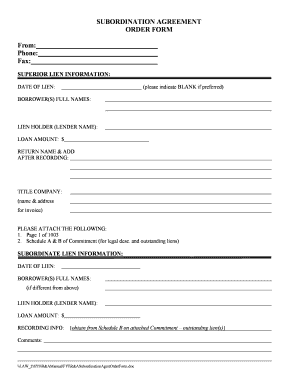
Lien Holder Form
Use a Lien Holder Form template to make your document workflow more streamlined.
What a lien holder form does
A Lien Holder Form identifies the lender or secured party connected to property that is subject to a lien. It is used to record, confirm, update, release, or communicate lien information for a specific transaction, such as a vehicle title transfer or loan payoff. The exact fields and filing authority depend on the property type and state agency. Before signing, verify the legal names, account or loan reference, property identification, lien status, and requested action. signNow can help complete the provided document, route signatures, and preserve the completed record and audit trail.
Who uses a lien holder form
Lien holders
Lien holders, secured lenders, and vehicle owners use the form to identify an existing lien, document payoff or release instructions, and coordinate title or ownership records. Requirements vary by state and the responsible motor-vehicle, vessel, or property-recording agency.
Transaction teams
Dealers, borrowers, insurers, and closing teams use the form when a lien affects a transfer, refinance, payoff, or release. They should confirm the receiving agency’s required fields, signatures, attachments, and filing method before submission.
How lien holder signing works
The signNow workflow moves the Lien Holder Form from upload through field preparation, authorized signatures, and documented completion.
Upload: Upload the Lien Holder Form. Prepare: Auto-detect or place fillable fields. Assign: Route fields to authorized signers. Complete: Store the signed record and audit trail.
How to complete a lien holder form
Use the receiving agency’s version of the Lien Holder Form, then verify every identifying field before sending it for signature.
Upload the form:
Upload the correct lien holder document to signNow. Check the fields:
Review detected fields and add missing property, lender, and transaction details. Assign signers:
Assign each signature, date, or acknowledgment field to the authorized signer. Send for signing:
Send the completed record for signature and monitor its status. Archive the record:
Download or store the signed form with its audit trail.
 Best ROI. Our customers achieve an average 7x ROI within the first six months.
 Scales with your use cases. From SMBs to mid-market, airSlate SignNow delivers results for businesses of all sizes.
 Intuitive UI and API. Sign and send documents from your apps in minutes.
Recommended lien form workflow setup
Configure the workflow around signer identity, agency requirements, and preservation of the completed lien record.
| Setting | Recommendation |
|---|---|
| Authentication method | Email verification with SMS OTP |
| Signature type | Electronic signature with signer intent |
| Audit trail | Retain completion certificate and action history |
| Document retention | Follow the receiving agency’s retention rule |
| Encryption | TLS 1.2/1.3 and AES-256 protection |
Features for lien holder form workflows
signNow supports the document preparation, signer routing, completion evidence, and storage steps that accompany a Lien Holder Form.
Document preparation
Upload the agency’s Lien Holder Form and prepare its lender, property, and transaction fields without recreating the document.
Signer routing
Assign signature and date fields to the lender, borrower, dealer, or other authorized participant named in the transaction.
Remote signing
Send the form for electronic signature while preserving the completed PDF for agency or internal review.
Audit trail
Capture timestamps, signer actions, and completion details in a signNow audit trail associated with the signed form.
Reusable template
Use templates when the same lien release or lien-holder workflow recurs, while keeping transaction-specific data separate.
Mobile access
Access signing workflows through signNow mobile apps when authorized staff complete lien documentation away from the office.



Security for lien holder records
Data encryption:
Security reporting:
Information security:
Signature framework:
Protected health information:
Privacy controls:
What the lien form audit trail records
The audit trail documents who interacted with the Lien Holder Form, when actions occurred, and how the completed record can be retrieved.
Signer authentication:
Timestamp capture:
Document record:
Action history:
Completion certificate:
Audit export:
Risks of incorrect lien records
Incomplete agency fields
Unclear lien status
Missing audit trail
Wrong signer identity
Why teams look for DocuSign alternatives
Organizations seek alternatives when they need different pricing models, stronger native automation, simpler bulk affidavit workflows, or more flexible identity-verification options than those available in a legacy envelope-based vendor.

Lien holder form challenges to prevent
Leaving the lien holder’s legal name or address incomplete can cause the receiving agency to reject the transfer or require correction. Uploading a form containing loan numbers or personal data without access controls can disclose information to unintended recipients. Sending the document before confirming signer authority can produce a signed record that does not establish the lender’s required approval. Skipping the electronic-record disclosure when consumer-facing records are involved can create consent and access issues under ESIGN 15 U.S.C. §7001(c).
Lien holder form troubleshooting
These answers address field detection, signer routing, electronic-record consent, plan selection, security, and record preservation for Lien Holder Form workflows.
Upload the exact agency-issued Lien Holder Form and confirm that required fields were not flattened into an image. signNow can detect fillable fields, but a scanned form may require manual field placement before sending.
Use signNow’s signer assignment to route lender, borrower, or dealer fields to the correct person. Confirm each signer’s email address and role before sending, because a completed signature does not correct an unauthorized assignment.
For consumer-facing electronic records, provide the ESIGN disclosure and confirm access to the electronic format under 15 U.S.C. §7001(c). The receiving state agency may still require a specific submission method or original document.
Business includes legally binding eSignatures, templates, audit trails, and mobile apps at $8/user/month when billed annually. The Business Premium plan adds bulk send and costs $15/user/month annually.
signNow’s compliance materials identify ESIGN and UETA compliance, SOC 2 Type II certification, ISO 27001 certification, TLS 1.2/1.3, and AES-256 encryption. Confirm the receiving agency’s separate security requirements before submission.
After completion, retain the signed PDF and signNow audit trail together, then follow the applicable state agency, lender, or business retention policy. No single nationwide retention period is established for every lien holder document.
Key performance indicators that demonstrate SignNow's proven track record.
BE READY TO GET MORE
Get this form now!

If you believe that this page should be taken down, please follow our DMCA take-down process.