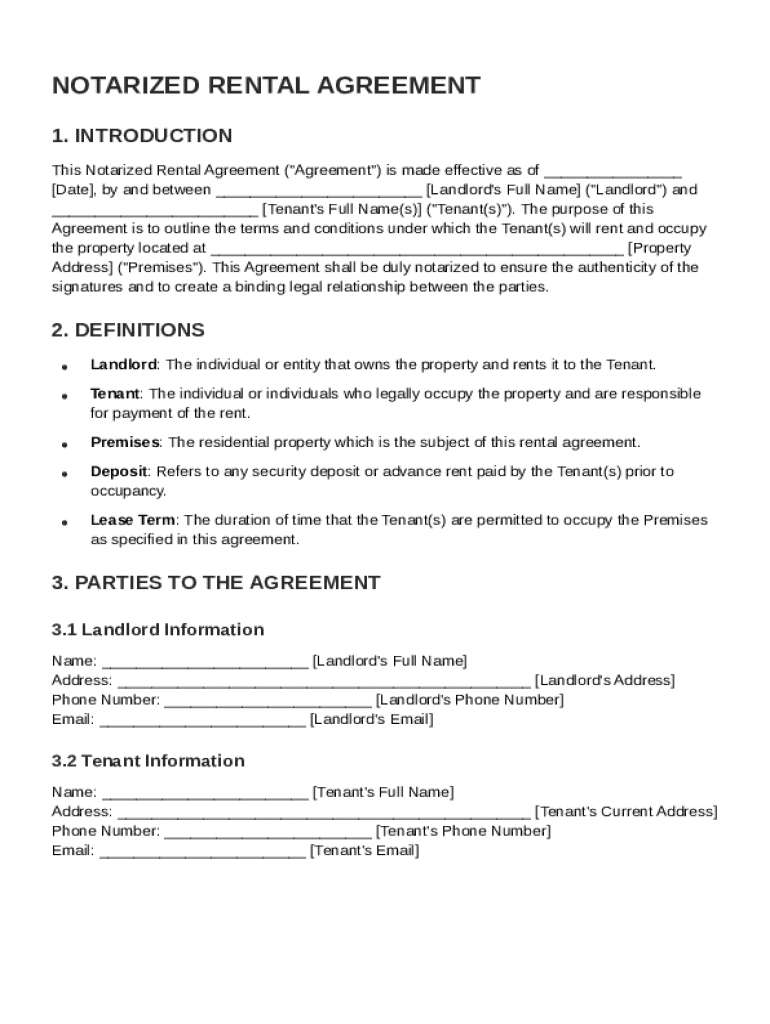
Notarized Rental Agreement Form
Use a Notarized Rental Agreement Template template to make your document workflow more streamlined.
What a notarized rental agreement does
A Notarized Rental Agreement Form records the rental terms agreed by a landlord and tenant, with a notary verifying the identity and signature process. It usually identifies the parties, property, rent, deposit, term, permitted use, maintenance duties, and signatures. Notarization can strengthen evidence that the named people signed, but state law determines whether notarization is required or adds legal effect. With signNow, a sender uploads the agreement, places fields, sends it for electronic signature, and retains the completed record and audit trail before arranging any required notarial act.
Who uses this rental form
Property managers
Property managers prepare agreements from approved templates, send them to landlords and tenants, and organize signed copies with audit evidence.
Independent landlords
Independent landlords use the form to document rent, deposits, repairs, occupancy terms, and signatures before completing any required notarization.
How the rental agreement workflow works
The signNow process turns a completed rental agreement into a controlled signing workflow while preserving the document history needed for lease administration.
Upload agreement: Upload the rental agreement PDF to signNow. Prepare fields: Auto-detect fields, then add missing rent and signature fields. Send for signing: Send the agreement to each landlord or tenant. Preserve evidence: Store the signed PDF and audit trail before notarization.
Steps to complete the rental agreement
Prepare the property and payment terms first, then use signNow to route the agreement and preserve a complete signing record.
Upload:
Upload the completed rental agreement. Add fields:
Review auto-detected fields and add signatures. Assign signers:
Assign each landlord and tenant. Complete:
Send, sign, and save the record.
 Best ROI. Our customers achieve an average 7x ROI within the first six months.
 Scales with your use cases. From SMBs to mid-market, airSlate SignNow delivers results for businesses of all sizes.
 Intuitive UI and API. Sign and send documents from your apps in minutes.
Recommended form workflow settings
Use these controls to prepare, sign, notarize, and retain rental agreements with clear signer identity and document history.
| Setting | Recommendation |
|---|---|
| Authentication method | SMS verification for remote signers |
| Signature type | Typed or drawn e-signature before notarization |
| Audit trail | Retain completion certificate and action log |
| Document retention | Follow applicable state lease requirements |
| Encryption | AES-256 at rest and TLS in transit |
What the audit trail records
A notarized rental agreement needs evidence beyond the visible signature; signNow records the underlying signing events and document history.
Signer authentication:
Timestamp capture:
Document hashing:
Tamper evidence:
Action history:
Audit export:
Security for rental agreement records
TLS and AES-256:
ESIGN and UETA:
SOC 2 Type II:
ISO 27001:
Two-factor authentication:
Timestamped document history:
Privacy and disclosure pitfalls
Personal identifiers, addresses, rent amounts, and signatures remain visible when completed agreements are shared without controlled access. Missing electronic-consent language can weaken evidence that each renter knowingly accepted electronic records and signatures. Shared links without signer verification may expose lease terms to an unintended recipient. Broad team permissions can let unauthorized staff download, alter, or redistribute notarized rental records.
State rules and document limits
State law controls; missing acknowledgment may weaken proof
ESIGN exceptions; separate execution rules apply
Decrees and filings remain outside ESIGN
Recording offices may require notarization and witnesses
Platform requirements for signing
Open the Notarized Rental Agreement Form in Chrome, Firefox, Safari, or Edge on Windows or macOS. signNow also provides mobile access through iOS and Android devices.
Browser support Chrome, Firefox, Safari, and Edge Desktop systems Windows and macOS desktops Mobile access iOS and Android mobile devices
Use a managed device when rental records contain addresses, identification details, payment terms, or other personal information. Confirm that every signer can access the completed PDF and audit trail, and arrange any required in-person or remote notarization separately under applicable state rules.
Troubleshooting notarized rental agreements
Resolve signing, identity, notarization, and retention questions before treating the rental agreement as final.
Check that the sender added every landlord and tenant as a separate recipient and assigned each required field. The signNow Business plan includes templates and audit trails, so the agreement can be resent after correcting recipient routing.
A rental agreement may be electronically signed under ESIGN and applicable state law, but notarization requirements are separate. Confirm whether the state requires an in-person acknowledgment or permits an approved remote online notarization process.
The Business plan is listed at $8/user/month when billed annually and includes 100 signature invites per user each year. Additional invites may create overage fees, so review usage before sending large lease batches.
Use SMS verification or another available authentication control when signer identity matters. Keep the completion certificate and audit trail with the agreement; signNow lists advanced signer authentication with its Enterprise plan.
A typed or drawn signature can evidence intent when the signer consents and the record remains reproducible. For consumer-facing electronic records, review the ESIGN consumer-disclosure requirements under 15 U.S.C. §7001(c).
Do not assume one retention period applies nationwide. Lease records may be governed by state landlord-tenant rules, contract policies, or litigation holds; identify the property’s state and preserve the signed agreement and audit trail accordingly.
Key performance indicators that demonstrate SignNow's proven track record.
BE READY TO GET MORE
Get this form now!

If you believe that this page should be taken down, please follow our DMCA take-down process.